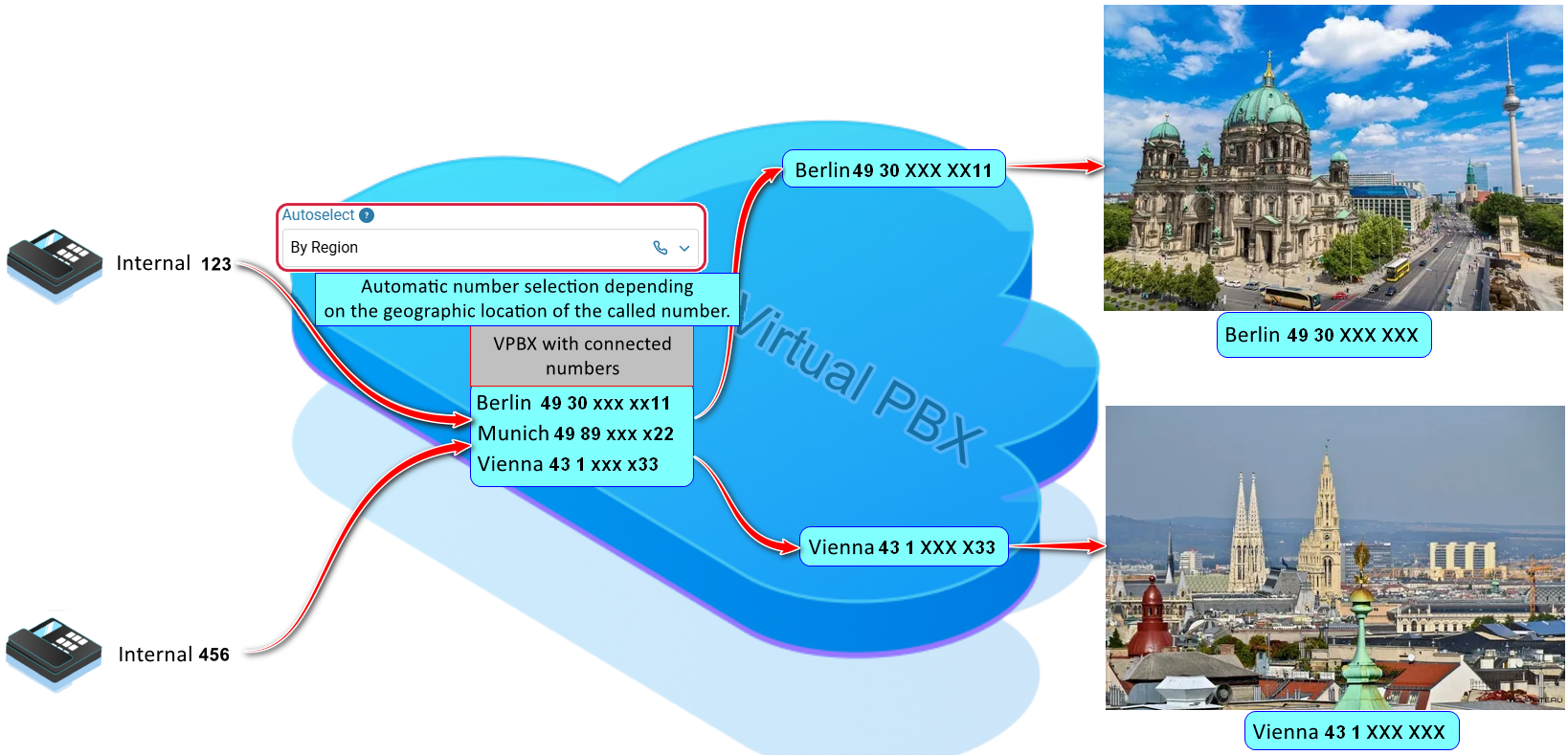
When the option is enabled, the system determines the geographic location of the called party and automatically routes calls through that region. For example, if the virtual PBX has phone numbers from Berlin and Vienna connected, a call from Berlin to Vienna will be placed using the Vienna number.
Benefits:
- The company's phone number will appear to the called party as a local landline number, increasing the likelihood that the customer will answer the call.
- The option helps increase customer trust while optimizing call costs.
To enable the option, see 'How to enable 'Automatic number change (GEO)'.
How to dial a number
Simply dial the customer's number from your phone. The system will automatically select the most appropriate phone number from those connected to the virtual PBX for placing the call.
When the ‘Autoselect By Region’ option is enabled, routing is performed as follows:
The ’Autoselect By Region’ option must be enabled both on the phone numbers that will be used for routing and in the subscriber settings.
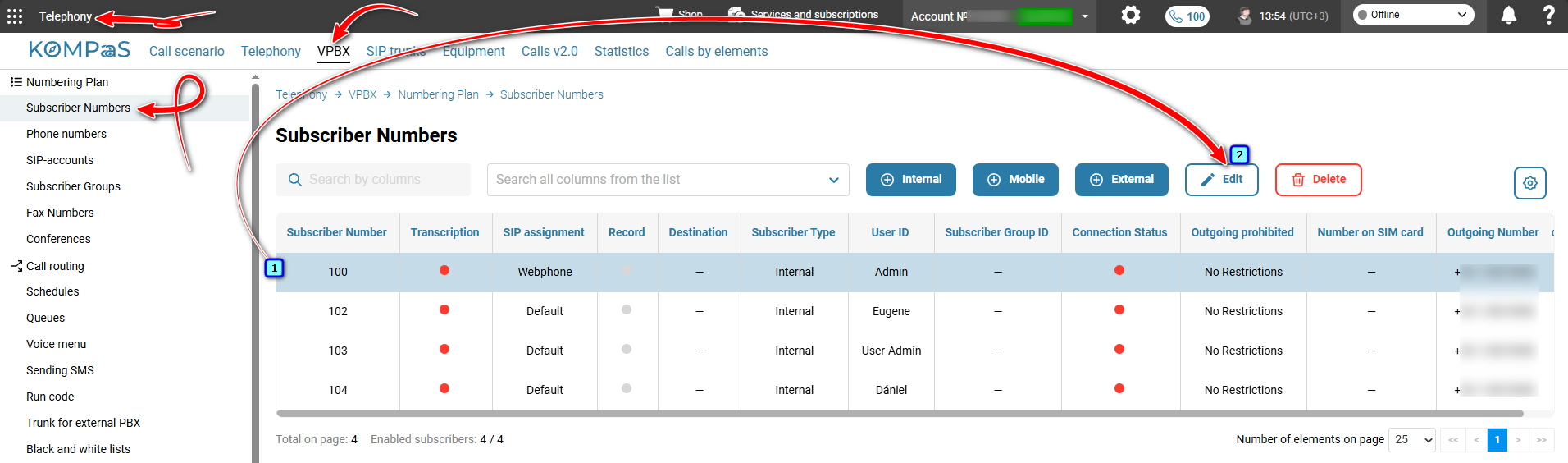
Go to ’Telephony’ → ’VPBX’ tab → ’Numbering Plan’ in the left-hand menu → ‘Subscriber Numbers’ → select the subscriber and click ’Edit’.
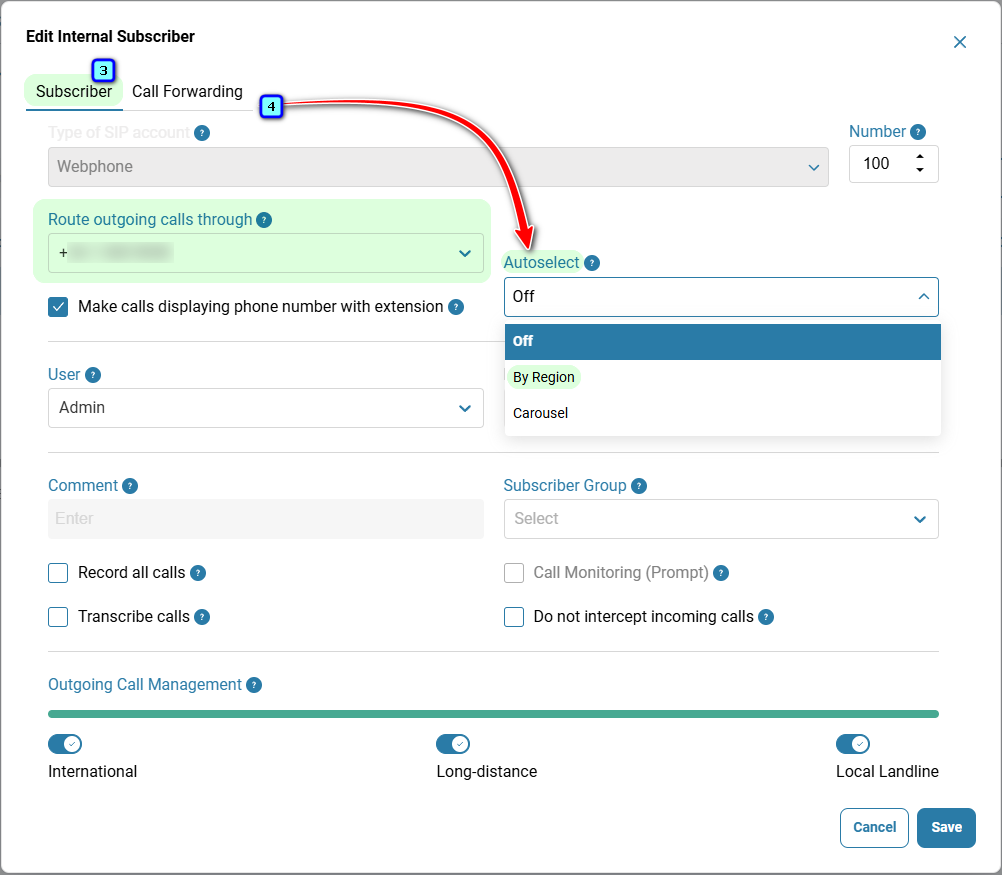
On the ‘Subscriber’ tab → in the ’Route outgoing calls through’ field, select the required phone number.
In the ‘Subscriber’ field, select the ’By Region’ option. For more information, see ’Subscriber Outbound Routing Configuration’.
Was this article helpful?
That’s Great!
Thank you for your feedback
Sorry! We couldn't be helpful
Thank you for your feedback
Feedback sent
We appreciate your effort and will try to fix the article