The 'Switch to another scenario' element is designed to switch from one call scenario to another.
The element helps simplify and structure complex call handling logic. You can divide one large scenario into several smaller ones, each responsible for a specific task.
The element also allows you to configure a switch to another scenario on specific days of the week or on holidays. For example, you can use a separate scenario to handle calls on Saturdays and Sundays or on holidays.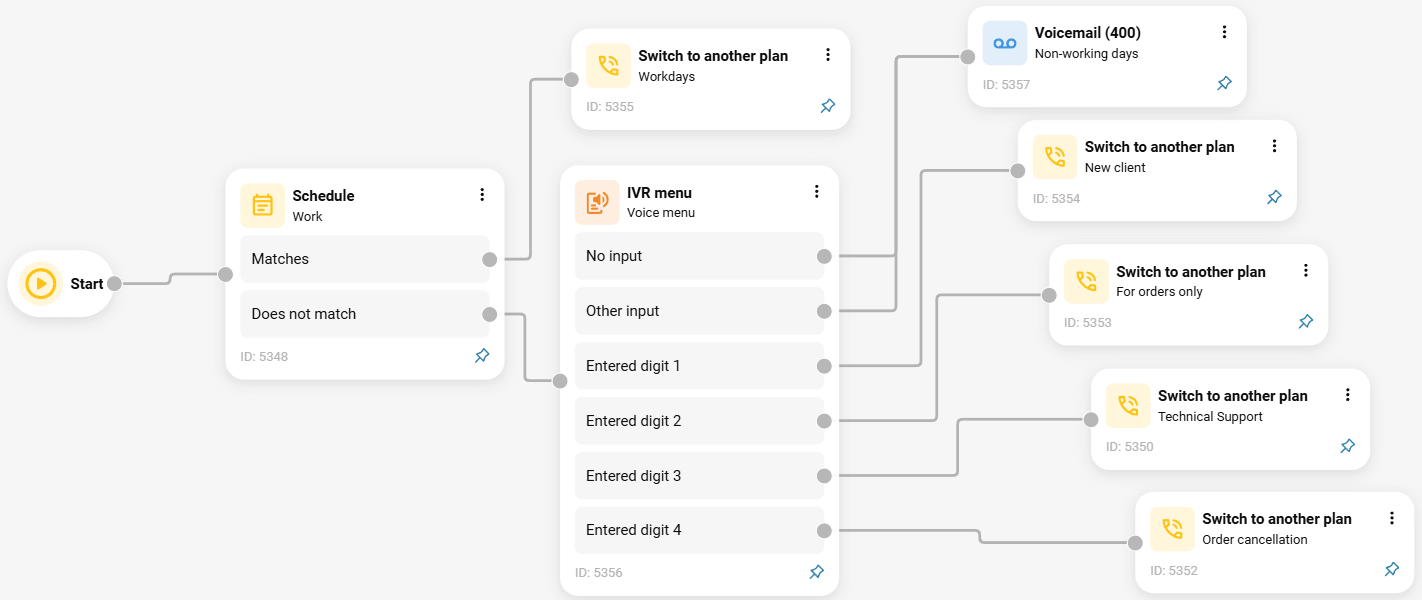
To use the element, click its icon or drag the element from the menu on the right.

In the window that opens, select a scenario.
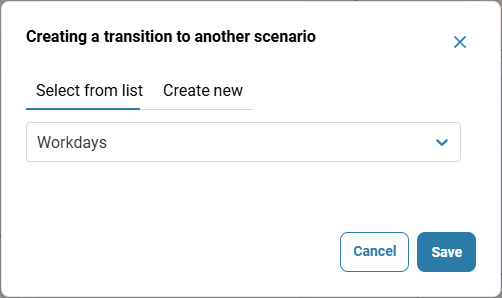
Click the 'Save' button.
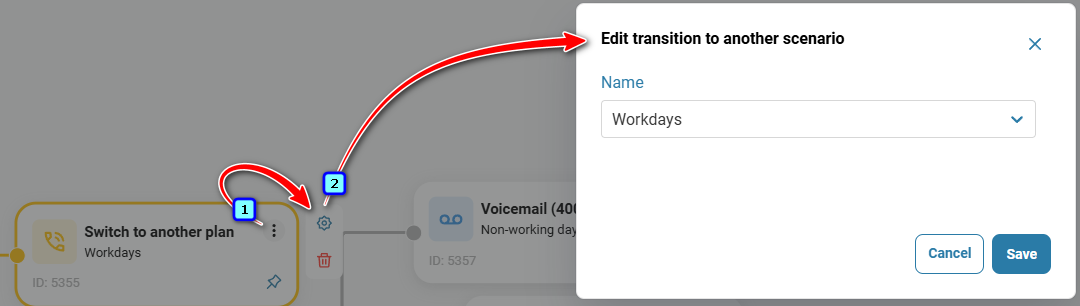
To edit the element, click the gear icon. The 'Edit transition to another scenario' window will open, where you can select another scenario.
Also see:
Was this article helpful?
That’s Great!
Thank you for your feedback
Sorry! We couldn't be helpful
Thank you for your feedback
Feedback sent
We appreciate your effort and will try to fix the article