Call subscriber API — the CRM (customer relationship management) system is used to check whether an employee is available and, if so, connect the call to them. This element is similar to the AmoCRM and Bitrix24 elements, but it allows you to integrate the call scenario with any other CRM system.
The 'Call subscriber API' element significantly simplifies communication between the customer and the company, as the customer does not need to look up the manager's contact details and call them independently. In the call scenario, this element indicates where synchronization with the database should take place to check whether the contact has an assigned manager. If a manager is assigned, the call will be routed to them.
⚠️ Attention! The 'HTTP request' element must always be placed before the 'Call subscriber API' element. For more information, see the 'HTTP request' element'. |
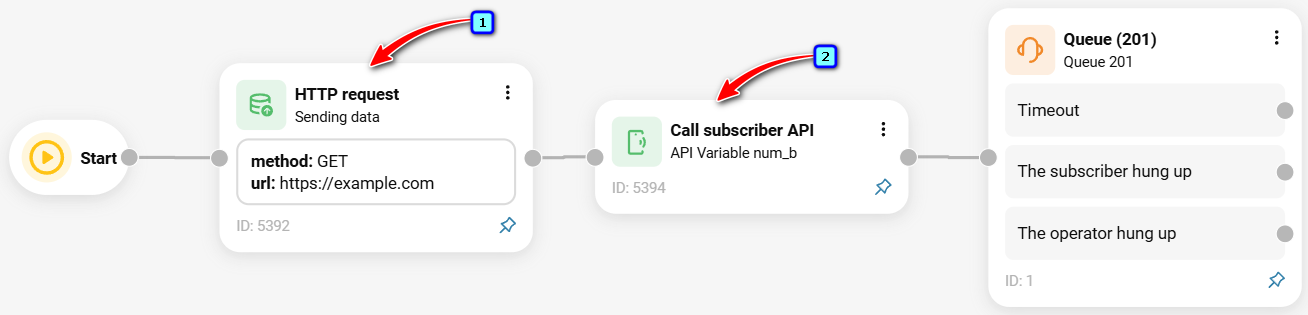
To add the element to a call scenario:
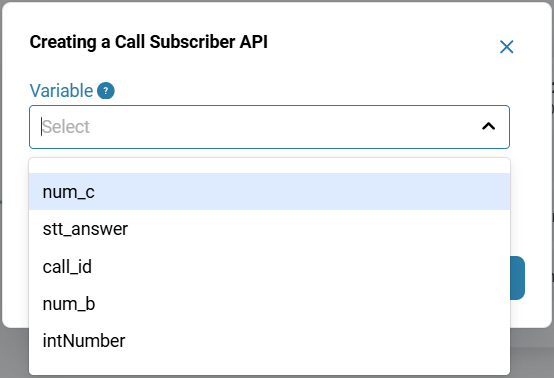
In the 'Telephony' → section, 'Call scenario' → tab, click the 'Call subscriber API' element icon in the sidebar on the right.

Select a variable.
Click the 'Save' button.
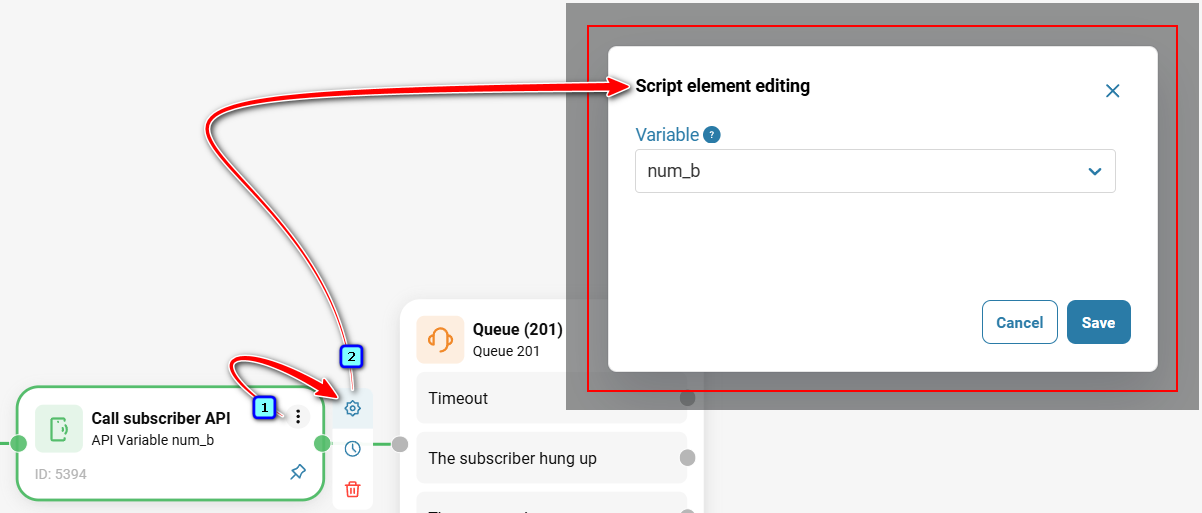
To edit the element, hover over it and click the gear icon. In the modal window that opens, select or create a variable that will interact with the variable in your CRM.
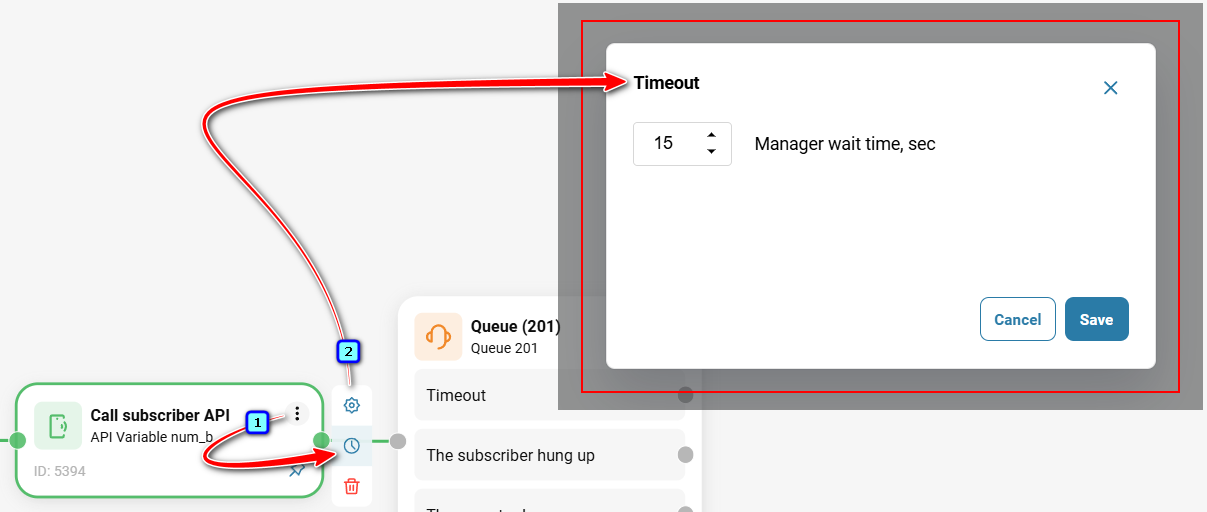
To configure the 'Timeout', hover over the element and click the clock icon. If the manager does not answer the call, set 'Manager wait time, sec' to specify how many seconds to wait before routing the call to another destination. If 'Manager wait time, sec' is set to zero, the 'Call subscriber API' element will be the final endpoint of the route.
Also see:
Was this article helpful?
That’s Great!
Thank you for your feedback
Sorry! We couldn't be helpful
Thank you for your feedback
Feedback sent
We appreciate your effort and will try to fix the article