The 'Call forwarding' element can be configured to redirect calls to different numbers depending on the time of day, day of the week, or other parameters, such as the caller's number or the number dialed on the phone keypad.
Unlike forwarding configured for an internal subscriber, this forwarding can be triggered by a greater number of parameters, for example, a third-party number on the same VPBX or another PBX via an external trunk.
To add the 'Call forwarding' element:
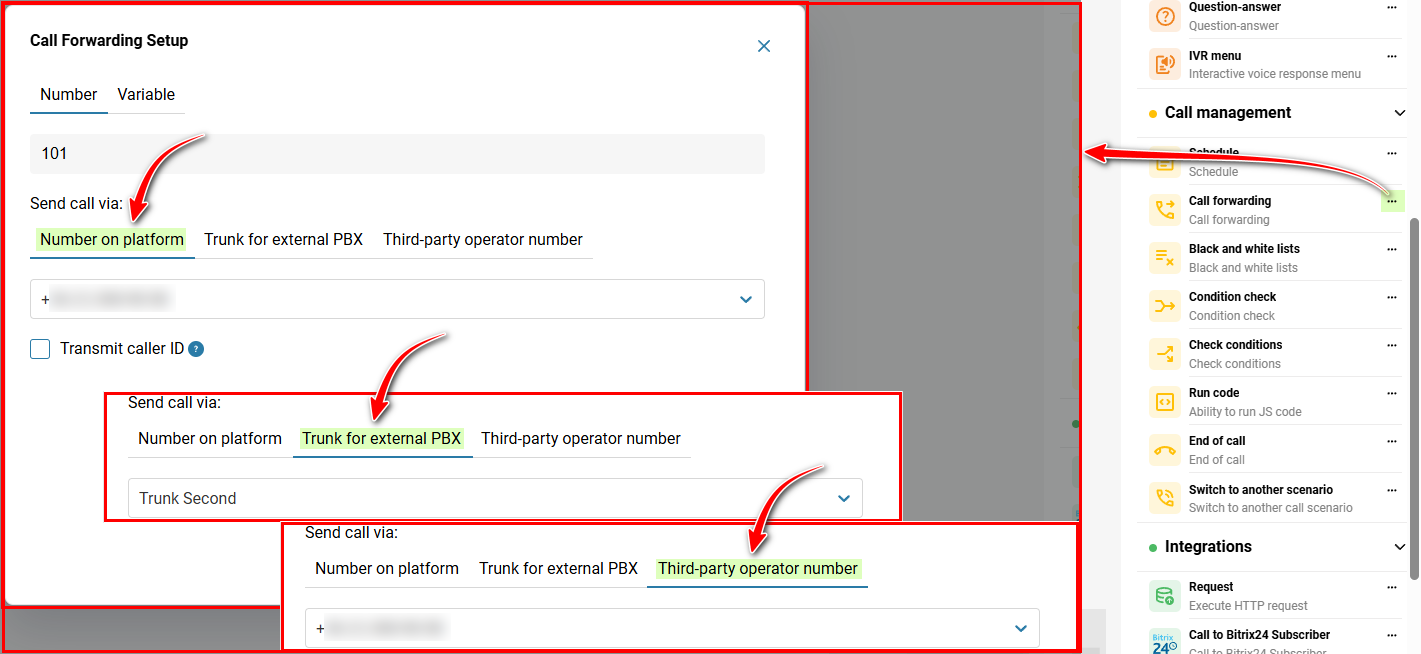
In the 'Telephony' → section, 'Call scenario' tab → on the right, in the sidebar, click the three-dot icon on the 'Call forwarding' element.
Configure call forwarding:
'Number' tab:
Specify the short Number for call forwarding.
Select the forwarding option — Number on platform, Trunk for external PBX, Third-party operator number and, depending on the option, select the number or trunk.
'Variable' tab:
Select a variable from the list or specify your own.
After completing the configuration, click the 'Save' button.
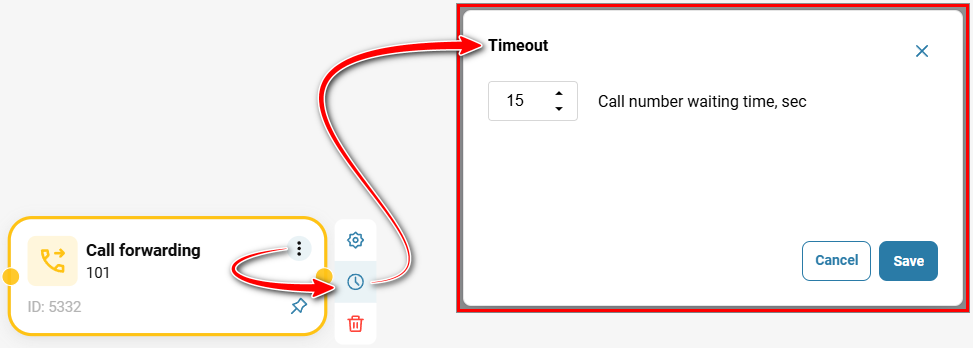
If the forwarding subscriber does not answer the call, set the Timeout — 'Call number waiting time, sec' and select the number of seconds after which the call will be routed to another destination. If no time is set, the 'Call forwarding' element will be the final endpoint of the route.
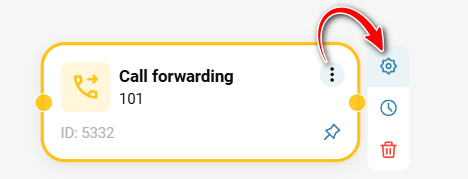
To edit the element, click the three-dot icon on the element, then click the gear icon.
Also see:
Call scenarios
Call Scenario Elements
Call scenario settings
Was this article helpful?
That’s Great!
Thank you for your feedback
Sorry! We couldn't be helpful
Thank you for your feedback
Feedback sent
We appreciate your effort and will try to fix the article