The 'Schedule' element allows you to route calls in a call scenario based on the time of day, days of the week, holidays, and weekends. To implement this functionality, add the special 'Schedule' element to the call scenario.
For example, 'Schedule' can be useful for a business that operates during specific hours and needs calls received outside business hours to be forwarded to voicemail or another phone number. The schedule can also be configured to account for holidays and weekends, ensuring that calls are routed correctly at all times. This helps improve customer service and ensures efficient use of time and resources.
To add the 'Schedule' element:
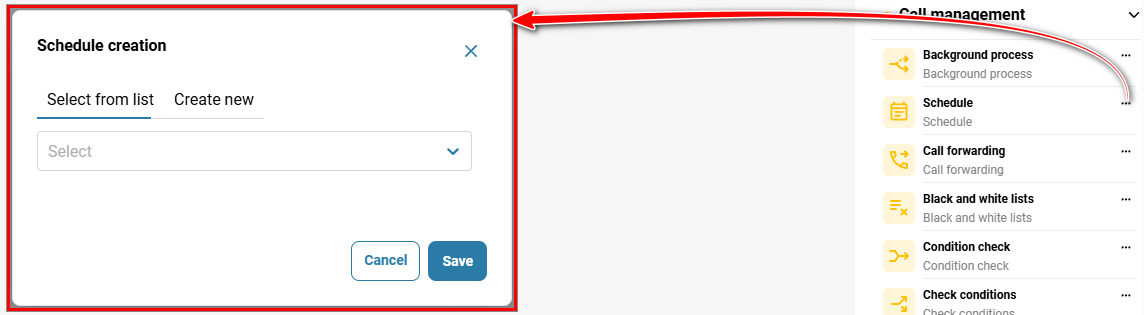
Go to 'Telephony' → 'Call scenario' tab → click the three-dot menu on the 'Schedule' element icon in the sidebar on the right, or drag and drop the element into the scenario.
Select an existing 'Schedule' or create a new one using the default settings.
Click 'Save'.
To edit the element:
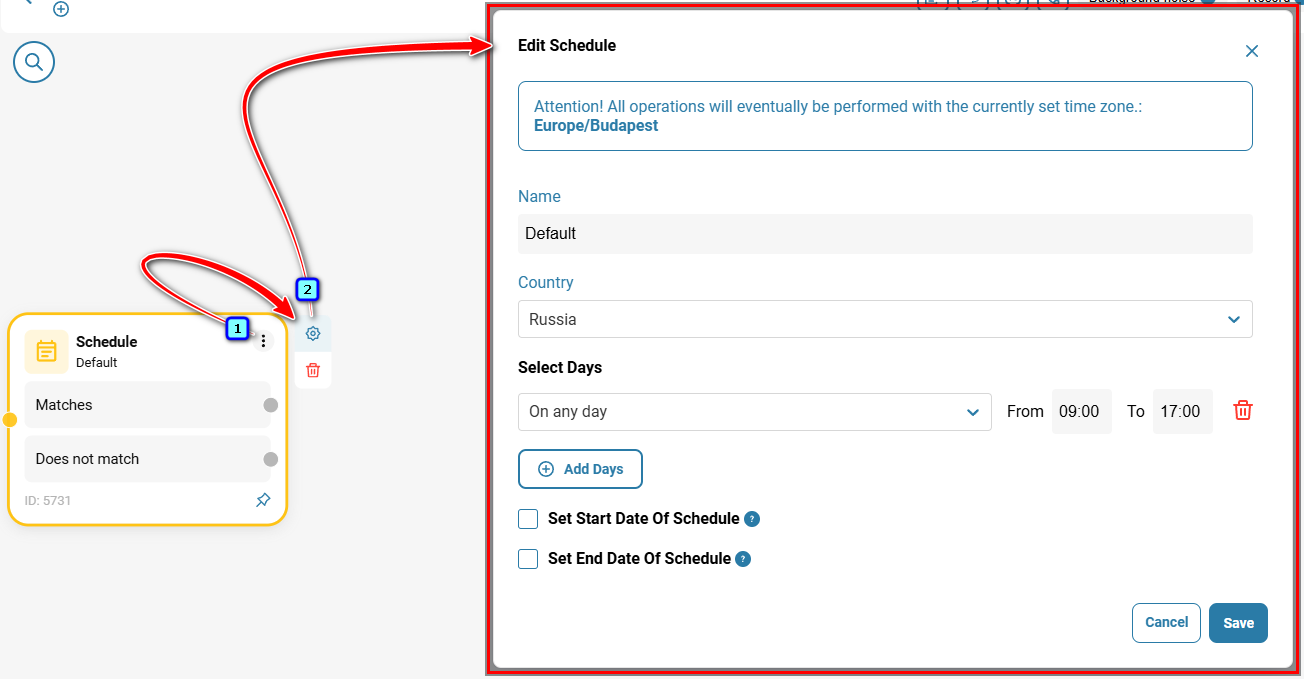
Click the three-dot menu on the element, then click the gear icon. In the 'Edit Schedule' modal window, specify the following parameters:
Name — enter a name for the schedule;
Country — the schedule will take into account public holidays in the selected country;
Select Days — select the days and hours when the schedule will be active;
Set Start Date Of Schedule — select the checkbox and specify the schedule start date, if required;
✅Note:
If no start date is specified, the schedule will become active as soon as it is created.
Set End Date Of Schedule — select the checkbox and specify the schedule end date, if required;
✅Note:
If no end date is specified, the schedule will remain active until it is deleted.
✅Note:
If the schedule end date is set to 03.01, calls will follow the “Matches” branch until 03.01 at 23:59:59.
Click 'Save'.
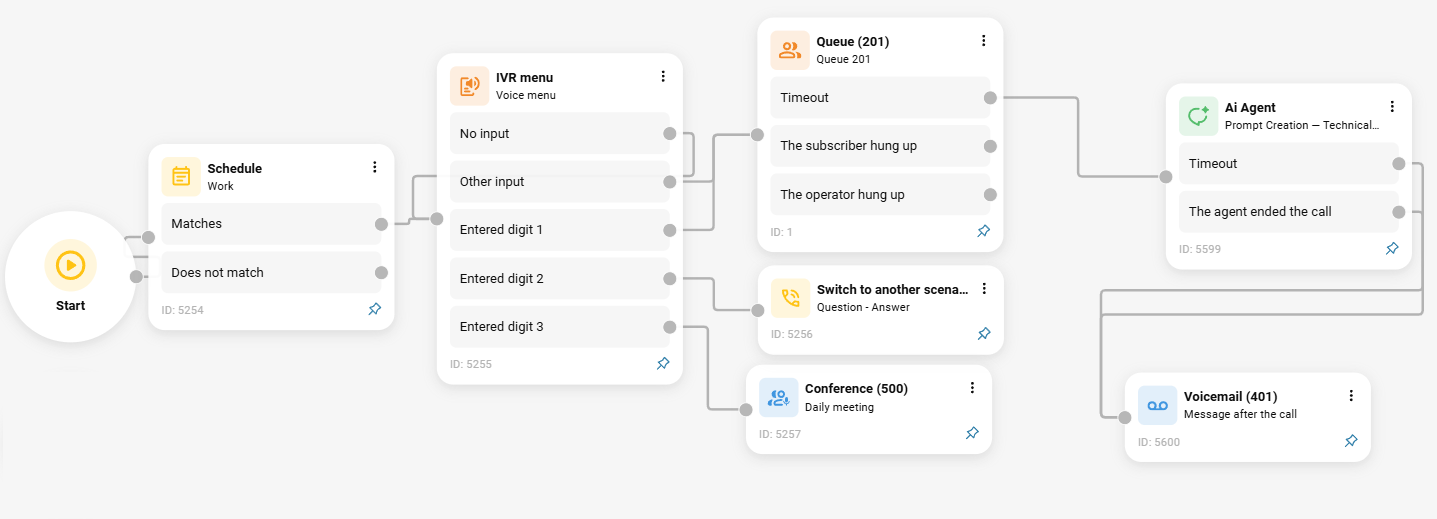
After adding the element to the call scenario, specify which elements an incoming call should be routed to depending on whether it matches the configured schedule.
Also see:
Was this article helpful?
That’s Great!
Thank you for your feedback
Sorry! We couldn't be helpful
Thank you for your feedback
Feedback sent
We appreciate your effort and will try to fix the article