Go to the 'Automated calls 2.0' section → 'Telephony'.
Before configuring an automated call, you need to:
Connect a phone number. For more information, see 'Enabling a phone number'.
Create a call scenario in 'Telephony' → 'Call scenario'. For more information, see 'Call scenario settings'.
Create a contact list in the 'Automated calls 2.0' section → 'Special contacts group'. For more information, see 'Automated calls 2.00 → How to create contacts'.
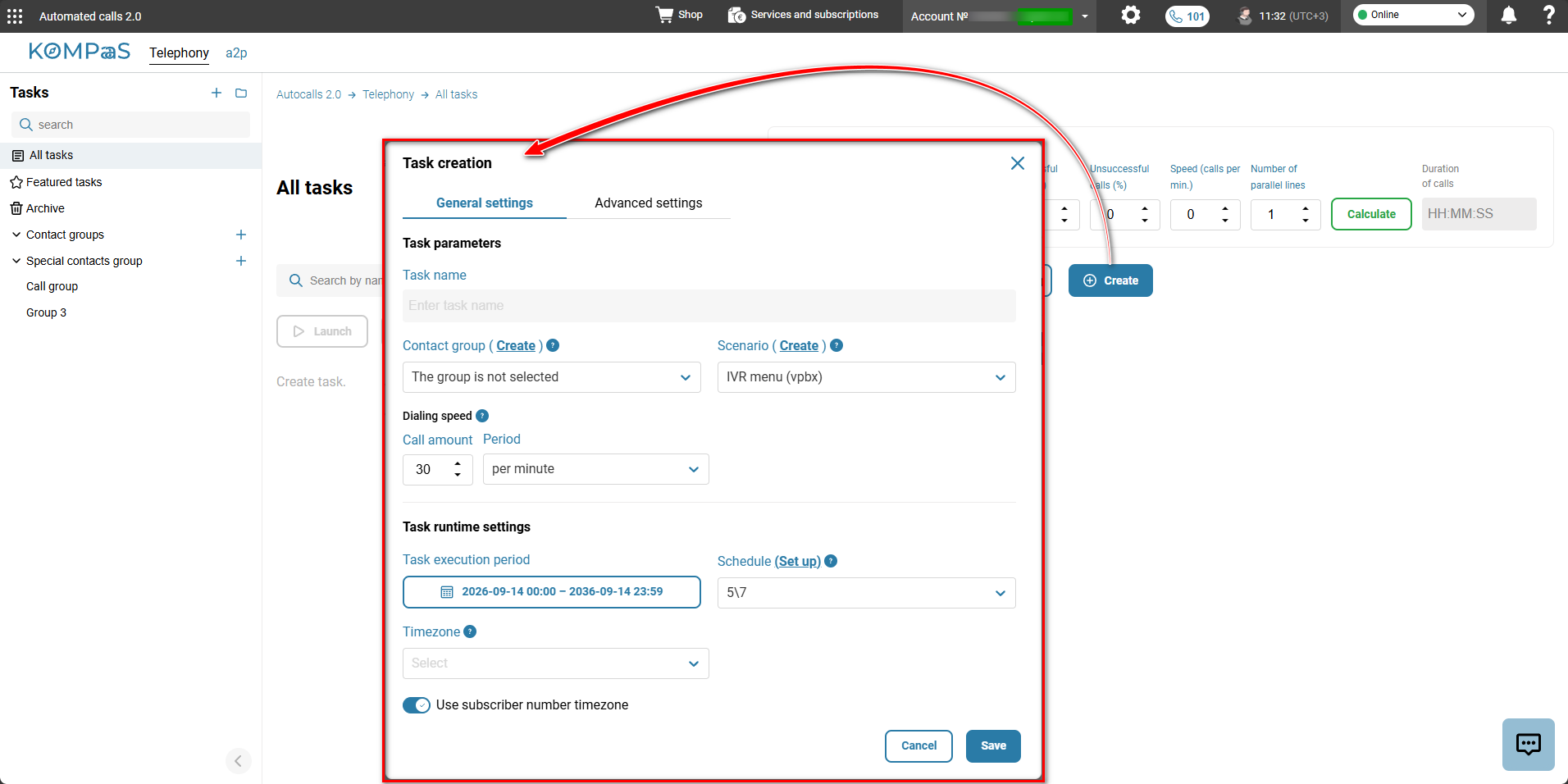
Click the 'Create' button and fill in the fields in the 'Task creation' modal window:
'Advanced settings' tab
Task parameters
Task name — specify the task name.
Contact group — you can select a group from the address book (contacts from this group are converted into targets when the task is created).
Optional — you can create a task without a group — for “transactional” tasks, where targets are added later (via API).
Scenario — select the call scenario created earlier.
⚠️Important! The scenario must have an assigned phone number — otherwise, calls will not be made, and the number must have a sufficient number of lines.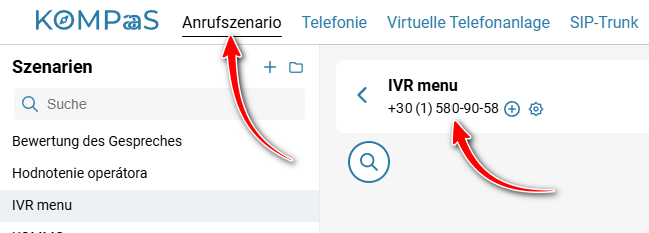
Dialing speed:
Сall amount — the number of calls made during the selected period (minute/hour/day).
Period — the period over which the specified number of calls will be made.
Task runtime settings
Task execution period — specify the dates of the period.
Schedule — select the schedule according to which the calls will be made .
Timezone — by default, the account's time zone is used for automated calls.
Use subscriber number timezone — if enabled, calls are made according to the subscriber's time zone. That is, a call will not be made to the Far East during nighttime hours.
'Advanced settings' tab
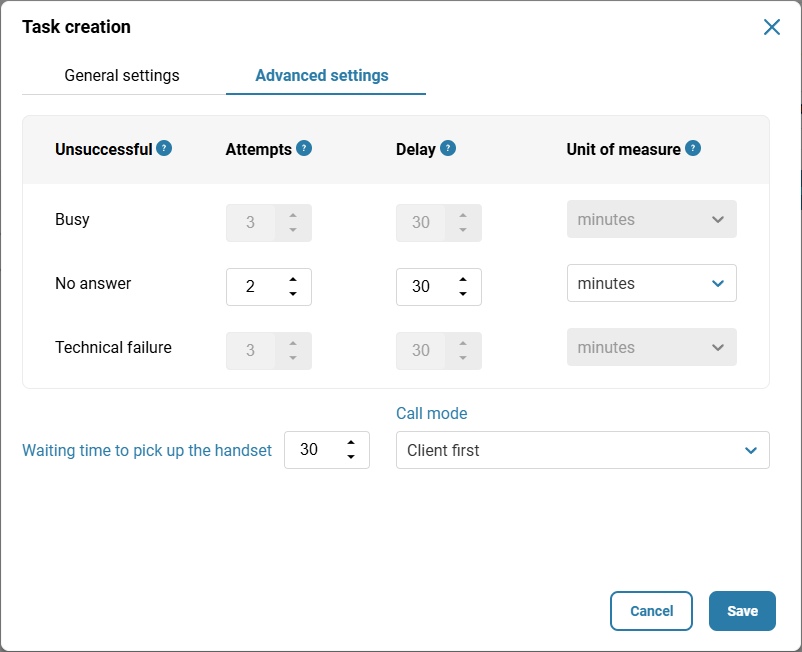
Unsuccessful — the robot's actions for a specific call type. Settings for calls with the “Busy” and “Technically unsuccessful” types are available only to the MSN manager.
Attempts — the maximum number of attempts for unsuccessful calls by type (busy, no answer, technically unsuccessful).
Delay — the interval between repeated attempts (for example — for a “busy” call, retry after 30 minutes).
Unit of measure — minutes, hours, days.
Waiting time to pick up the handset — how long the robot will wait for the subscriber to answer the call for it to be considered successful.
Сall mode — there are two options:
Client first — i.e. the external subscriber;
or
Scenario first — i.e. the scenario is activated before the connection with the subscriber is established.
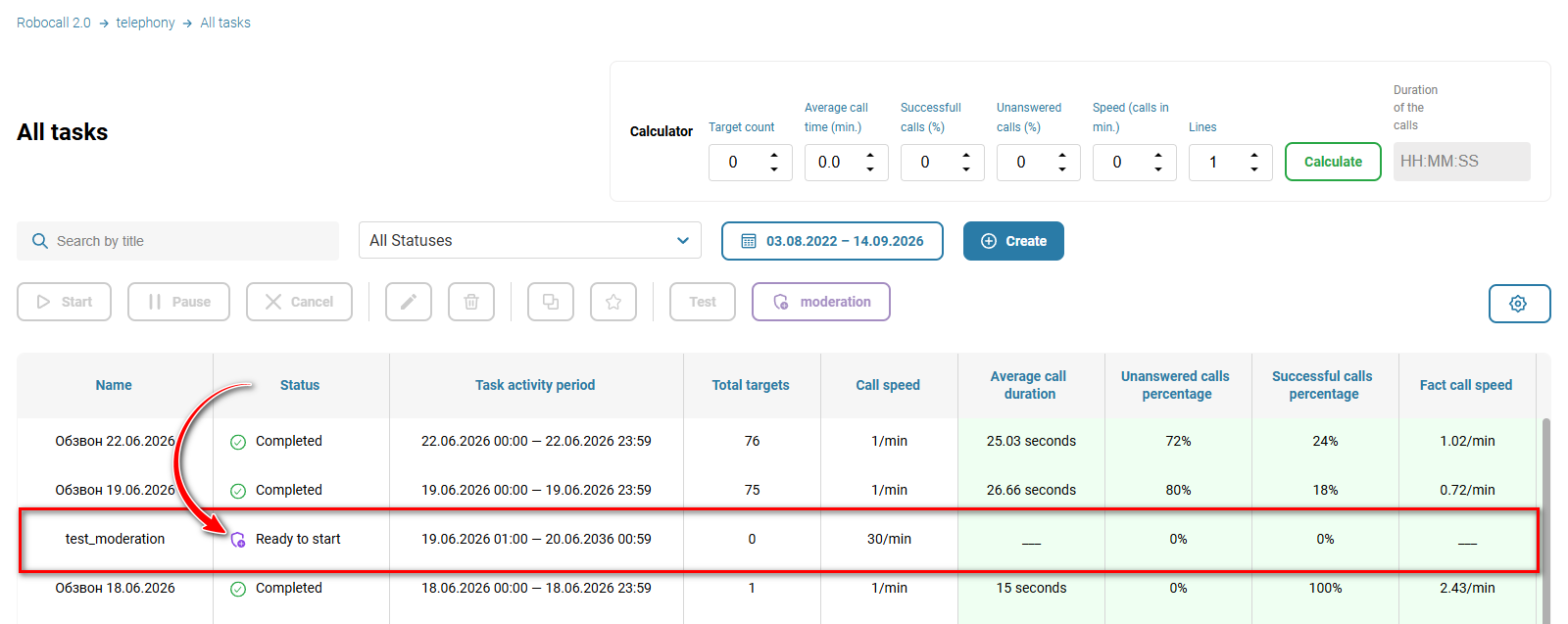
The created task will wait for approval by your manager.
Also see:
Managing Automated Call Tasks
Was this article helpful?
That’s Great!
Thank you for your feedback
Sorry! We couldn't be helpful
Thank you for your feedback
Feedback sent
We appreciate your effort and will try to fix the article