To make outbound calls via the Automated calls 2.0 service, you need to create a contact list.
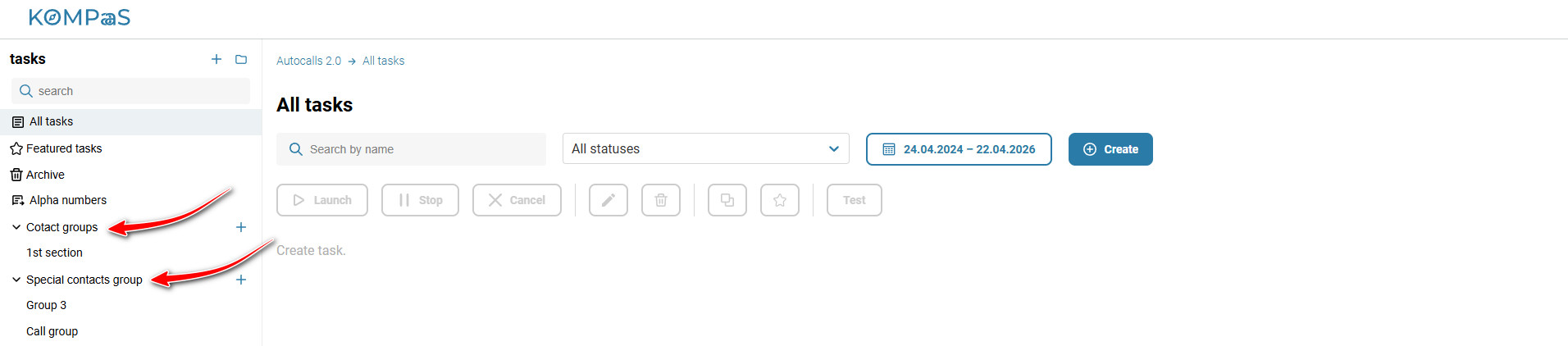
Go to “Automated calls 2.0” → the left menu “Contact groups” or “Special contacts group”.
To add a contact, open an existing contact group or create a new one.
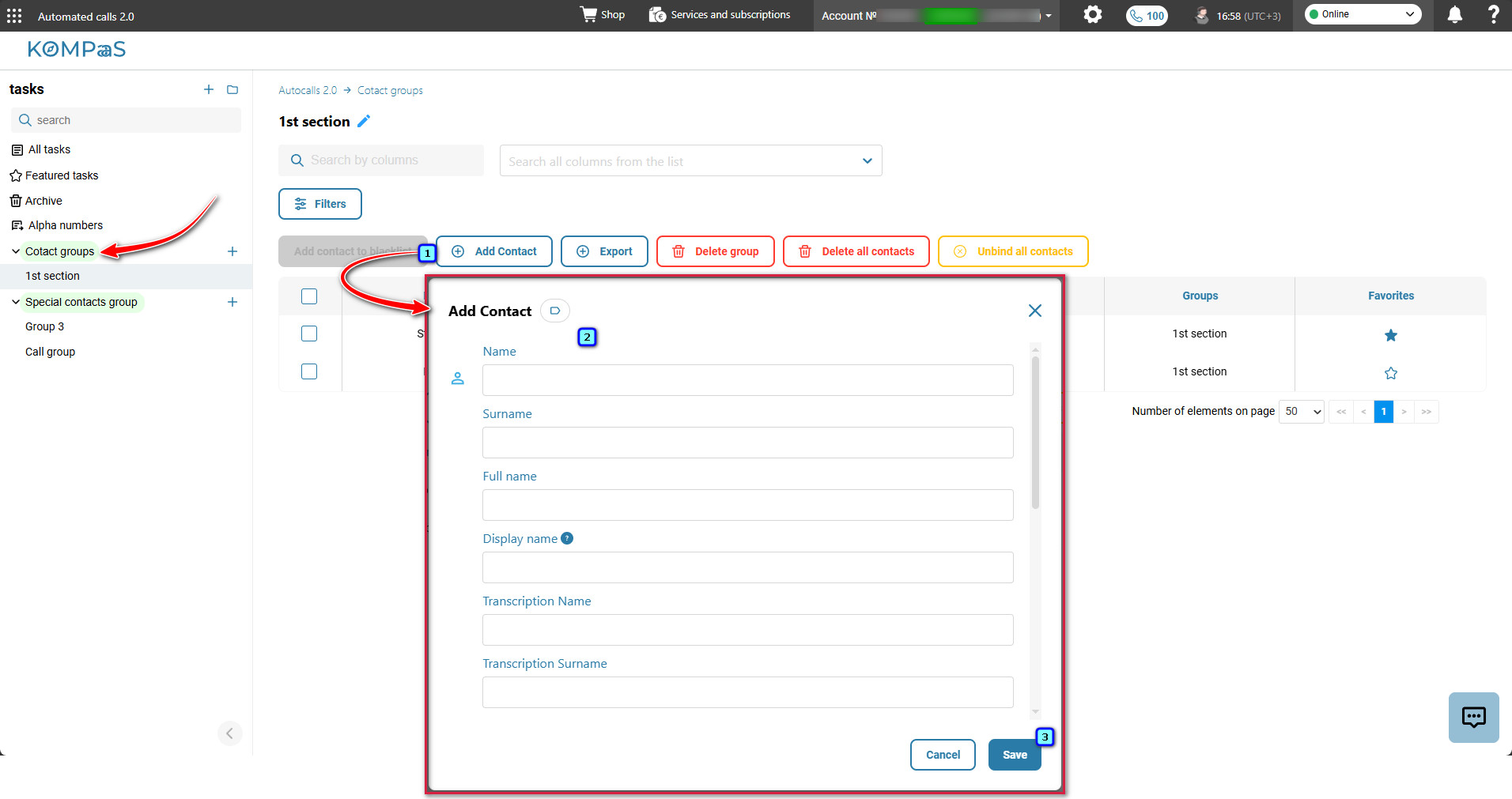
In the contact group, click “Add contact”.
In the modal window that opens, fill in the contact details.
Click “Save”.
Was this article helpful?
That’s Great!
Thank you for your feedback
Sorry! We couldn't be helpful
Thank you for your feedback
Feedback sent
We appreciate your effort and will try to fix the article