The Call Recording Configuration is performed on the 'Telephony' page → 'VPBX' tab:
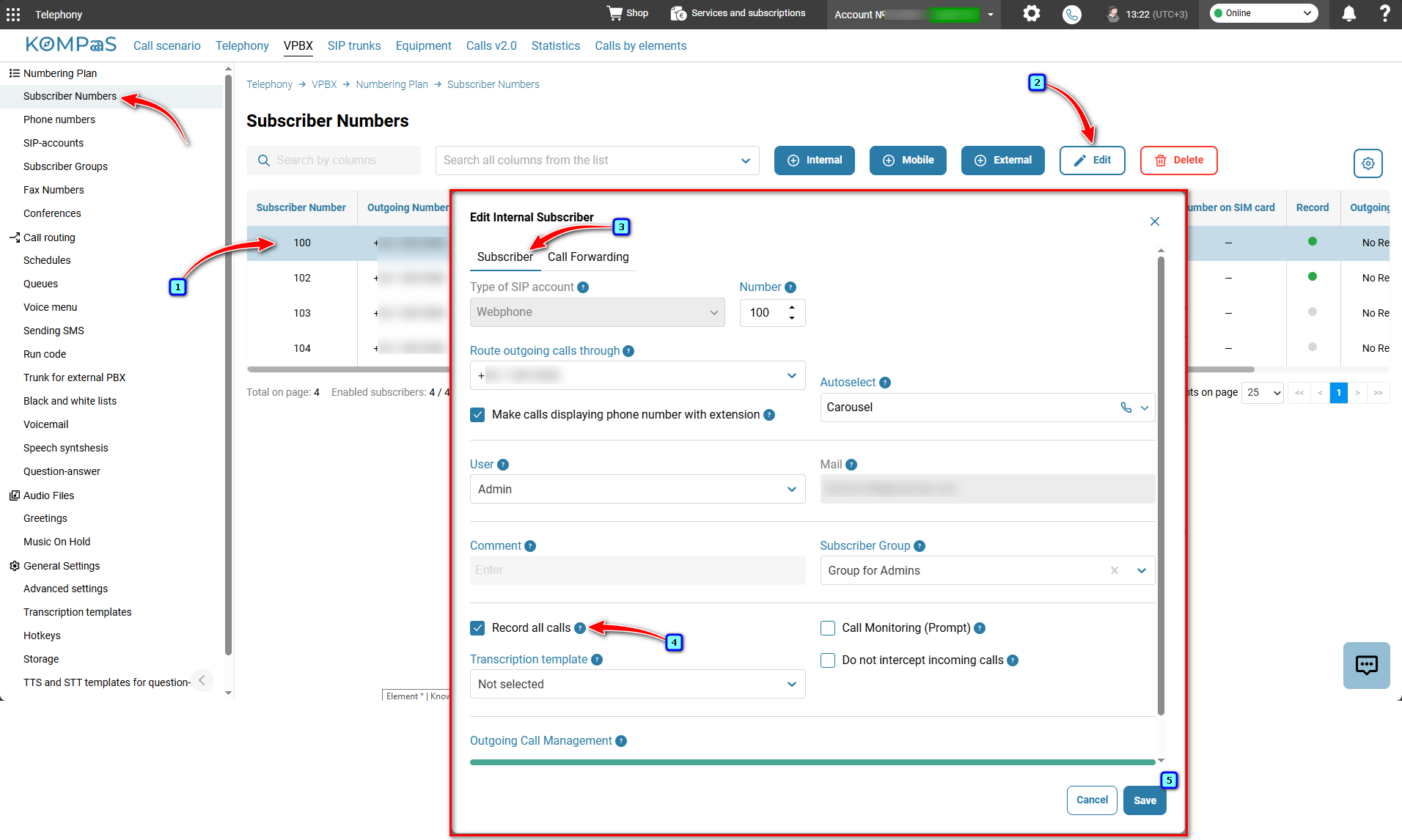
Subscriber Numbers → 'Subscriber' tab, where for the selected subscriber, you need to check the box next to 'Record all calls'. Then press the 'Save' button.
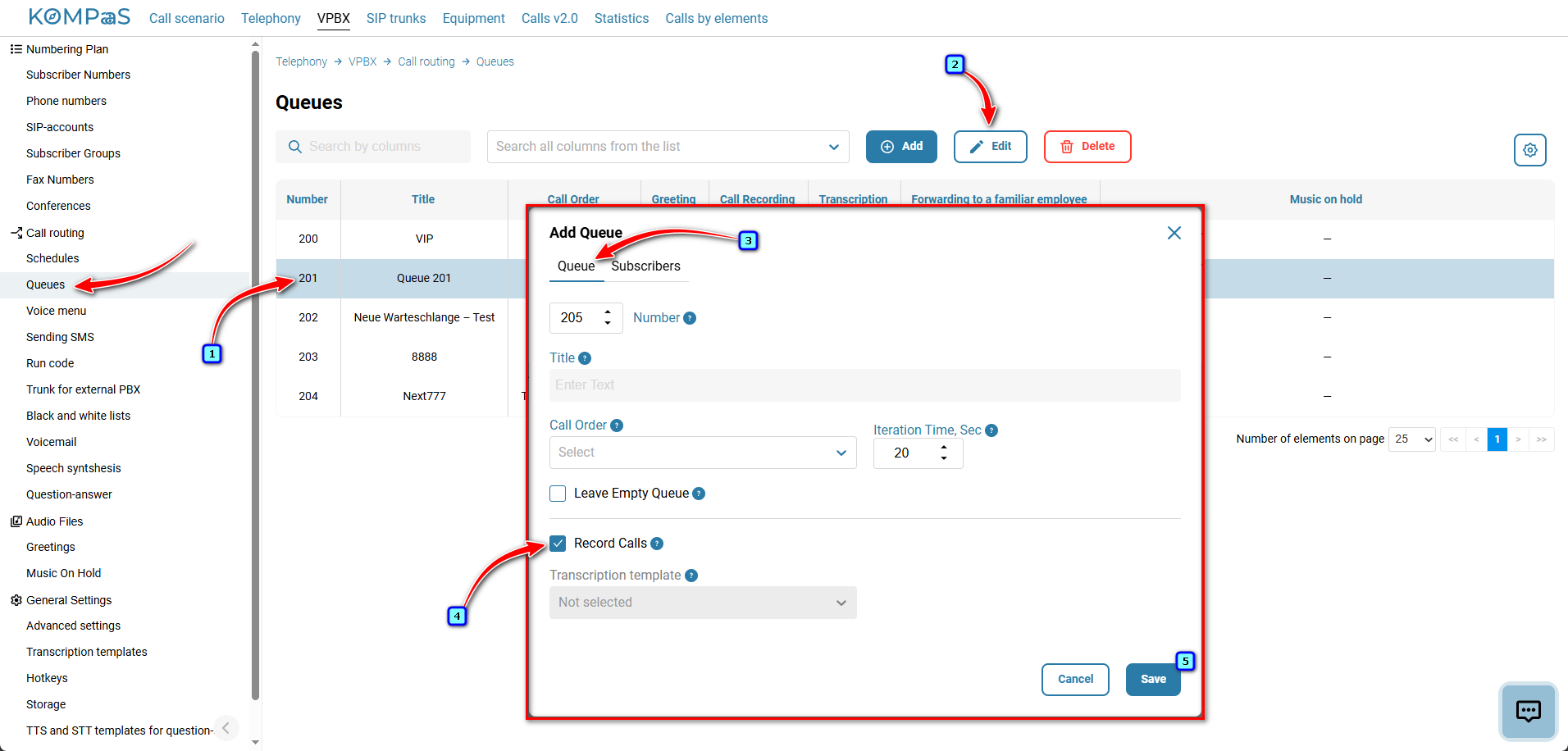
Queues → 'Queue' tab, where for the selected queue, you need to check the box next to 'Record calls'. Then press the 'Save' button.
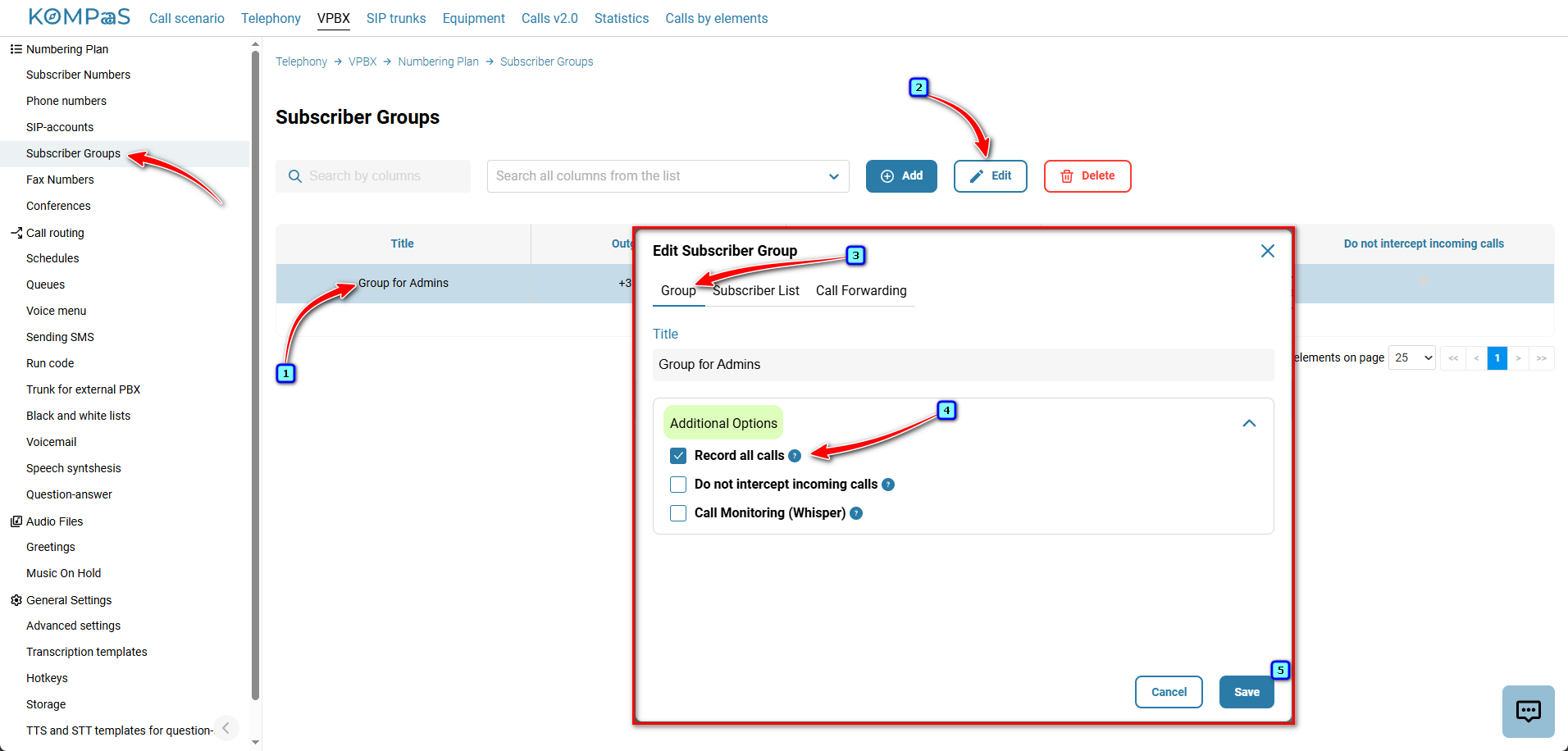
Subscribers groups → 'Group' tab, where for the selected group, you need to check the box next to 'Record all calls'. Then press the 'Save' button.
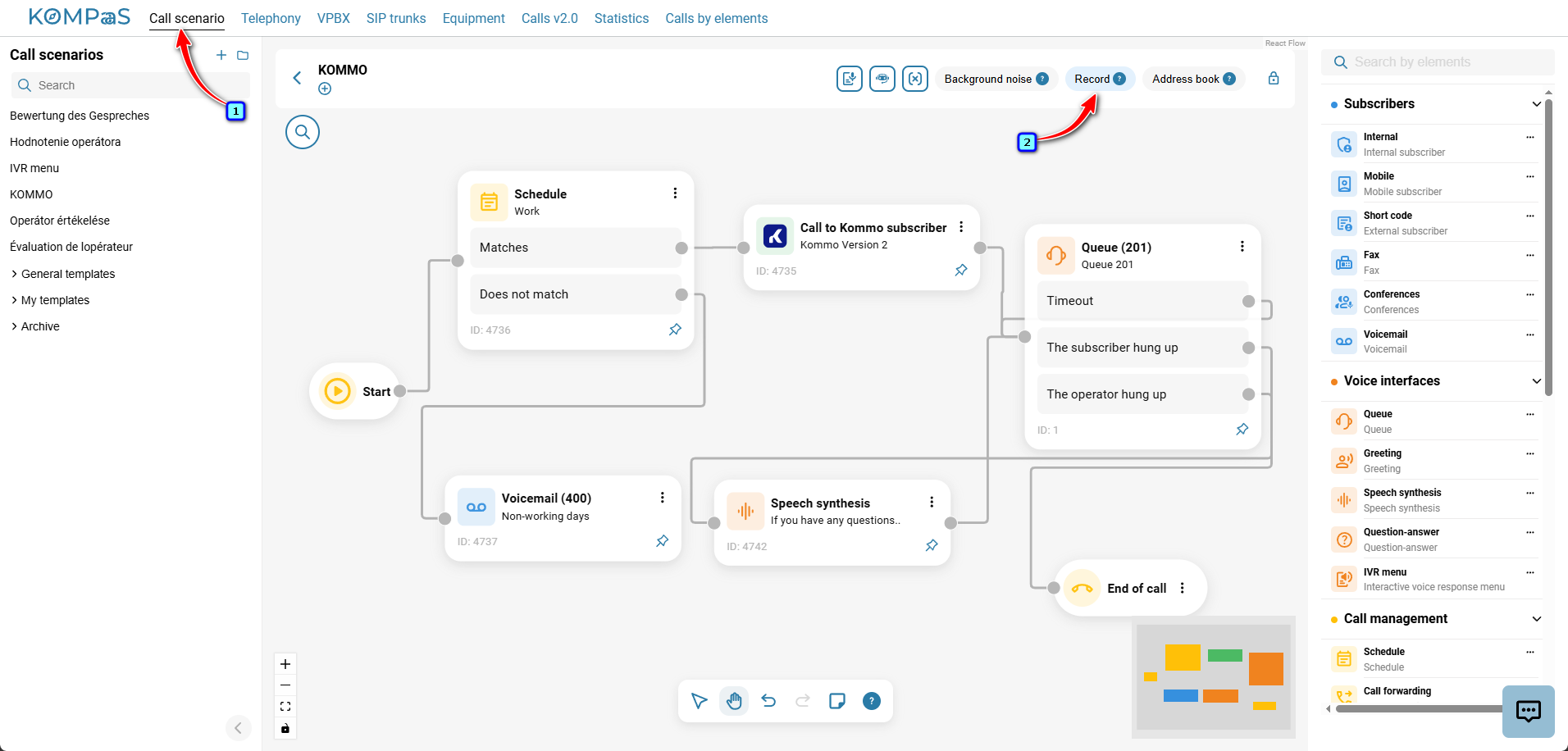
Call scenarios → tab for the selected scenario, you need to slide the toggle switch next to 'Record'. Then press the 'Save as template' button.
See also:
Was this article helpful?
That’s Great!
Thank you for your feedback
Sorry! We couldn't be helpful
Thank you for your feedback
Feedback sent
We appreciate your effort and will try to fix the article