| ✅Note: The 'Operator evaluation' feature can be implemented using STT/TTS, where the subscriber doesn't need to press buttons but can express their evaluation verbally. |
To set up 'Operator evaluation', follow these steps:
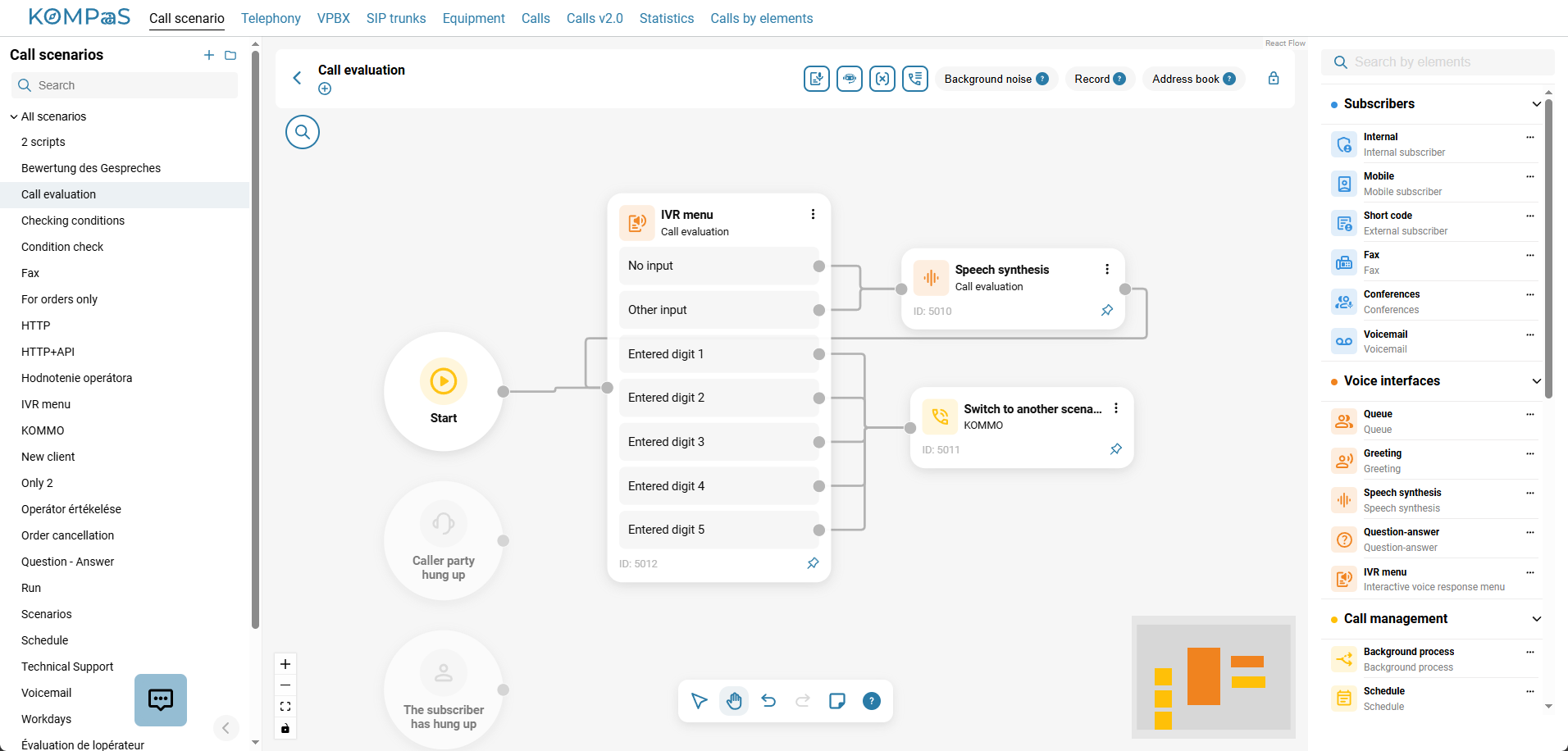
Set up a call scenario with an 'IVR menu' element.
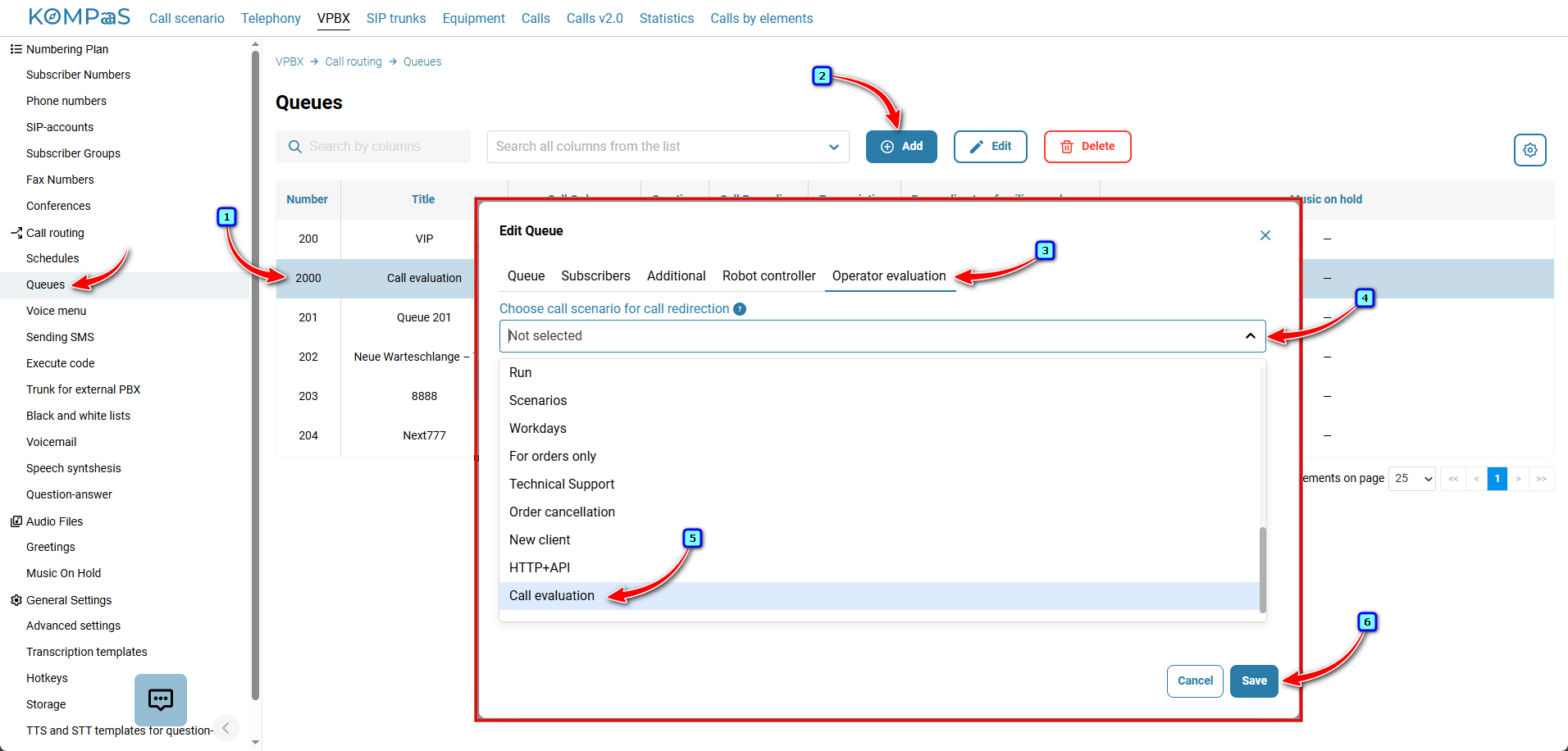
Select the queue where you want to use 'Operator evaluation' and attach the scenario that will handle 'Operator evaluation'. The setting is available in 'Telephony' → 'VPBX'→ left menu 'Call routing' → 'Queues' → 'Operator evaluation' tab.
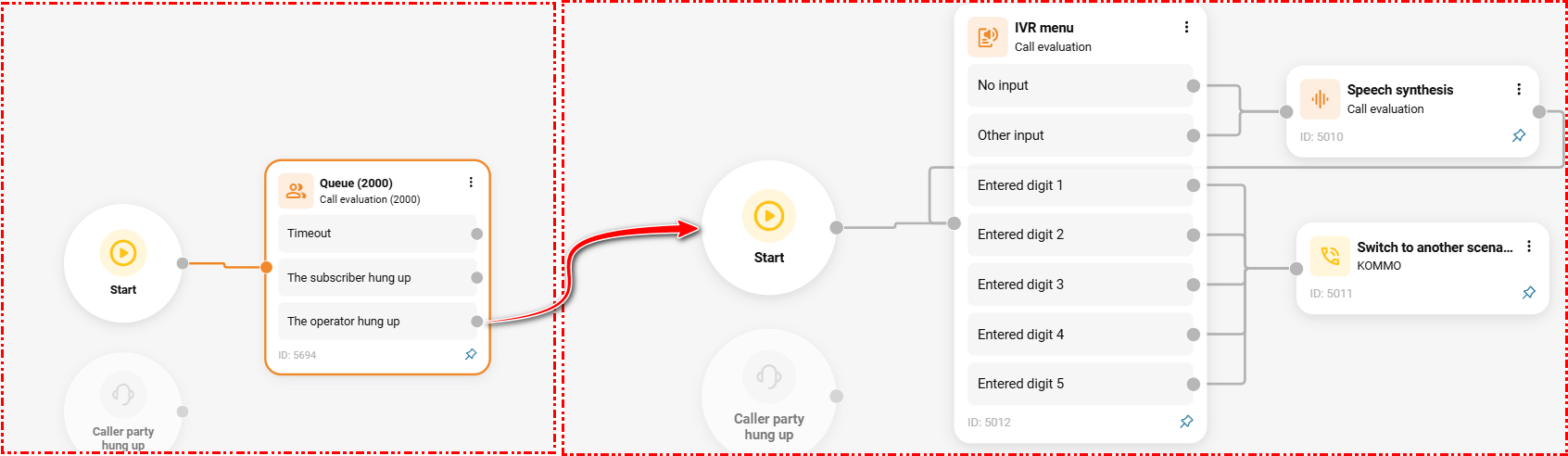
Now the call from the queue of the regular scenario will be directed to the scenario where the subscriber can provide their rating.
Ratings are available in the 'Calls by elements' tab.For convenience, you can set up filters with the 'IVR menu' button. After that, you can also export the file to Excel and sort it there.

Also see:
How to activate 'Operator evaluation'
Was this article helpful?
That’s Great!
Thank you for your feedback
Sorry! We couldn't be helpful
Thank you for your feedback
Feedback sent
We appreciate your effort and will try to fix the article