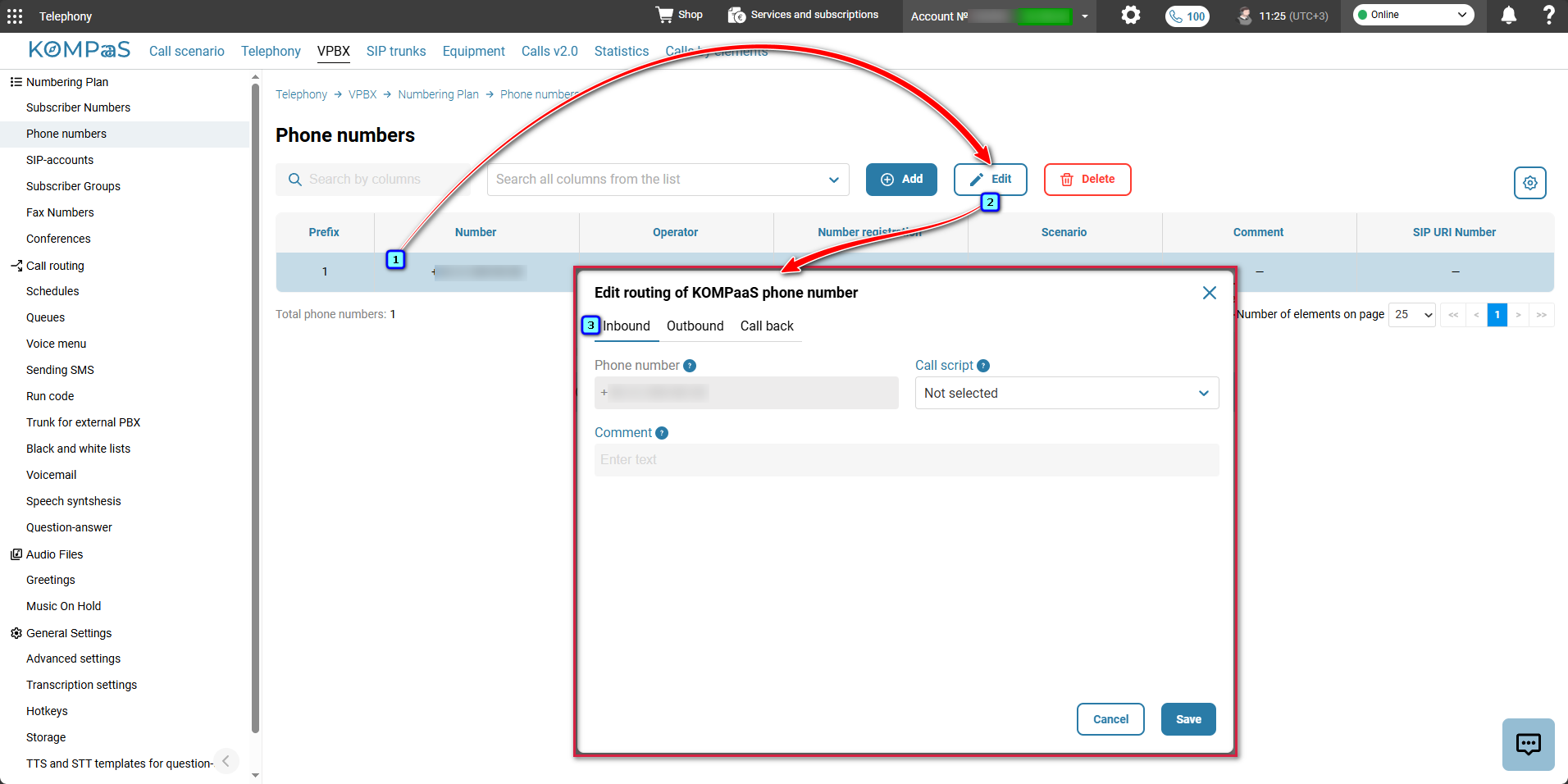
In the ‘Telephony’ → ’VPBX’ tab → ’Numbering Plan’ in the left-hand menu → 'Phone numbers', select the number and click ’Edit’.
In the ‘Edit routing of KOMPaaS phone number’ modal window, on the ’Inbound’ tab, fill in the following parameters:
- Phone number — the number that receives calls.
- Call script — select the scenario according to which the call will be routed. For more information, see 'Call scenarios';
- Comment — any text note for the number (for administrator convenience: for example, ‘Budapest main’, ‘For call center’, etc.).
After configuring the settings, click ’Save’.
Also see:
Was this article helpful?
That’s Great!
Thank you for your feedback
Sorry! We couldn't be helpful
Thank you for your feedback
Feedback sent
We appreciate your effort and will try to fix the article