Go to 'Telephony' → 'VPBX' tab → 'Audio Files' menu on the left → 'Greetings'.
To use speech synthesis for a greeting, the 'Speech Synthesis' service must be enabled. For more information, see 'How to enable Speech Synthesis - Speech-to-Text / Text-to-Speech'.
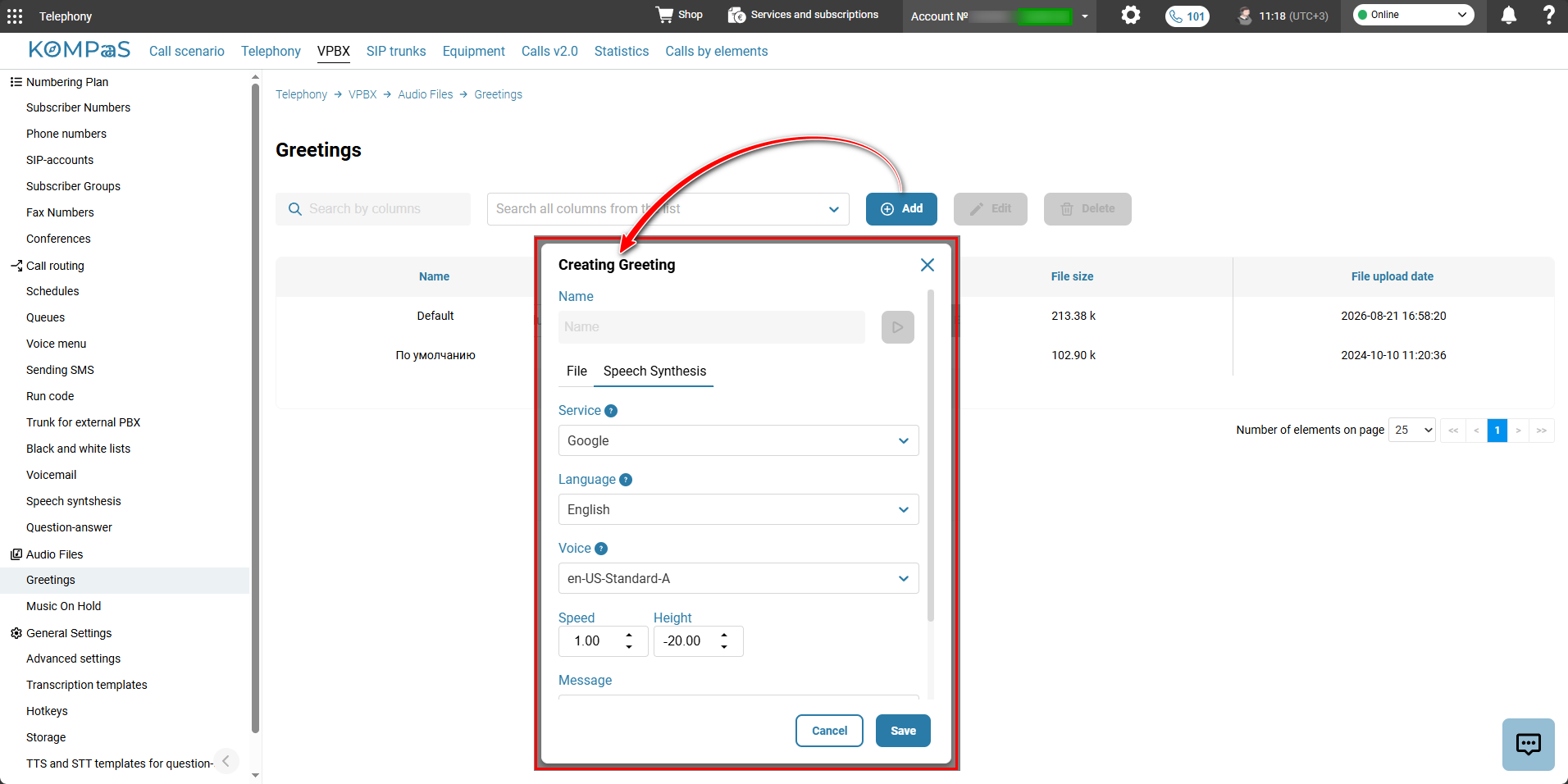
To create a greeting using speech synthesis:
Click the 'Add ' button.
Enter the greeting Name.
Select Service — Yandex, Yandex BrandVoice, Openai, Google.
Select the Language of the test greeting.
Select the robot Voice used to play the greeting.
Set the greeting playback Speed.
Set the voice Height.
Enter the greeting text in Message.
Click the 'Save' button.
Creating a greeting by uploading a file
By default, the system contains one audio file with a voice menu greeting. You can use it when configuring an IVR or upload your own greetings and other messages.
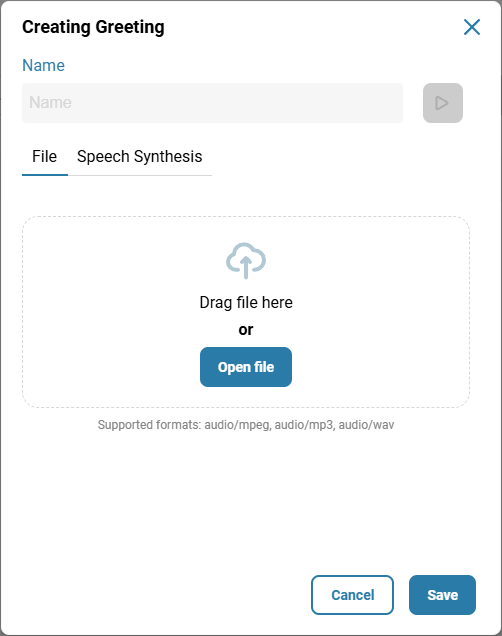
To upload an audio file to the system:
Click the 'Add' button.
Select the 'File' tab.
Enter the name of the greeting file.
Drag and drop the file or click the 'Open file' button.
The standard Windows dialog box for selecting a file on your computer will open.
Select the file.
Click the 'Save' button.
After creating or uploading a greeting file, you can play it by clicking the play button.
Using audio files in the virtual PBX
As greetings when configuring IVR menus;
As announcements when configuring a queue;
As notifications played to the customer before the connection is terminated (for example, when calling outside business hours). Configured using the 'Greeting' element in the call scenario.
Also see:
'Queue' element
Was this article helpful?
That’s Great!
Thank you for your feedback
Sorry! We couldn't be helpful
Thank you for your feedback
Feedback sent
We appreciate your effort and will try to fix the article