Using the “Call to subscriber Kommo” element, the customer’s call is forwarded to the responsible manager’s phone number. When an incoming call arrives, the customer card opens in an external CRM so that, based on the customer card, the system can determine the responsible manager and route the call to them.
| ⚠️Attention! To forward calls to the responsible manager, integration with amoCRM via the API must be configured in advance, and employees’ extension numbers must be created in the amoCRM interface. Detailed integration instructions are available in the 'Integration with Kommo’ section in the Knowledge Base. |
To add the “Call to subscriber Kommo” element in “VPBX 2.0” → “Call scenario” tab:
In the elements menu on the right, click the three-dot icon or drag it with the mouse onto the scenario canvas.

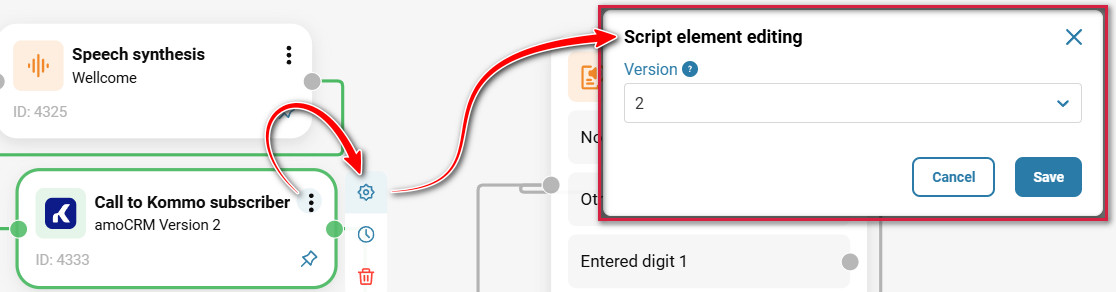
Select the version and click “Save”.
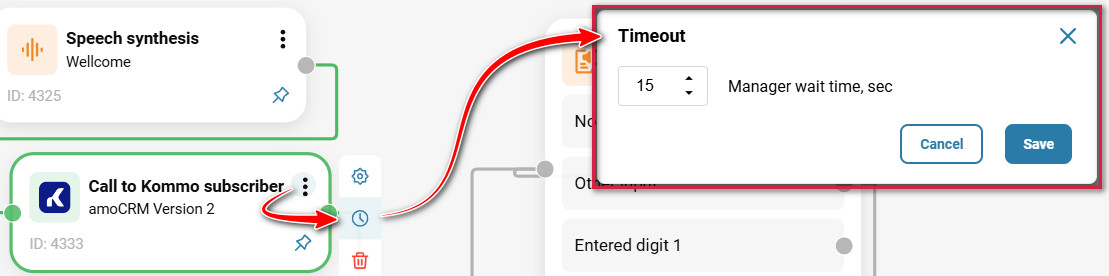
In case the employee does not answer the customer’s call, enable “Manager wait time, sec” and select the number of seconds after which the call will be routed to another destination. If “Manager wait time, sec” is not enabled, the “Call to subscriber Kommo” element will be the final endpoint of the route.
Click “Save”.
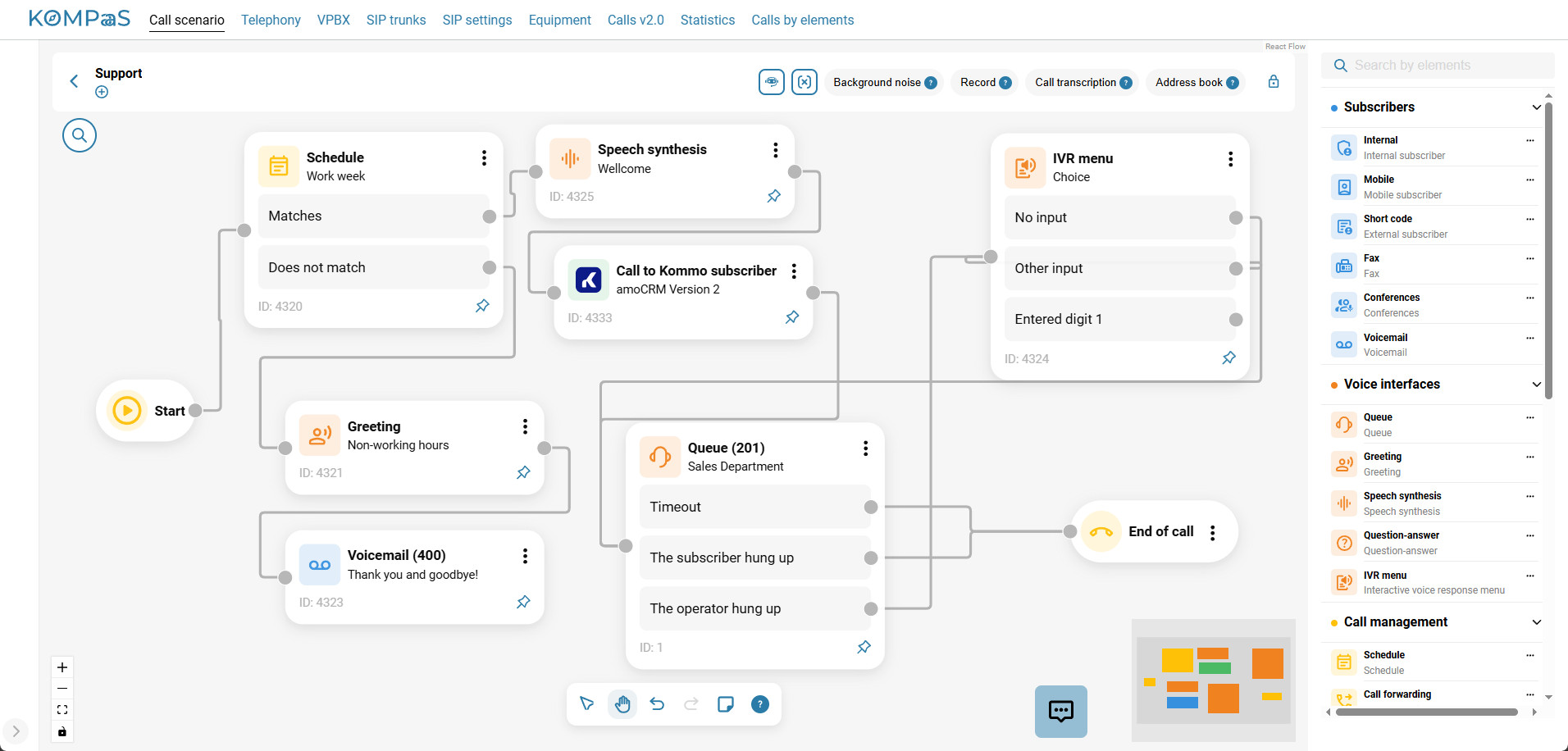
Add to the diagram an element that defines the destination to which the customer’s call will be routed if the responsible manager does not answer within the specified number of seconds.
Also see:
Was this article helpful?
That’s Great!
Thank you for your feedback
Sorry! We couldn't be helpful
Thank you for your feedback
Feedback sent
We appreciate your effort and will try to fix the article