Incoming calls can be automatically forwarded to another destination. After a customer's call reaches the subscriber's extension, it will be automatically forwarded to the specified destination.
⚠️Attention! Call forwarding works only if the caller dials the employee's extension, or if the call is routed to the extension in the call scenario. |
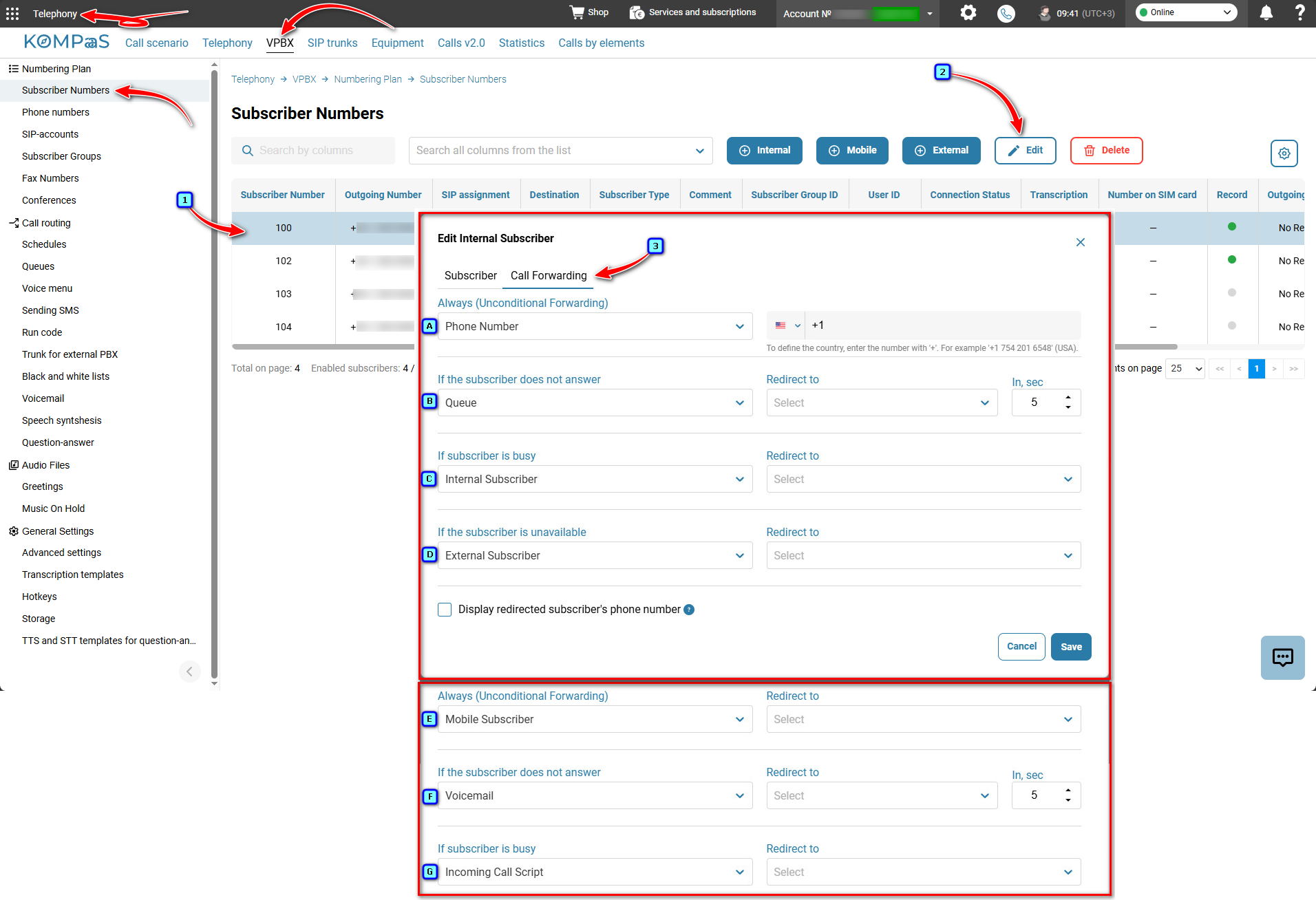
To configure call forwarding, go to 'Telephony' → 'VPBX' → 'Numbering Plan', select the subscriber and open the 'Call Forwarding' tab.
Call forwarding types and settings are described in the tooltips (question mark icons in a gray circle).
Call forwarding destinations:
Phone Number — enter the employee's landline or mobile phone number to which the call received on the subscriber's extension will be forwarded.
Queue — select the queue number for forwarding incoming calls. The algorithm for finding an available agent in the queue is described in 'Queues'.
Internal, external or mobile subscriber — select the subscriber's extension for forwarding incoming calls. See 'Subscriber types'.
Voicemail — select the mailbox for forwarding calls. See 'Setting up voicemail'.
Incoming Call Script — all calls are forwarded to the selected call scenario. See 'Call scenarios'.
To disable call forwarding, select the 'Off' option.
✅Note: If unconditional call forwarding is configured, other types of call forwarding do not apply.
Was this article helpful?
That’s Great!
Thank you for your feedback
Sorry! We couldn't be helpful
Thank you for your feedback
Feedback sent
We appreciate your effort and will try to fix the article