The Call Transcription option allows you to convert speech into text and is available subject to the following conditions:
The 'VPBX' service is connected;
A phone number is connected;
The 'Call Recording' service is connected. See 'How to enable 'Call Recording'. Call recording is enabled — the 'Record all calls' checkbox is selected;
The 'Speech-to-Text / Text-to-Speech' service is connected. See 'How to enable 'Speech Synthesis - Speech-to-Text / Text-to-Speech';
The 'Call Transcription' service is connected. See 'How to enable 'Call Transcription';
The 'Contact Center AI' service is connected. See 'Contact Center AI'. Transcribed calls will be available in 'Contact Center AI' → 'Speech Analytics' tab;
Transcription can be enabled separately for each call scenario. In this case, the transcription settings configured for individual subscribers and queues are ignored, and calls routed to the scenario are transcribed.
Call transcription can be configured separately for each queue and each subscriber.
If call transcription is enabled only for a queue, calls from subscribers will be transcribed only if they are routed to that queue.
If call transcription is enabled only for a subscriber, their outgoing calls and incoming calls routed directly to them, bypassing the queue, will be transcribed.
To enable transcription of calls routed to a call scenario:
In the 'Telephony' section → 'Call scenario' tab, open an existing scenario or create a new one.
In the scenario's top menu, click the 'Call Transcription' button.
Select a 'Transcription template' and 'Mode'.
Click 'Save'.
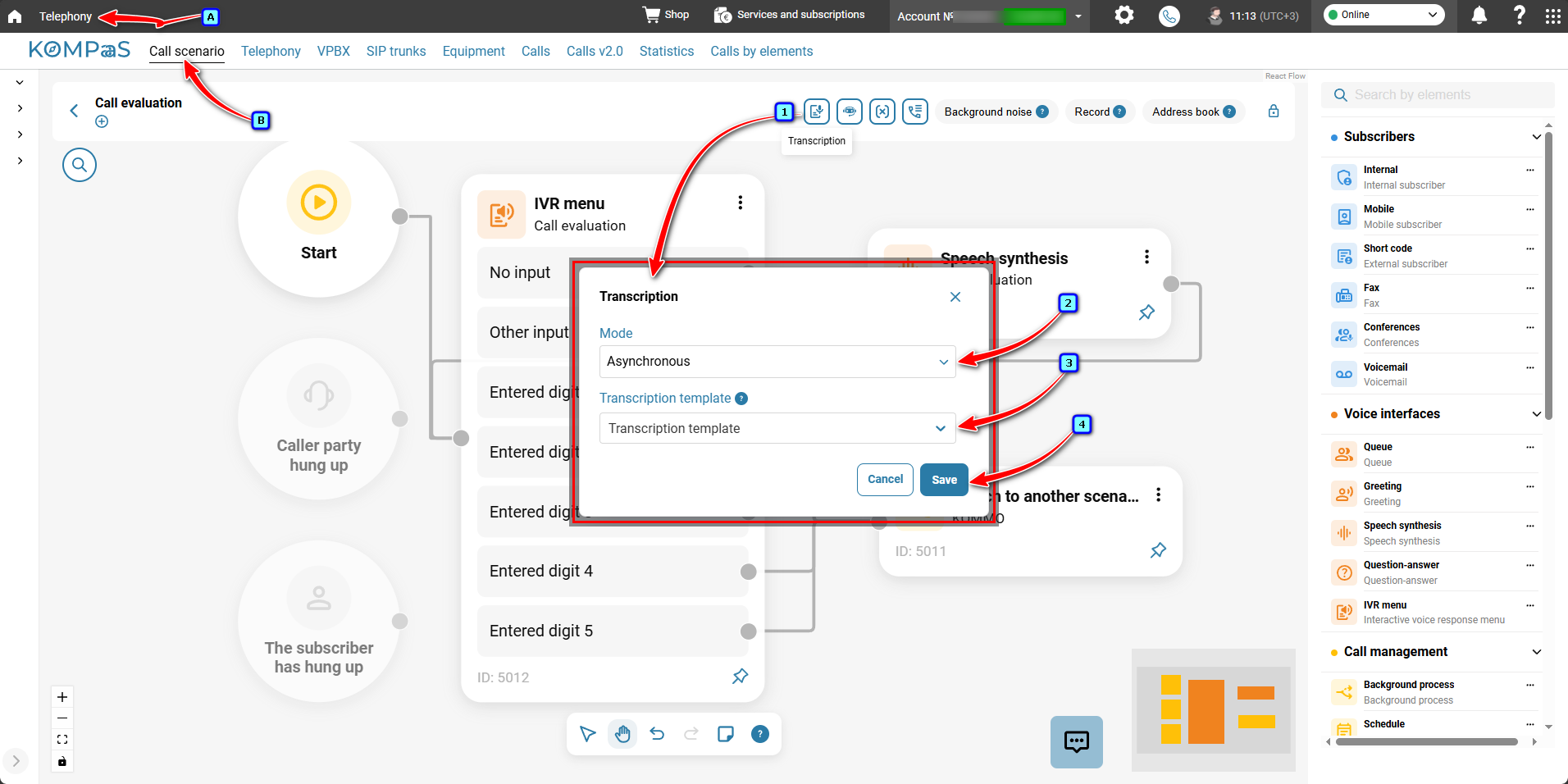
To enable call transcription for a queue:
In the 'Telephony' section → 'Call scenario' tab, open an existing scenario or create a new one.
Open the queue settings by clicking the gear icon.
Select a 'Transcription template'.
Click 'Save'.
✅ Note: A transcription language and service must be specified separately for each queue. 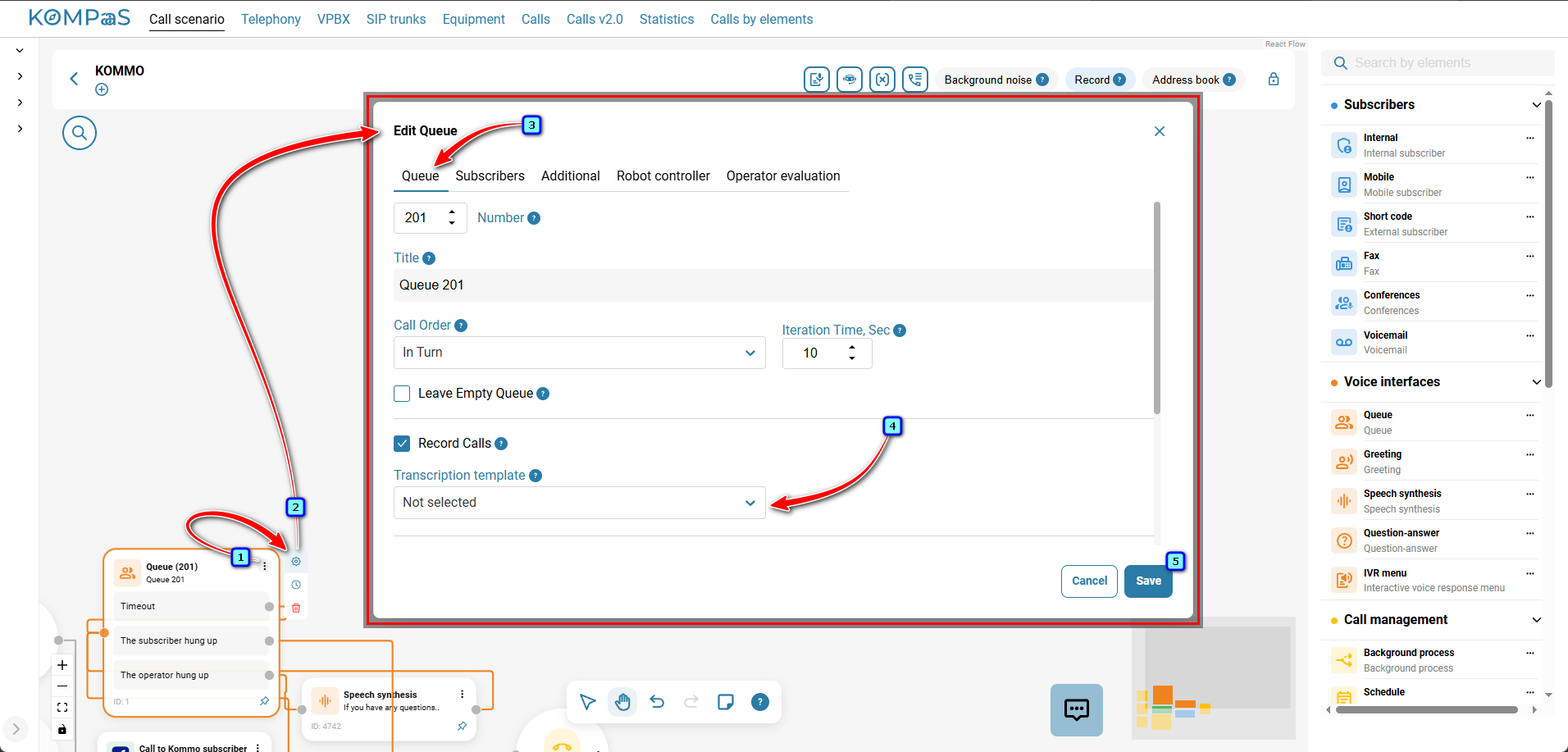
To enable call transcription for a subscriber:
In the 'Telephony' section → 'VPBX' tab → 'Numbering Plan' in the left-hand menu → 'Subscriber Numbers', select a subscriber.
Select the 'Record all calls' checkbox and choose a 'Transcription template'.
Click 'Save'.
✅ Note: If the subscriber is a member of a queue, select a 'Transcription template' in the queue settings to transcribe this subscriber's calls. 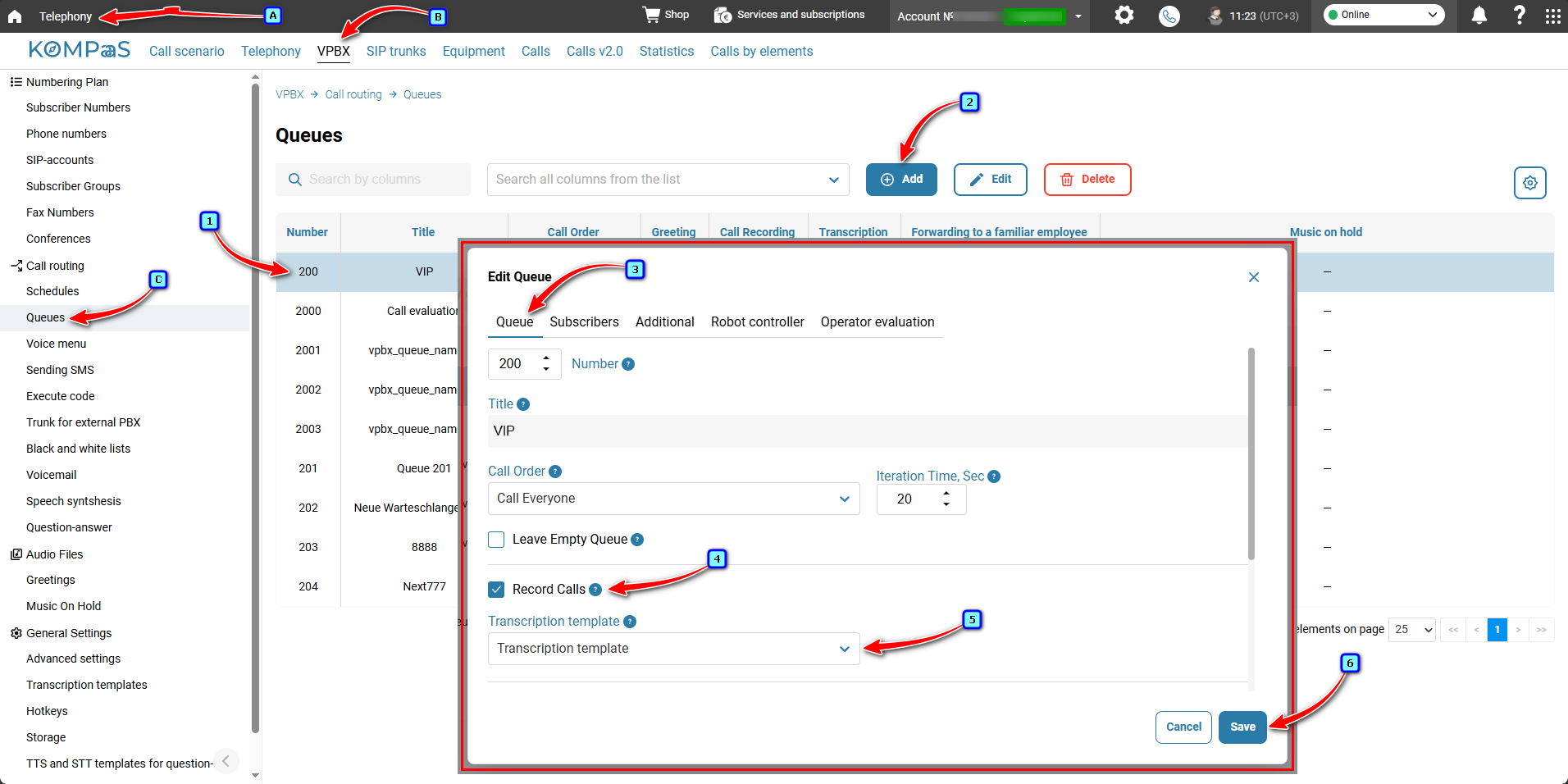
Also see:
Was this article helpful?
That’s Great!
Thank you for your feedback
Sorry! We couldn't be helpful
Thank you for your feedback
Feedback sent
We appreciate your effort and will try to fix the article