The 'IVR menu' element in the virtual PBX allows you to route the caller along the selected route in the call scenario or dial a VPBX subscriber's extension directly (the 'Allow extension dialing' option). When calling the company number, the caller hears a recording with instructions on which digits to dial to be routed to the required department or employee.
To add the 'IVR menu' element to the scenario:
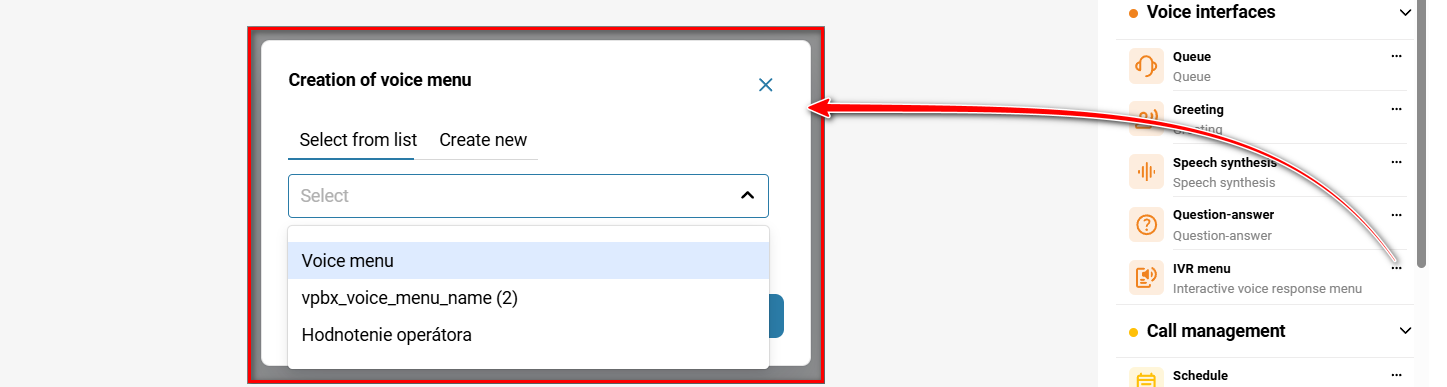
On the 'Call scenario' tab, click the 'IVR menu' element in the menu on the right or drag it into the scenario with the right mouse button.

In the 'Creation of voice menu' modal window, select a voice menu from the drop-down list. The list contains previously created voice menus.
✅Note:
If you have not created any voice menus yet, follow the link to create a new voice menu — 'Voice menu'.
Click 'Save'.
Editing
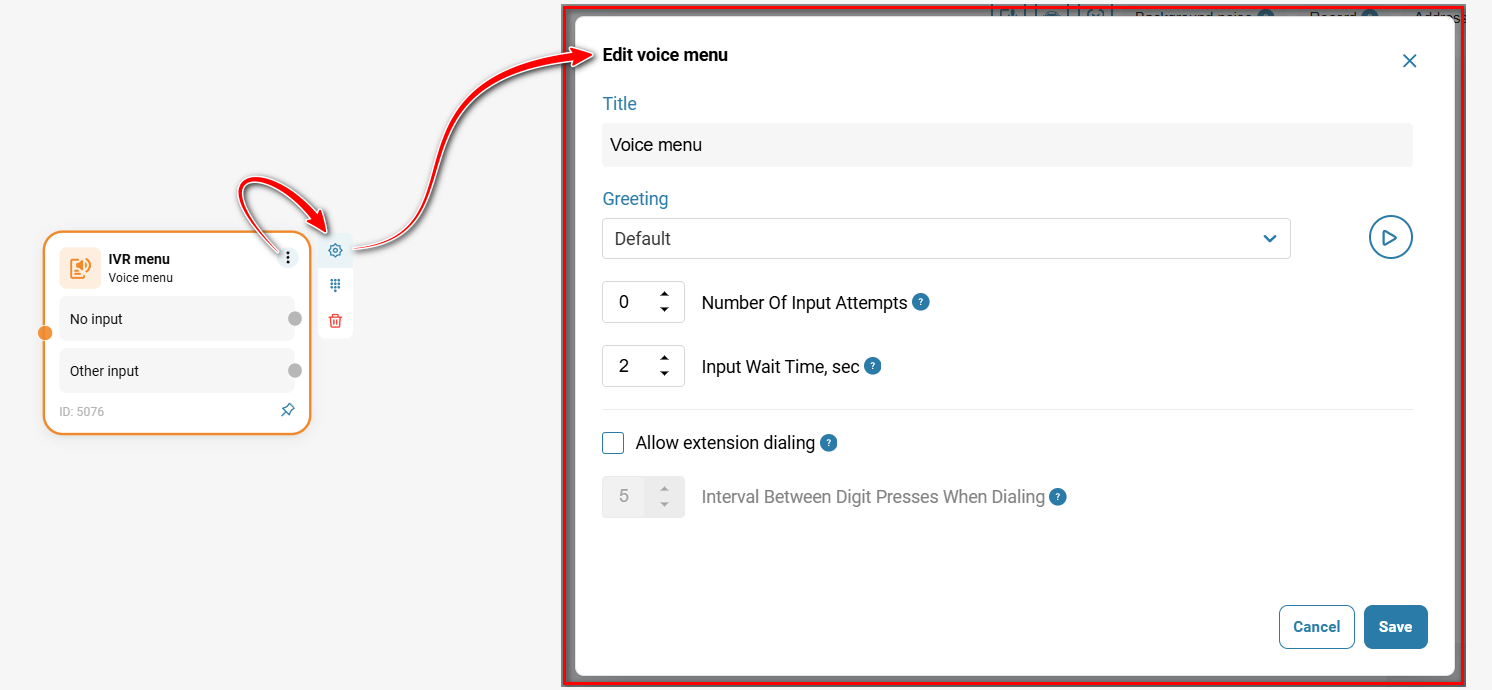
Click the three dots in the upper-right corner of the element, and then click the gear button.
Select the 'Allow extension dialing '. checkbox.
Click 'Save'.
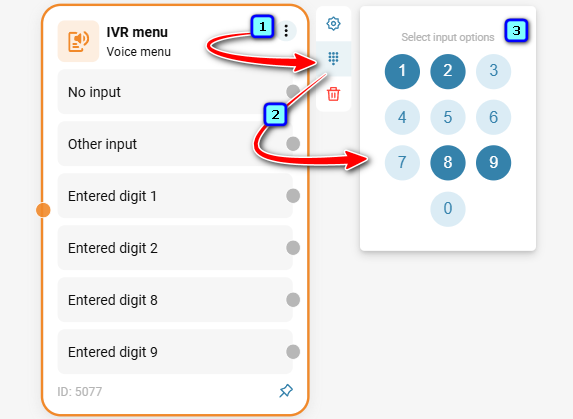
Now click the three dots in the upper-right corner of the element, then click the dial pad icon and select keys from 0 to 9 for call routing.
Specify where the call should be routed when the customer presses keys 1-9, as well as when the customer takes no action or enters an incorrect value.
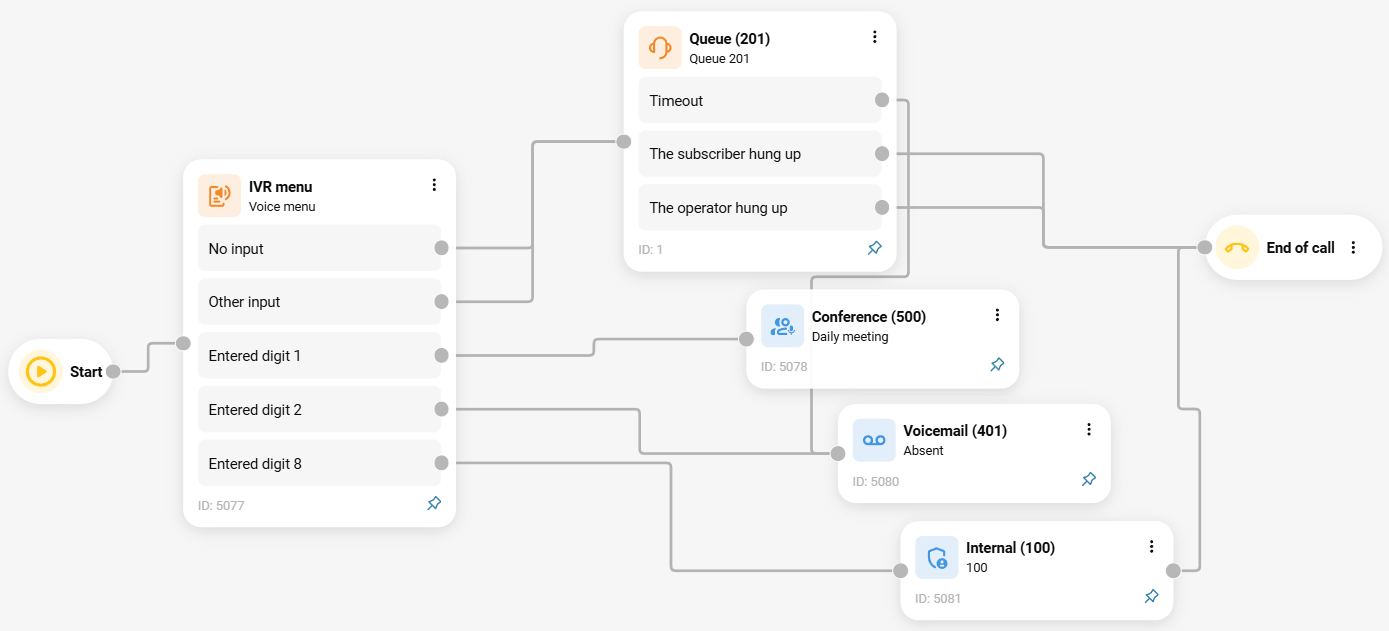
The call can be forwarded to the following destinations:
To a queue;
To another voice menu (this allows you to create a multi-level IVR menu);
To a virtual fax;
To a conference;
To question-answer;
To voice mail;
Routing depending on whether the calling customer's number is included in the blacklist or favorites;
Call routing according to a schedule (depending on the time of day and day of the week): callers will hear different greetings and call routing options during working and non-working hours;
Call routing to the responsible manager (when integrated with Bitrix24, kommoCRM and any customer CRM system);
To a voice prompt.
Also see:
Was this article helpful?
That’s Great!
Thank you for your feedback
Sorry! We couldn't be helpful
Thank you for your feedback
Feedback sent
We appreciate your effort and will try to fix the article