Go to 'Telephony' → 'VPBX' tab, in the left-hand menu 'Call routing' → 'Voice menu'.
Click 'Add'. The voice menu creation form will open.
Enter the voice menu parameters. To do this, use the tooltips by hovering over the question mark.
Click 'Save'.
Now go to 'Call scenario' and configure the voice menu element. For instructions, see 'IVR menu element'.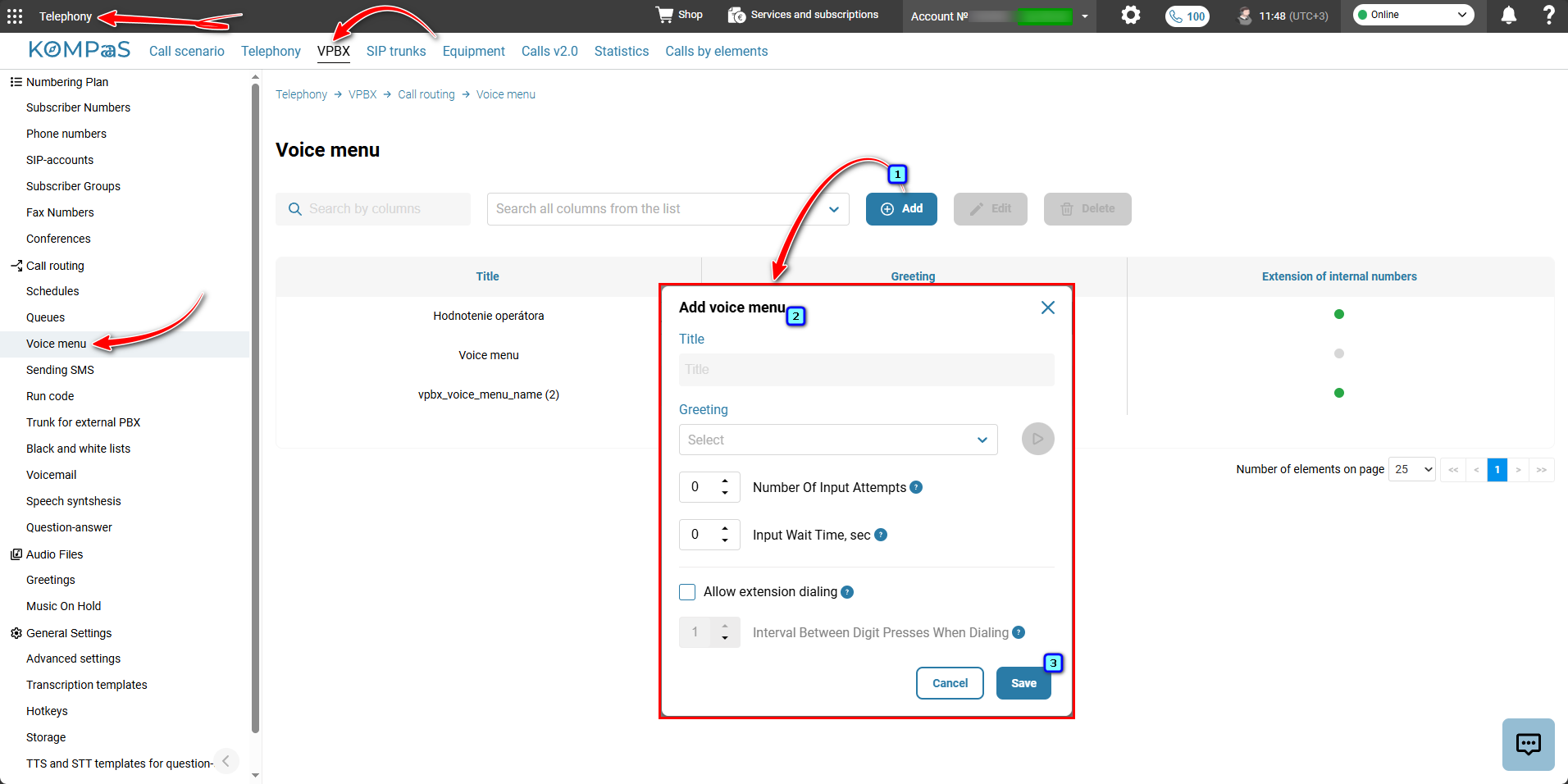
Also see:
Was this article helpful?
That’s Great!
Thank you for your feedback
Sorry! We couldn't be helpful
Thank you for your feedback
Feedback sent
We appreciate your effort and will try to fix the article