To configure queue priorities and algorithms, go to 'Queues' in the top menu → 'VPBX' tab → 'Call routing' menu on the left → 'Queues'. Select a queue and click 'Edit'.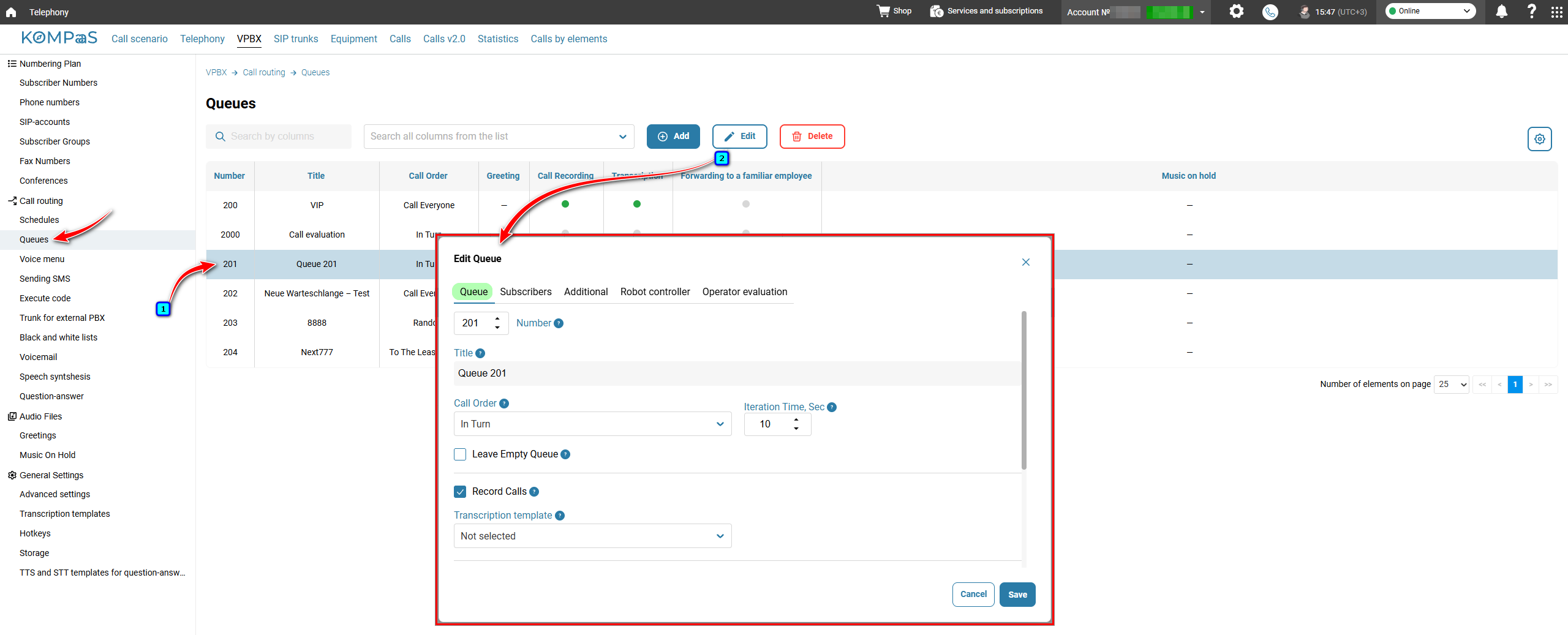
On the 'Queue' tab, select a call distribution algorithm: In Turn, Call Everyone, Random, or To The Least Queue. For more information about queue priorities and algorithms, see 'Queue Priorities and Algorithms'.
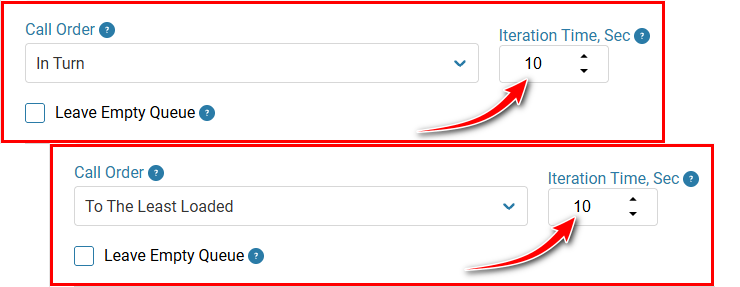
If you select 'To The Least Queue' or 'In Turn', specify the interval between call attempts (in seconds) in the 'Iteration Time, Sec' field.
If you select 'Call Everyone' and subscribers on the 'Subscribers' tab have the same priority, specify 'Iteration Time, Sec'. Once this interval expires, the call will be routed to the next group of subscribers.
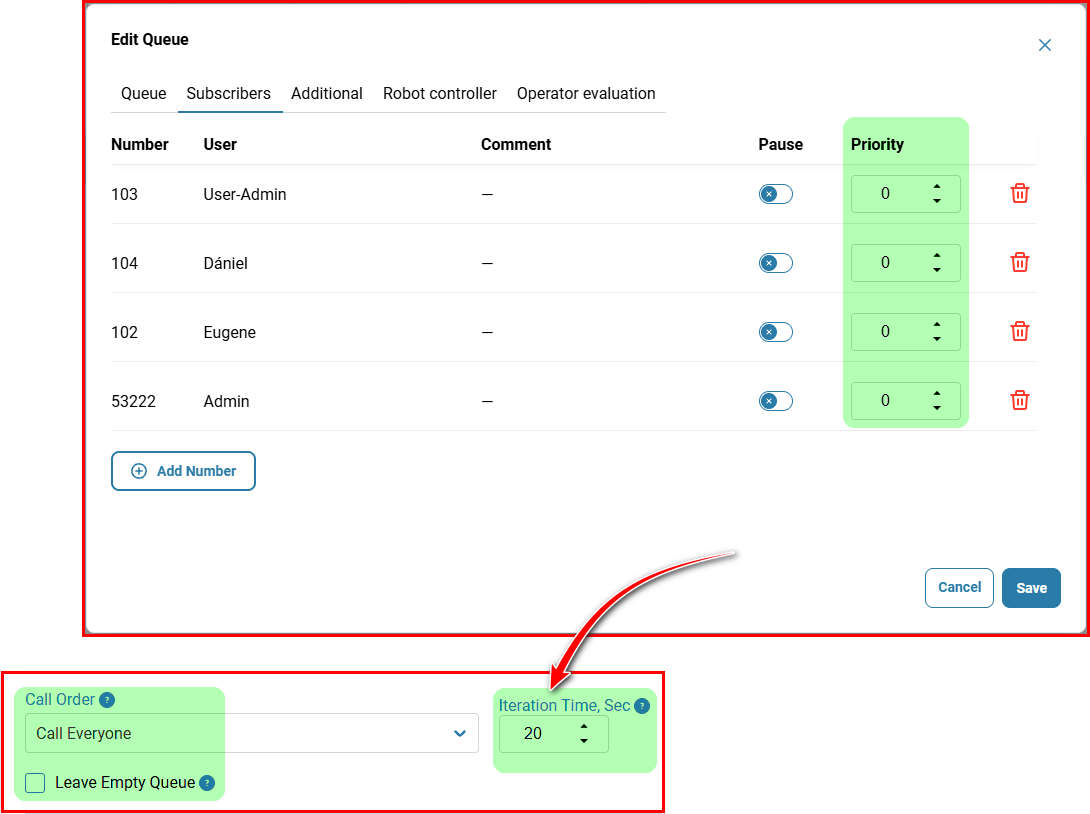
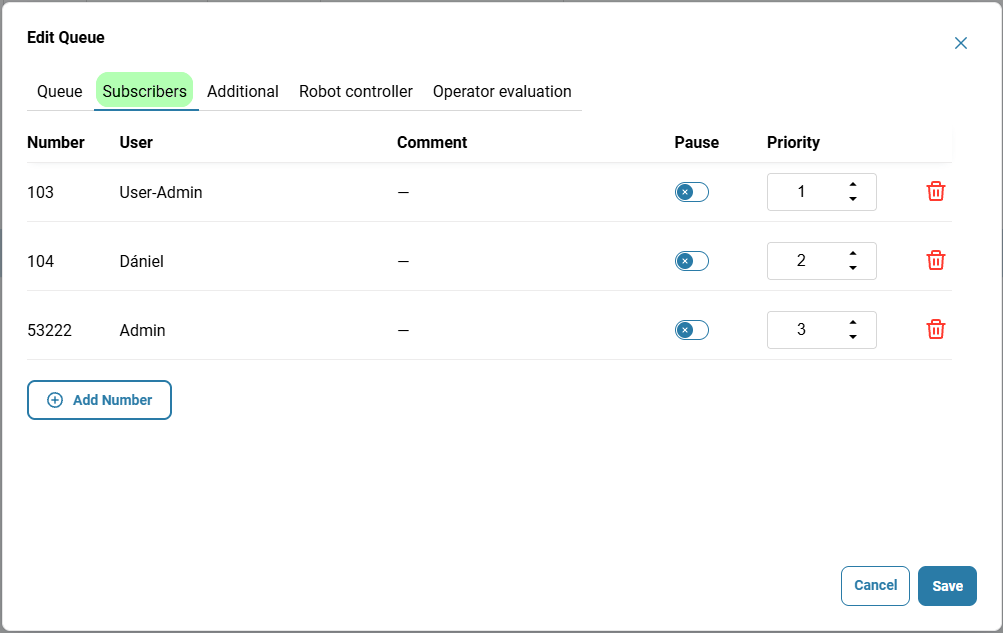
On the 'Subscribers' tab, if you want the system to take an agent's qualifications into account when searching for an available agent and route calls to more qualified employees first, assign a priority to each subscriber. The call will be routed first to the subscriber (or group of subscribers) assigned priority '0', then to those assigned '1', and so on.
If no priority is assigned, the call will be routed to all subscribers in the order in which they appear in the list (if the 'In Turn' algorithm is selected) or simultaneously to all available subscribers (if the 'Call Everyone' algorithm is selected).
If the system reaches the end of the subscriber list and the queue waiting time configured in the call scenario has not yet expired, call distribution starts over from the beginning.
Queue Exit
To prevent a customer's call from being lost, configure the queue exit in the call routing scenario: specify the maximum waiting time and the route to which the call will be directed when this time expires.
Also see:
Was this article helpful?
That’s Great!
Thank you for your feedback
Sorry! We couldn't be helpful
Thank you for your feedback
Feedback sent
We appreciate your effort and will try to fix the article