The 'Queue' element is used in a call scenario to organize and handle incoming calls in the order determined by the system. In addition, a call queue allows you to prioritize calls that require immediate attention or are more important to the organization. For more information, see 'Queues'.
When a company phone number is connected, a call scenario with one queue is created automatically.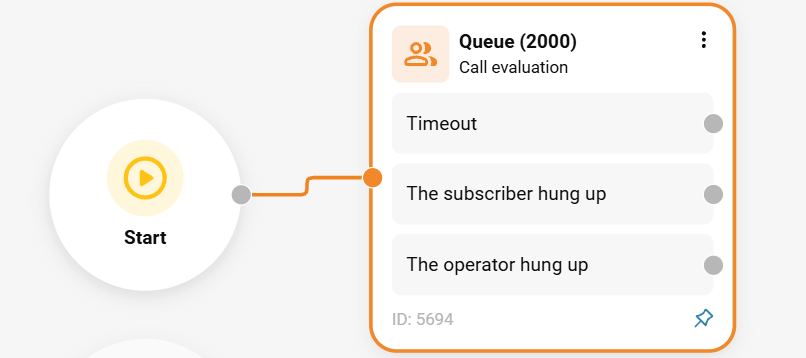
To add a queue:
In the 'Telephony' section → 'Call scenario' tab, click the three-dot menu next to the 'Queue' element in the sidebar on the right.

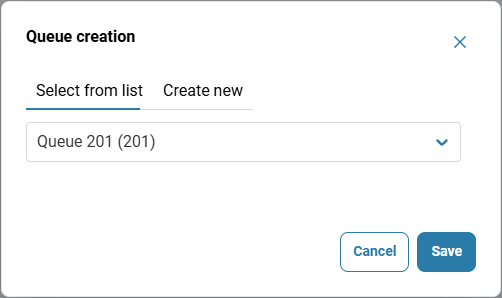
Select a queue. For information on how to create a queue, see 'Setting up a queue'.
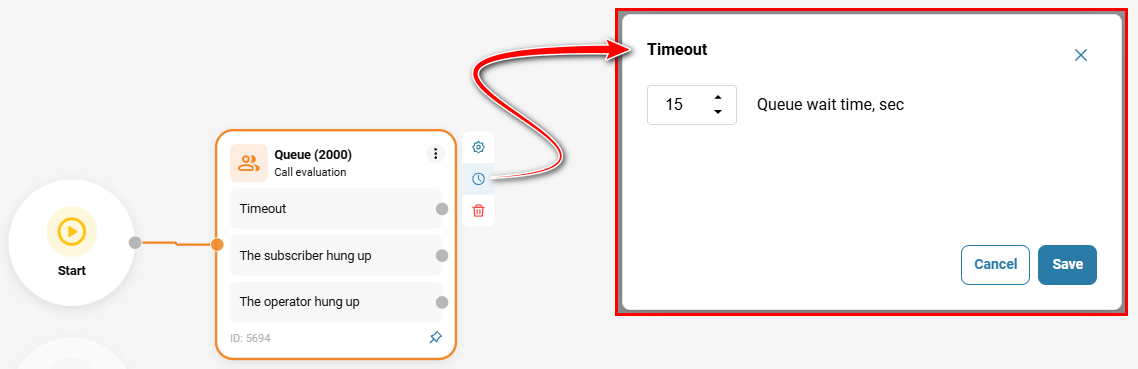
To prevent calls from being missed when all employees are busy, specify the maximum waiting time for the queue. Once this time expires, the call will be routed to the next element in the call scenario.
✅ Note: If no waiting time is specified, the call will not be terminated until the subscriber hangs up or an employee answers.
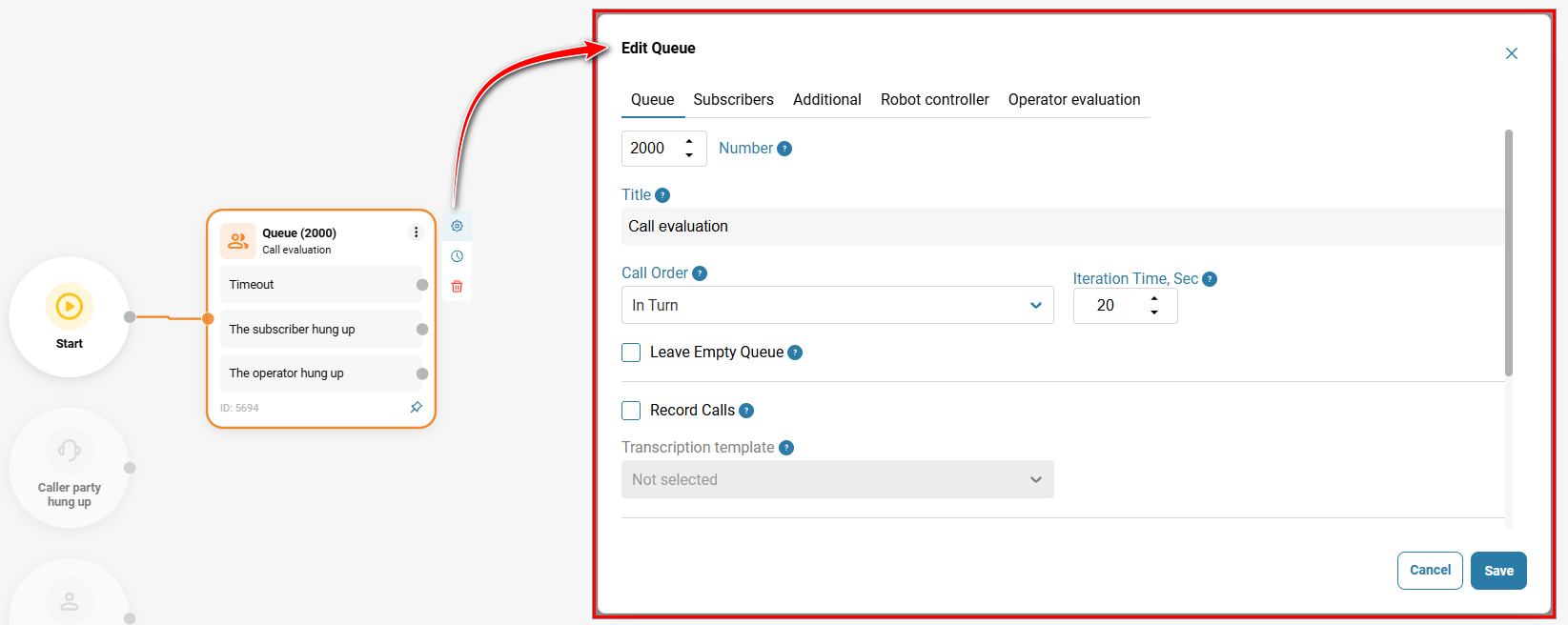
To edit the element, hover over it and click the gear icon.
Configure the queue exit to prevent a customer's call from being lost if none of the agents can answer it.
Queue Exit
If all subscribers in the queue are busy and no one can answer the customer's call, the call may be lost. To prevent this, configure the queue exit in the call routing scenario: specify the maximum waiting time and the route to which the call will be directed when this time expires.
For example, you can forward the call to another queue, a subscriber, or voicemail. To do this, add the appropriate element after the 'Queue' element in the call routing scenario and configure it. Add all the required elements and connect them with arrows to define the sequence.
For more information about call scenarios, their purpose, creation, and configuration, see 'Call scenarios' and 'Call Scenario Elements'.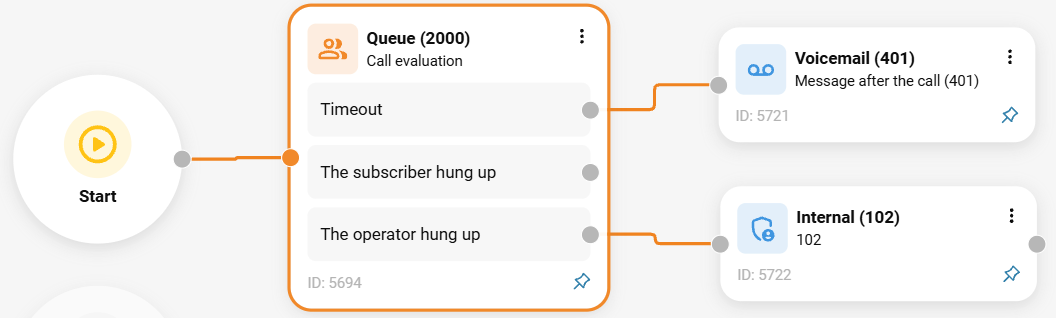
Also see:
Was this article helpful?
That’s Great!
Thank you for your feedback
Sorry! We couldn't be helpful
Thank you for your feedback
Feedback sent
We appreciate your effort and will try to fix the article