The 'Voicemail' service helps reduce the number of missed calls by allowing you to stay connected with customers even when no one is in the office to answer incoming calls.
Create a voicemail box, for example, a shared one for the company or a specific department.
Select the language for the voicemail box.
To listen to customer messages, enter the access code on your telephone.
You can also configure recorded messages to be sent to your email address.
✅Note: To enable the service, you must create a voicemail box and configure call routing. |
|---|
Message storage
The minimum recording length is 3 seconds. Messages shorter than 3 seconds will not be recorded.
The maximum recording length is 120 seconds.
A voicemail box can store up to 50 messages. To record new messages, you must delete existing ones.
To delete a message, access the voicemail box by dialing 088 + the mailbox number consecutively, followed by the PIN if one is set. Go to message playback (key 1) and delete the required messages one by one (key 7).
For more information, see 'Setting up voicemail'.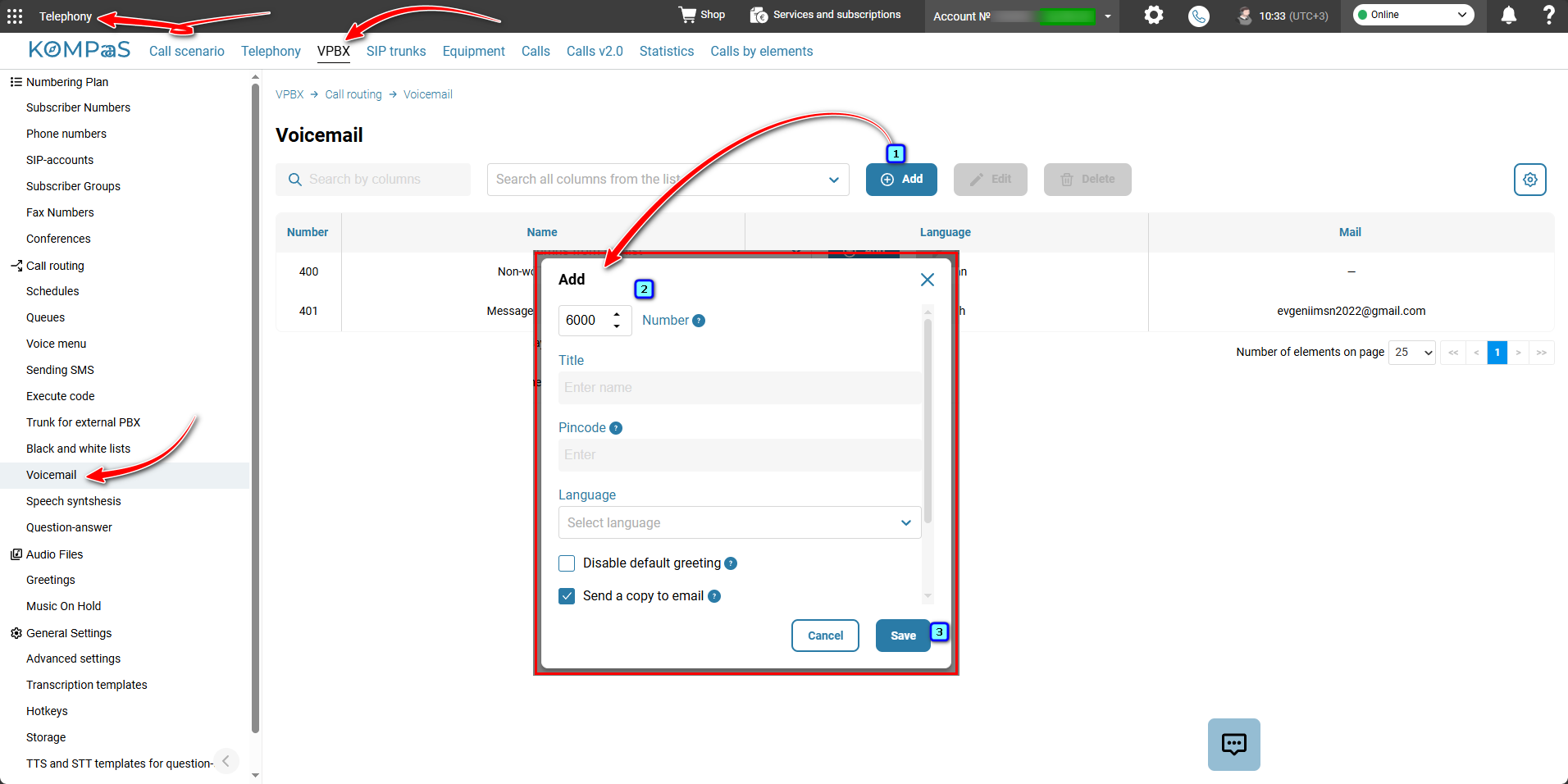
Also see:
Was this article helpful?
That’s Great!
Thank you for your feedback
Sorry! We couldn't be helpful
Thank you for your feedback
Feedback sent
We appreciate your effort and will try to fix the article