To add a 'Edit scenarios' item to the script, click the button with three dots next to the item or drag it to the scheme.
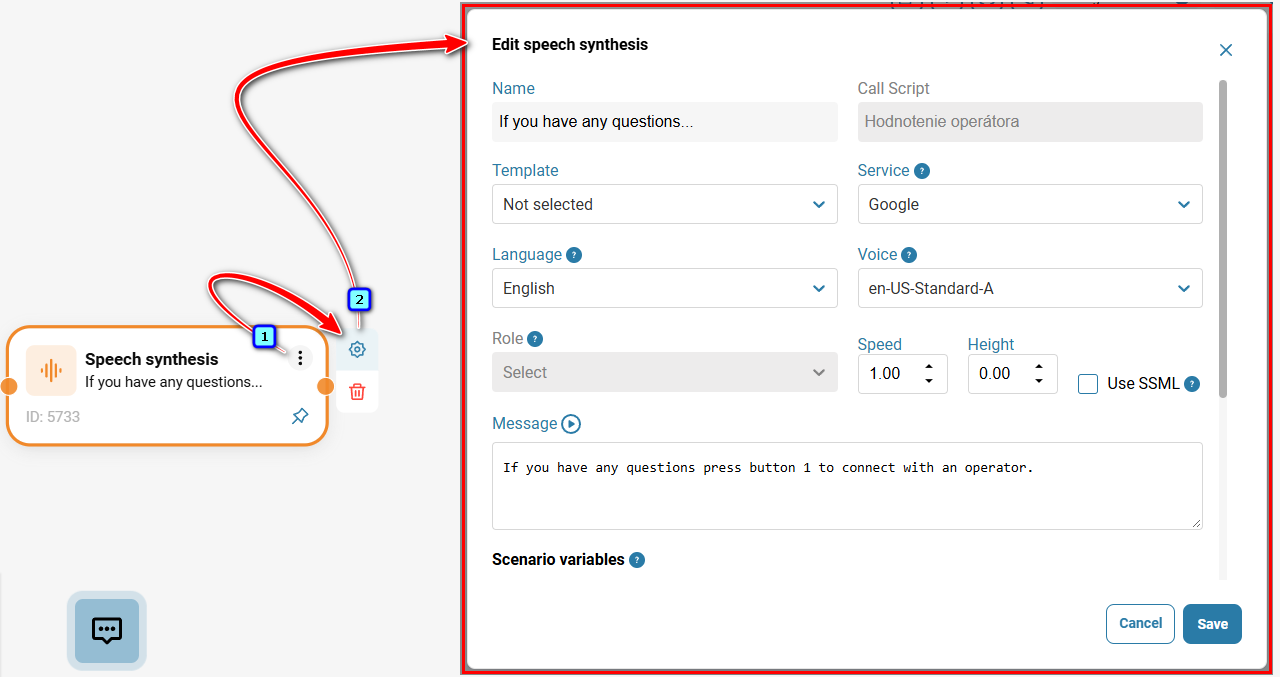
When creating an item using the button with three dots, select the 'Speech synthesis' block from the ones previously created and click the 'Add Item' button. Then go to edit the item by clicking the button with the pencil.
- For instructions on editing the element, click the three-dot menu, then click the gear icon.
- In the 'Edit scenarios' item modal window, set the speech synthesis parameters and click the 'Save' button.
- Then connect the item to other scenario items.
Also see:
Was this article helpful?
That’s Great!
Thank you for your feedback
Sorry! We couldn't be helpful
Thank you for your feedback
Feedback sent
We appreciate your effort and will try to fix the article