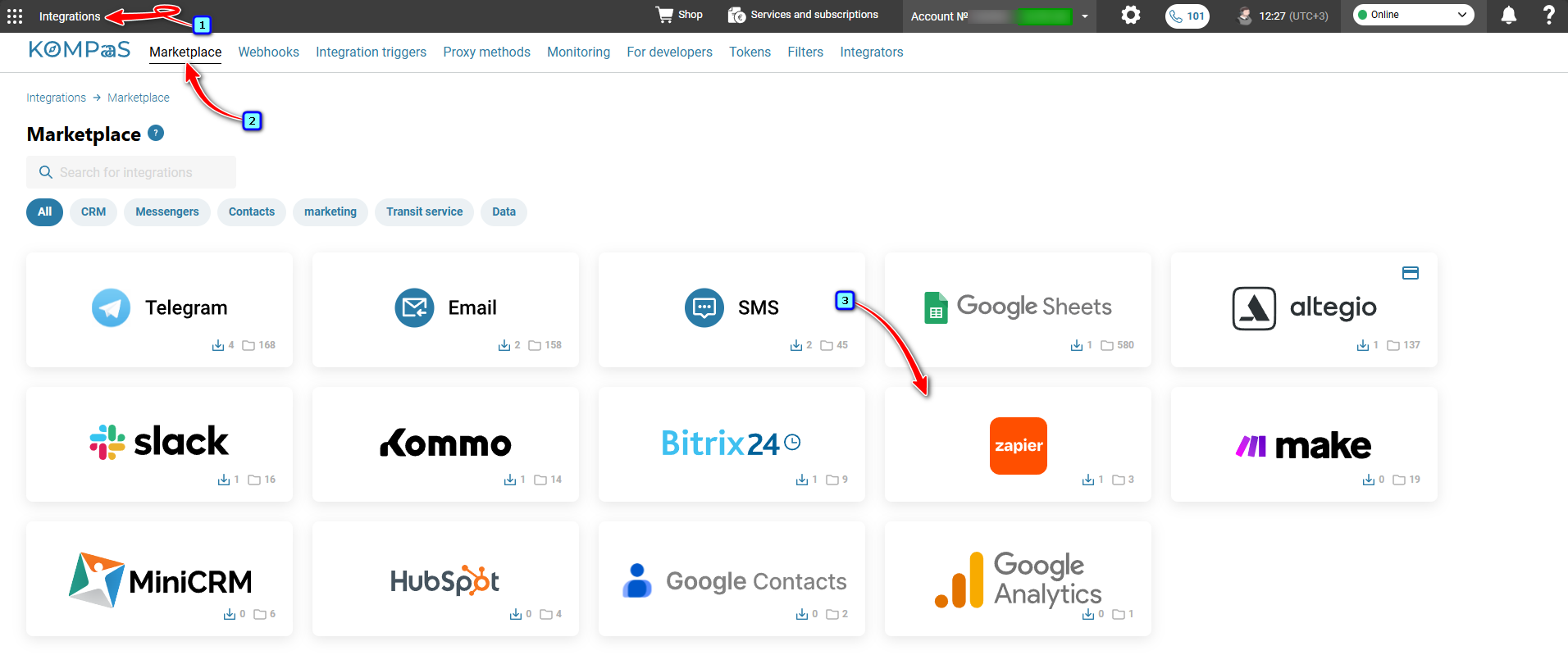
Log in to your KOMPaaS account → go to the ’Integrations’ section → 'Marketplace' tab and click the ’Zapier’ block.
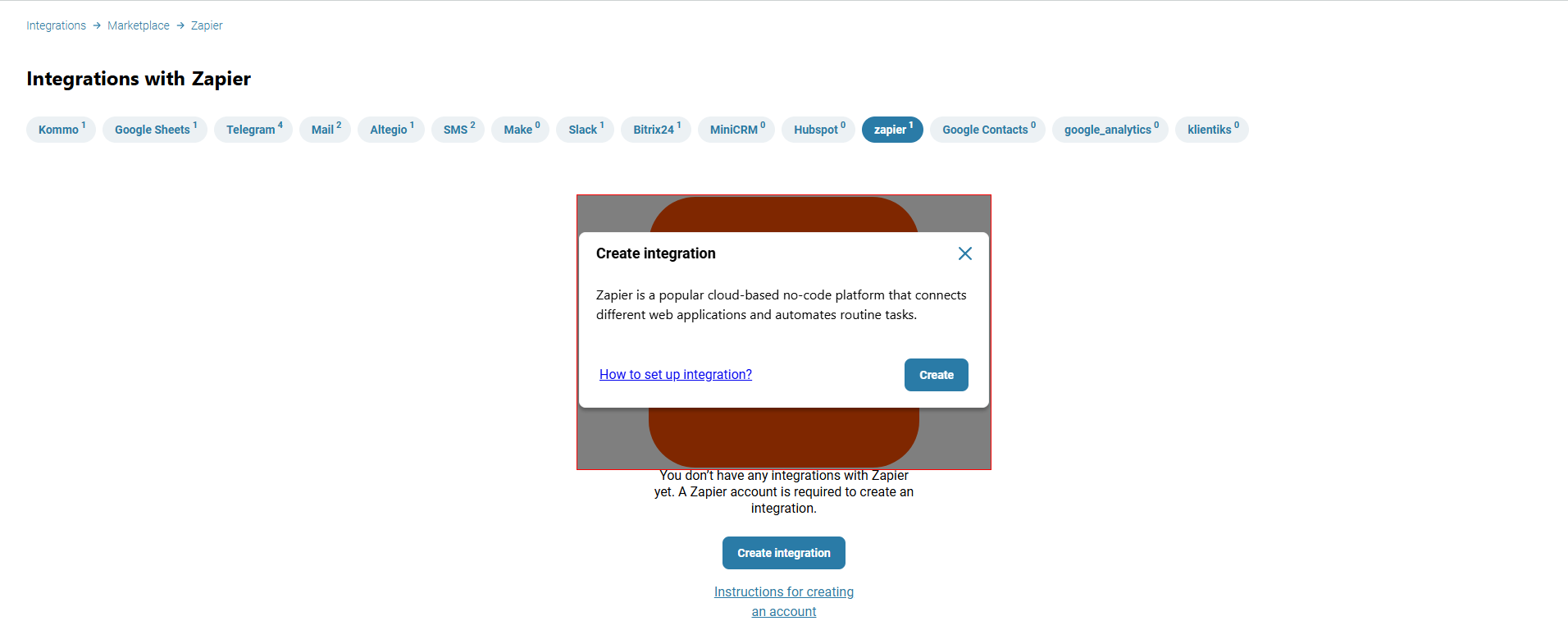
Click ’Create integration’ → then click ’Create’.
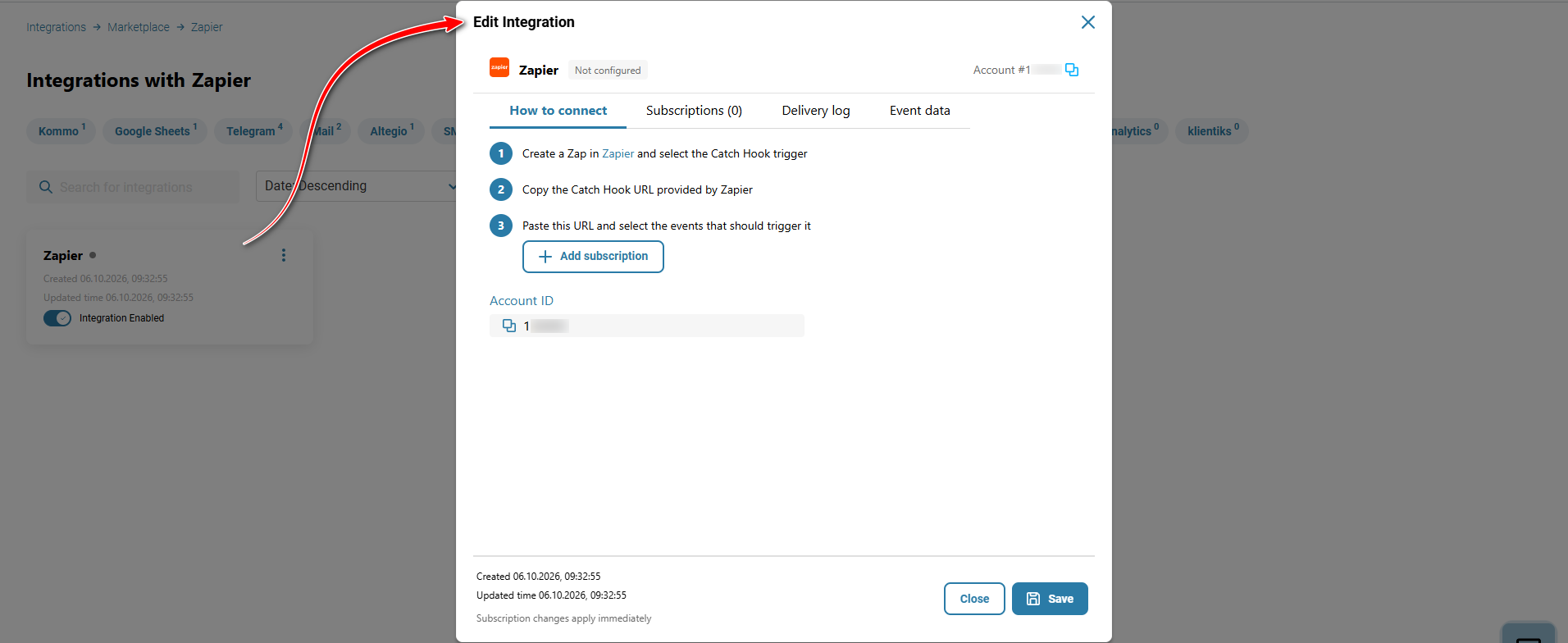
Next, click ‘Add subscription’.
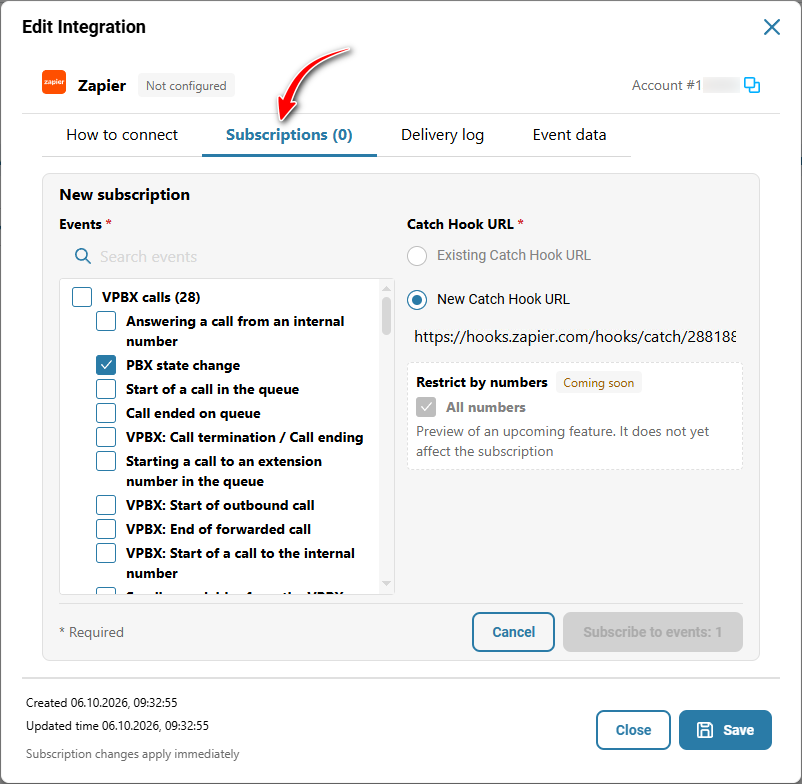
Configure the subscription:
Select the entire group or a specific event;
Specify the URL where the events will be sent (select an existing URL or add a new one).
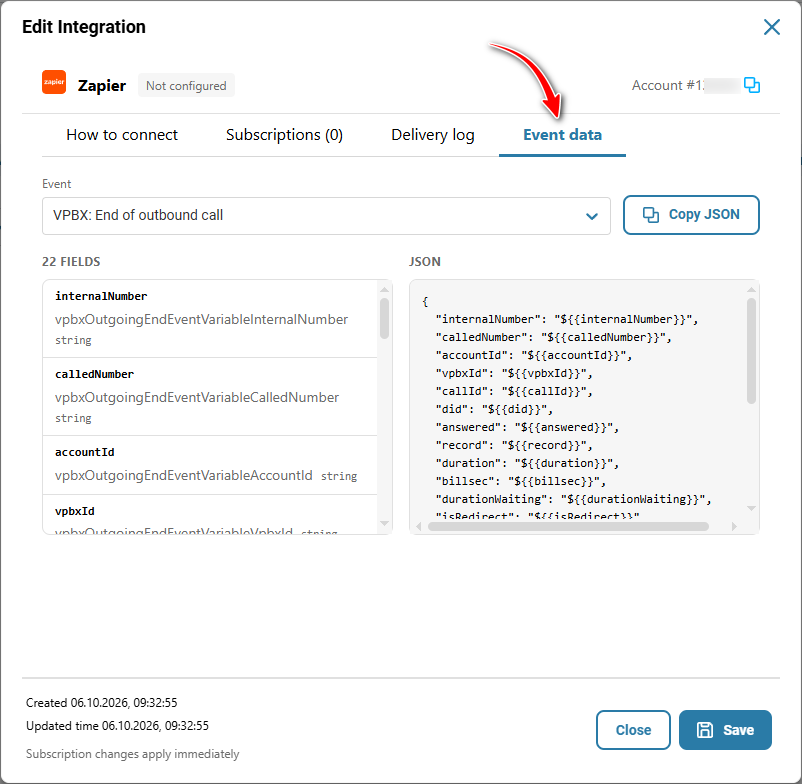
On the ‘Event data’ tab, you can view the payload of all events.
Was this article helpful?
That’s Great!
Thank you for your feedback
Sorry! We couldn't be helpful
Thank you for your feedback
Feedback sent
We appreciate your effort and will try to fix the article