Integration of KOMPaaS with HubSpot allows you to automatically transfer data from the virtual PBX to the CRM: information about calls, their duration and recordings, as well as status (answered or missed).
- For missed calls, the system can automatically create tasks.
- You can also configure call processing rules — create a deal, lead, contact, or create nothing.
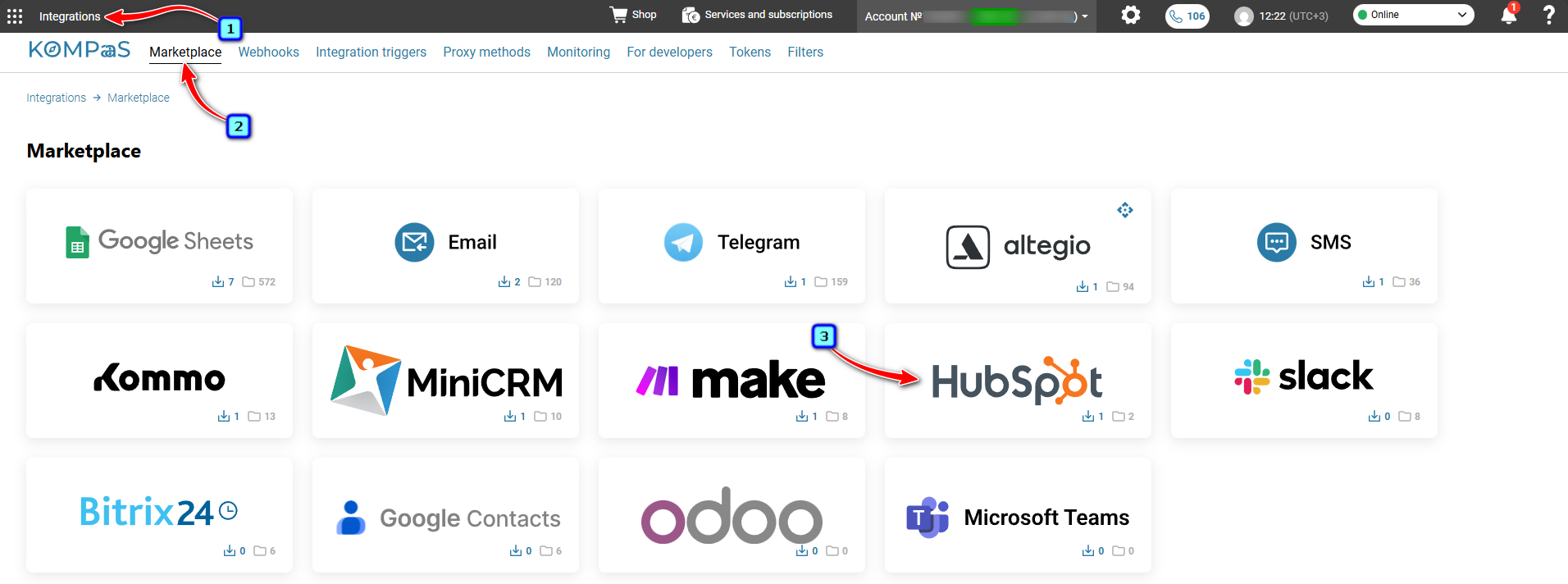
In the KOMPaaS Personal Account, go to the "Integrations" section → "Marketplace" and click on the "HubSpot" integration block.
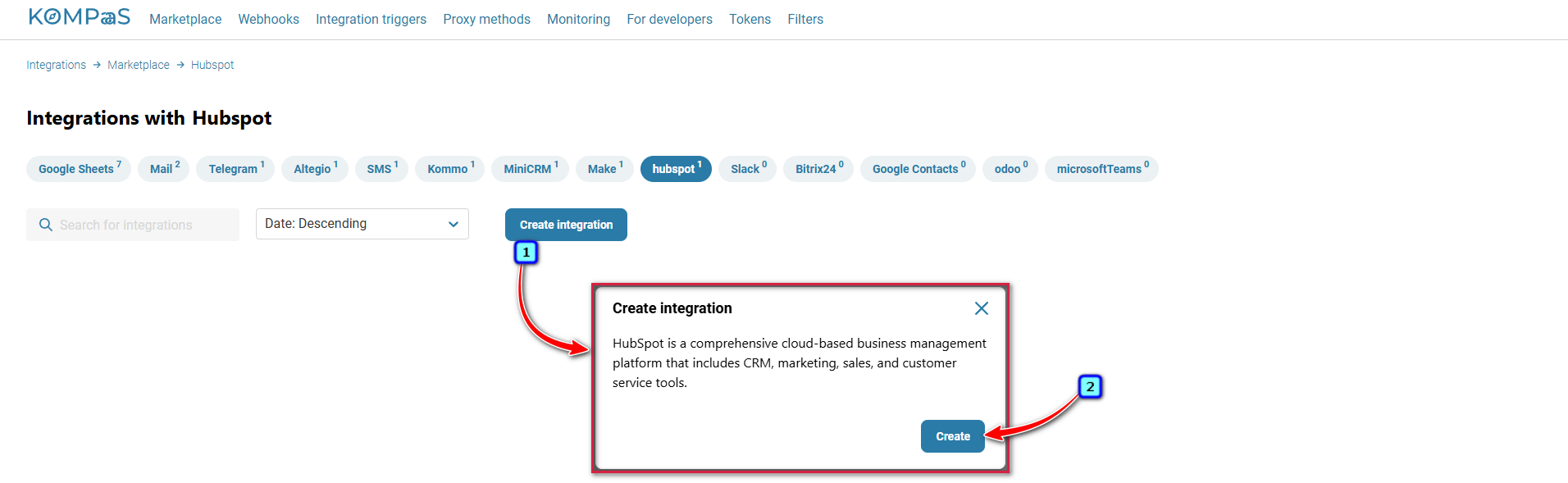
Click the "Create integration" button → then the "Create" button.
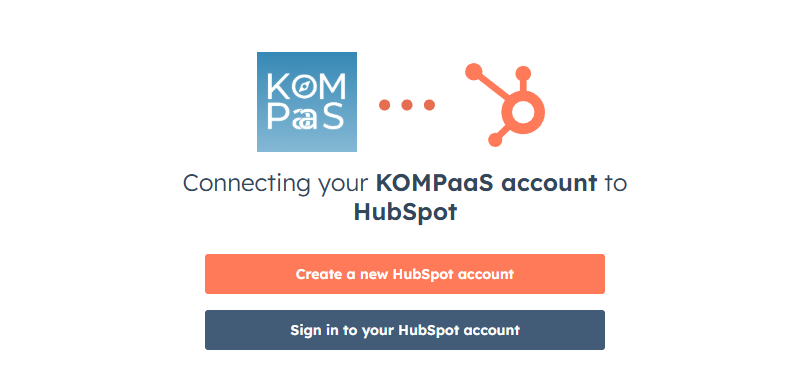
You will be redirected to the HubSpot account creation and authorization page.
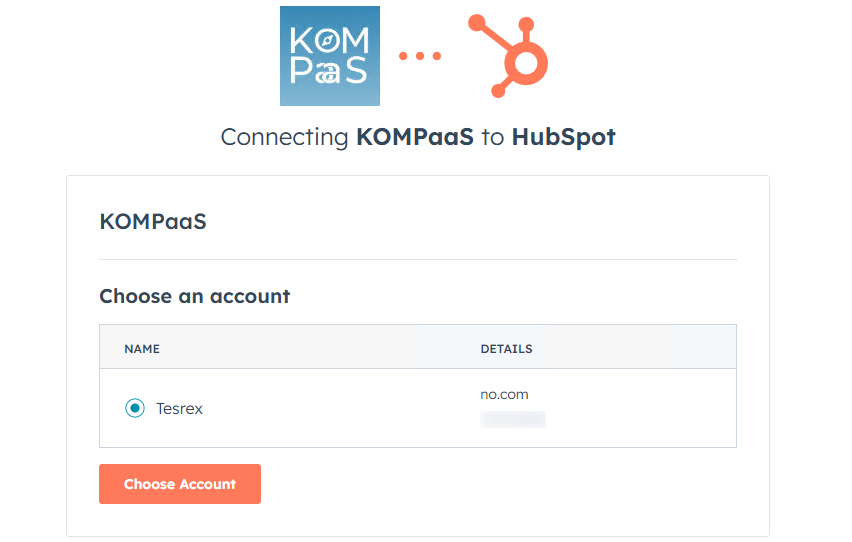
Log in to HubSpot.
The integration is created. Configure it.
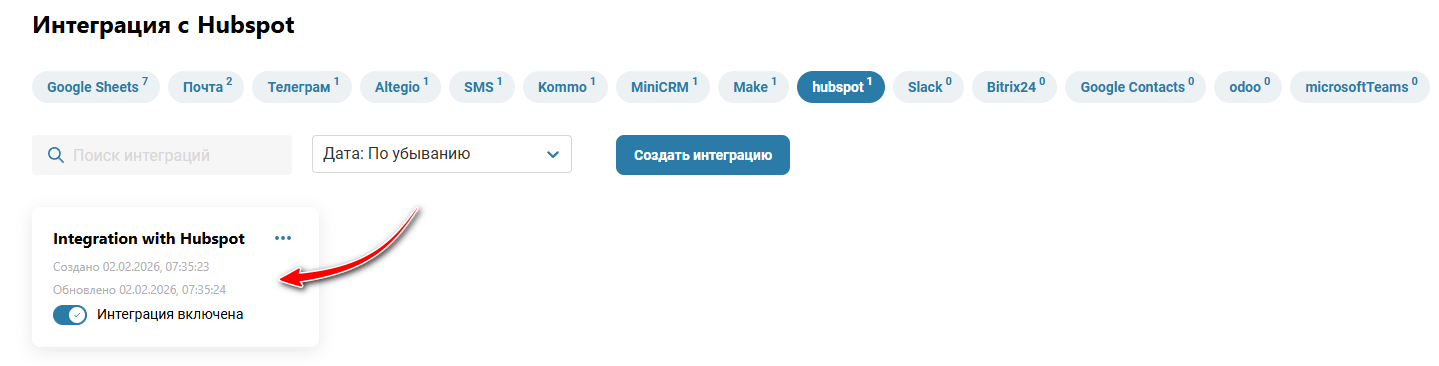
Step 1 — Select the numbers that will participate in the integration with HubSpot or click the "Select All" button.
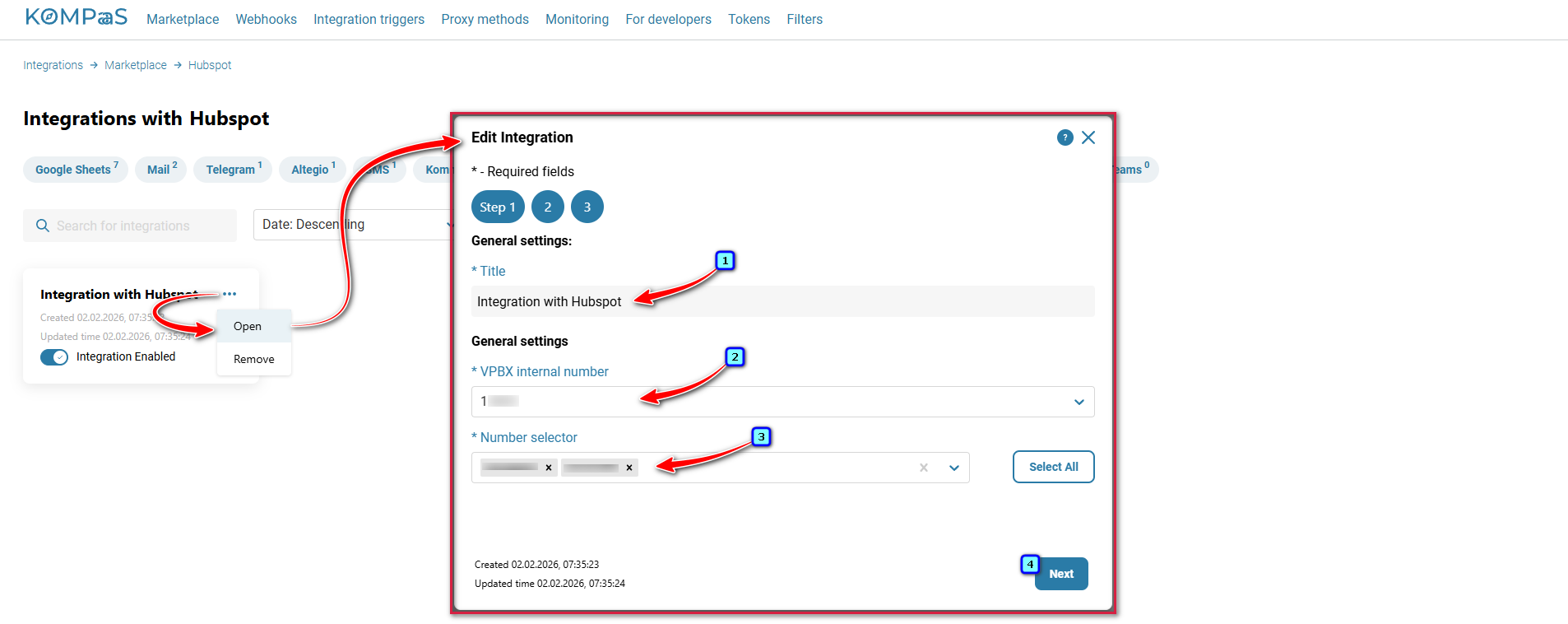
Step 2 — Set:
Responsible by default and Call handling rules.
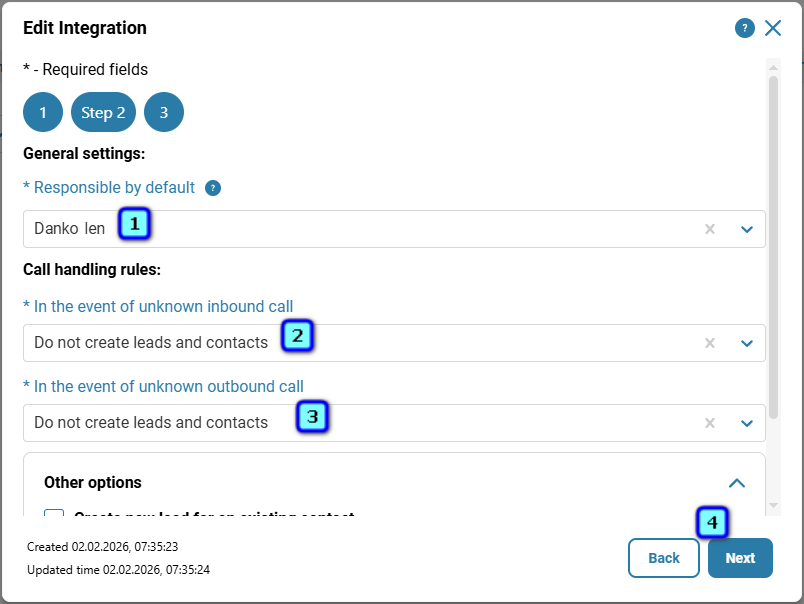
Other options.
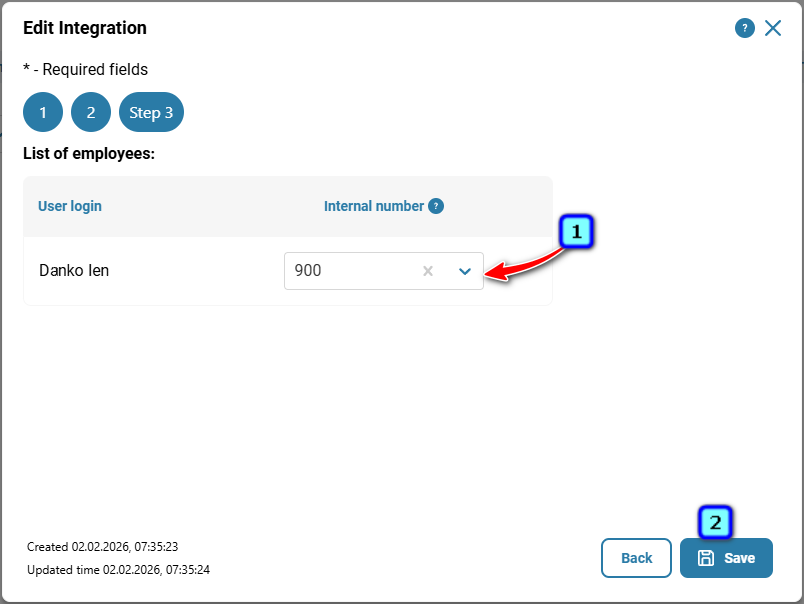
Step 3 — Internal number to User login.
Was this article helpful?
That’s Great!
Thank you for your feedback
Sorry! We couldn't be helpful
Thank you for your feedback
Feedback sent
We appreciate your effort and will try to fix the article