Short code (External subscriber) is an element used to select an external subscriber (an employee whose internal number is configured to forward calls to an external number) and specify the number of seconds the system should wait before routing the call to the next element. This ensures that if the employee does not answer, the customer's call proceeds to the next step in the call route.
This can be an employee's external landline or software-based (SIP) phone, as well as their mobile number (if the subscriber does not have the FMC option enabled).
To add the element to a call scenario:
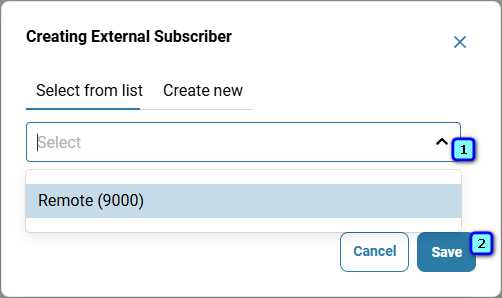
Go to 'Telephony' → 'Call scenario' tab → click the three-dot menu next to the 'Short code' element in the sidebar on the right.

Select the employee's internal phone number to which the call should be routed.
Click 'Save'.
If the manager does not answer the call, set 'Call waiting time, sec' to specify how long the system should wait before routing the call to another destination. If 'Call waiting time, sec' is set to zero, the 'Short code' element will be the final destination in the call route.
✅Note:
When setting the waiting time, take into account the time required to establish a connection with the external number (including delays when calling mobile or satellite networks).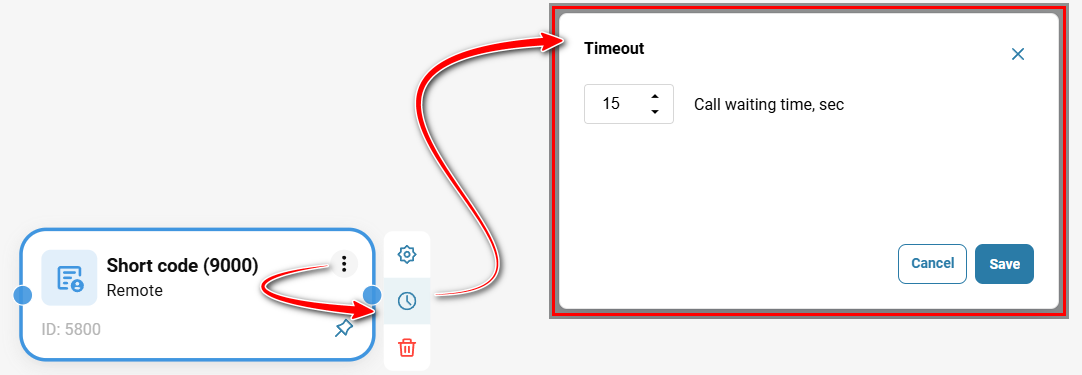
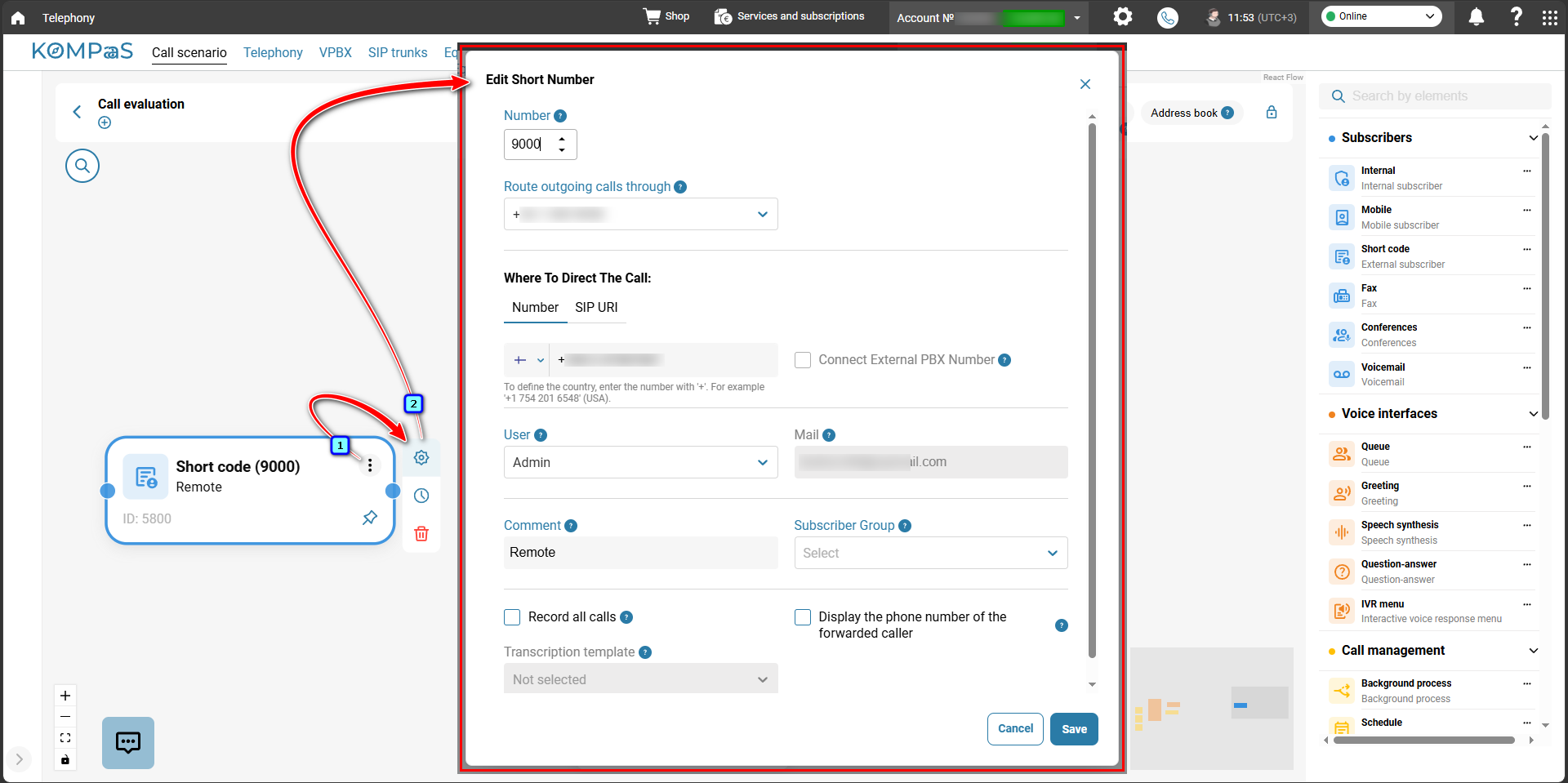
To edit the element, click the gear icon. For more information, see 'How to set up Subcriber's extension numbers'.
Connect the 'Short code' element to other elements in the flowchart using arrows to define its position in the call scenario and specify the call routing direction.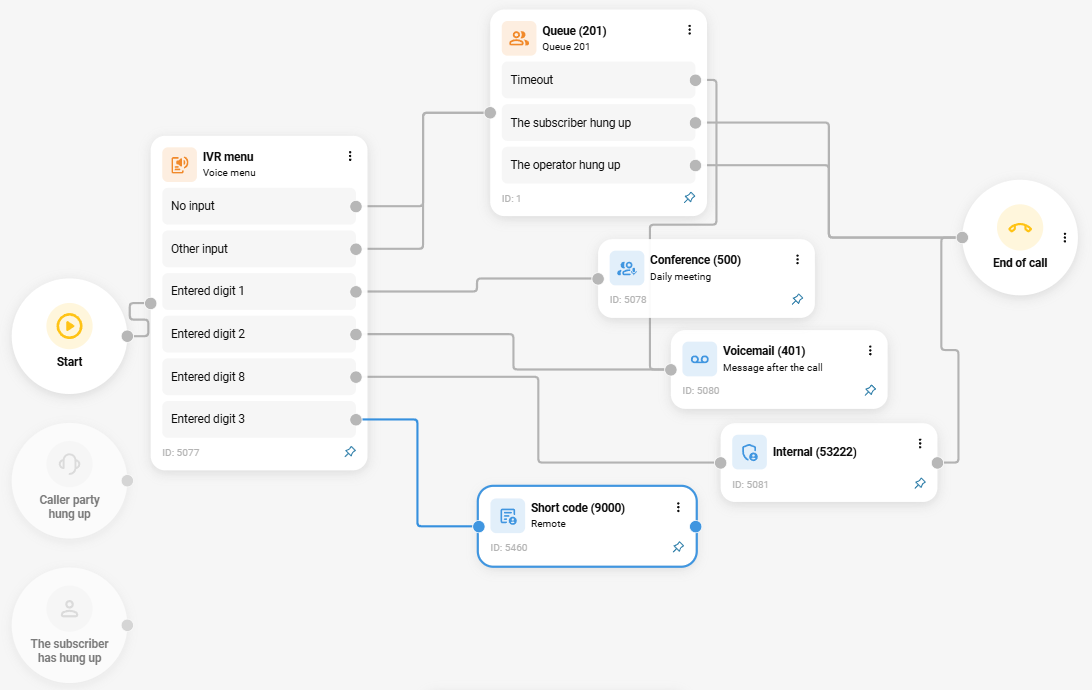
Also see:
Was this article helpful?
That’s Great!
Thank you for your feedback
Sorry! We couldn't be helpful
Thank you for your feedback
Feedback sent
We appreciate your effort and will try to fix the article