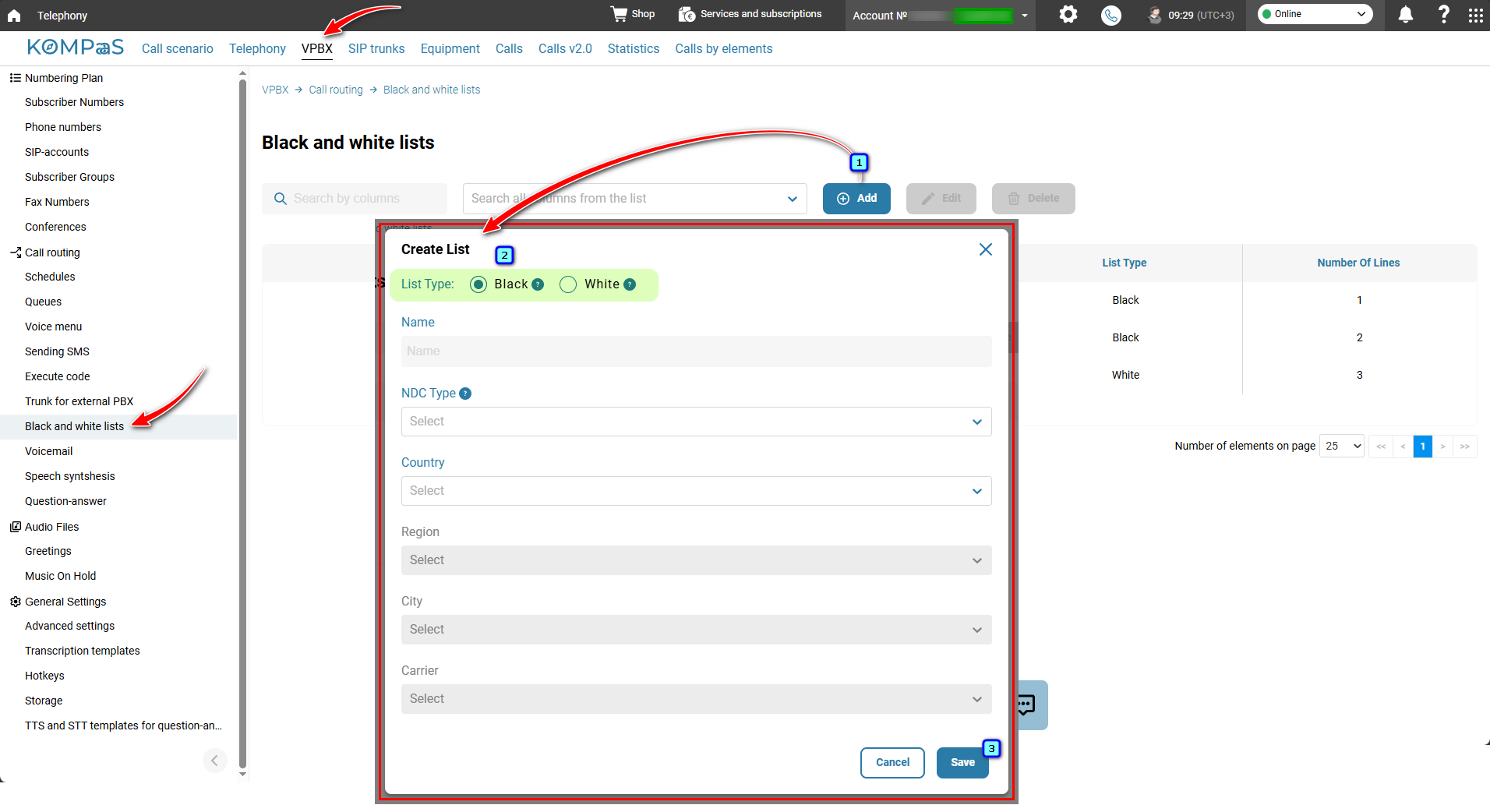
In the top menu of the Personal Account, go to 'Telephony' → 'VPBX' tab → 'Call routing' in the left-hand menu → 'Black and white lists'.
Creating a List
Click the 'Add' button.
Enter a name for the new 'black' or 'white' list.
Click 'Save'.
Configuring a List
To configure incoming call routing based on the caller's location (country, region, or city) or carrier, specify the following parameters in the list:
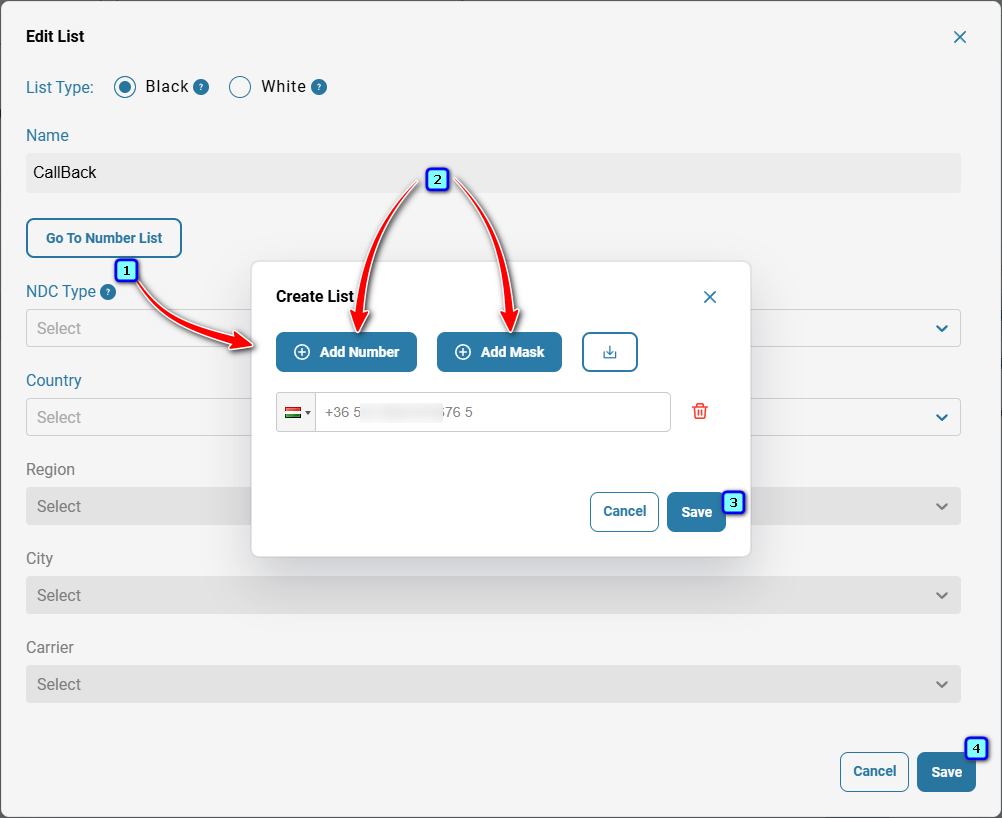
Click the 'Go To Number List' button to add a phone number or mask.
'Add Number' button
Enter the phone number in the format +16311234567. Calls from this number will be handled according to the rule specified in the call routing scenario.
'Add Mask' button.
The following characters are allowed:
X — replaces any single digit;
***** — must be placed at the end and replaces any number of digits (no characters can follow *****).
In the 'List Type' field, specify whether the list should be classified as a 'black' or 'white' list. You can change the list type at any time, either in the 'Black and white lists' settings or in the 'Call scenario'.
NDC Type — if call routing depends on this parameter, select the required NDC type from the drop-down list. You can add one or more NDC types.
Country — use this parameter to route calls based on the caller's country and to search for a region and city. Add one or more countries. The list will include phone numbers from all selected countries.
Region — use this parameter to route calls based on the caller's region and to search for a city within that region. You can select a region after filling in the 'Country' field. Add one or more regions. The list will include phone numbers from all selected regions.
City — use this parameter to route calls originating from a specific city in the selected region. This field becomes available after the 'Region' field has been filled in. Add one or more cities in the region. The list will include phone numbers from all selected cities.
Carrier — use this parameter to route calls originating from numbers served by specific carriers. Add one or more carriers. The list will include phone numbers served by all selected carriers.
After filling in the fields, click 'Save'.
Configuring a List for the 'CallBack' Service
Blacklists and whitelists can also be used to configure the 'CallBack' service. Create a list and add the phone numbers that will participate in CallBack. All other list parameters are ignored. The list does not need to be added to the call routing scenario.
For more information about the service, see CallBack.
Typical Use Cases for 'Black' and 'White' Lists:
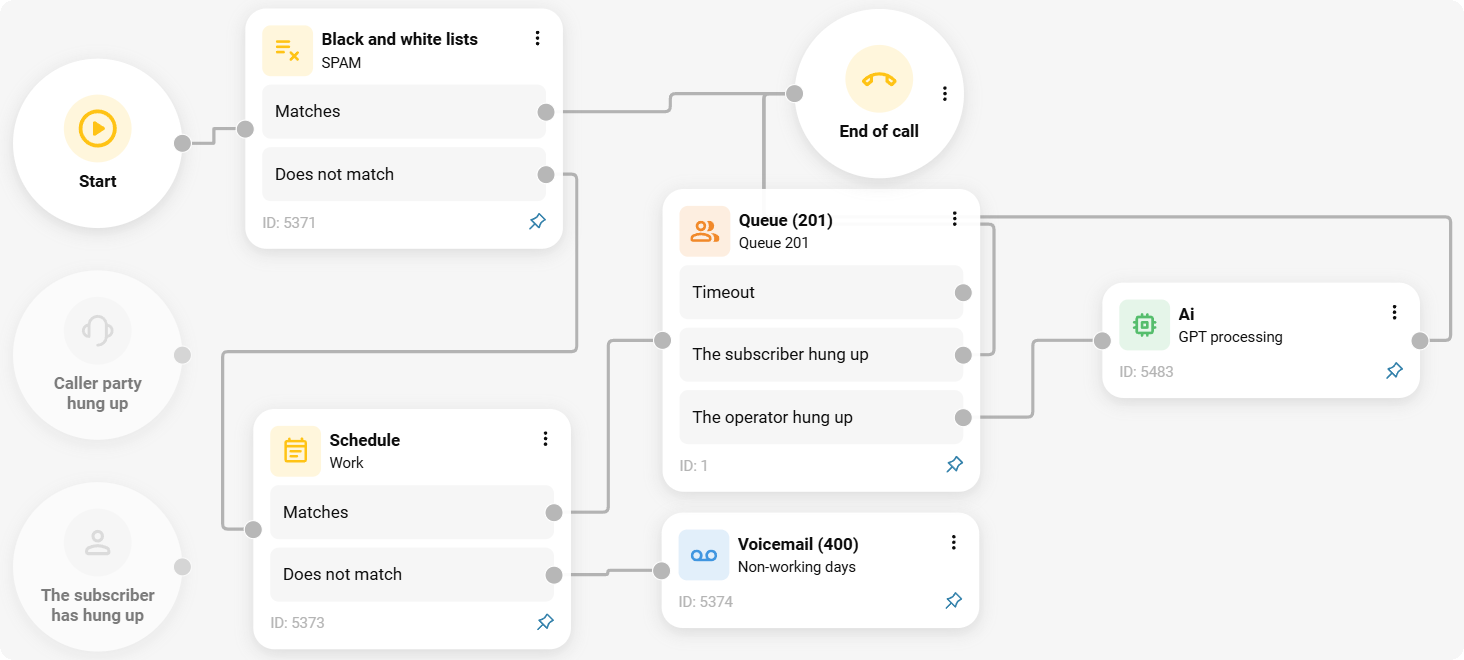
Reject calls from unwanted numbers while handling all other calls as usual.
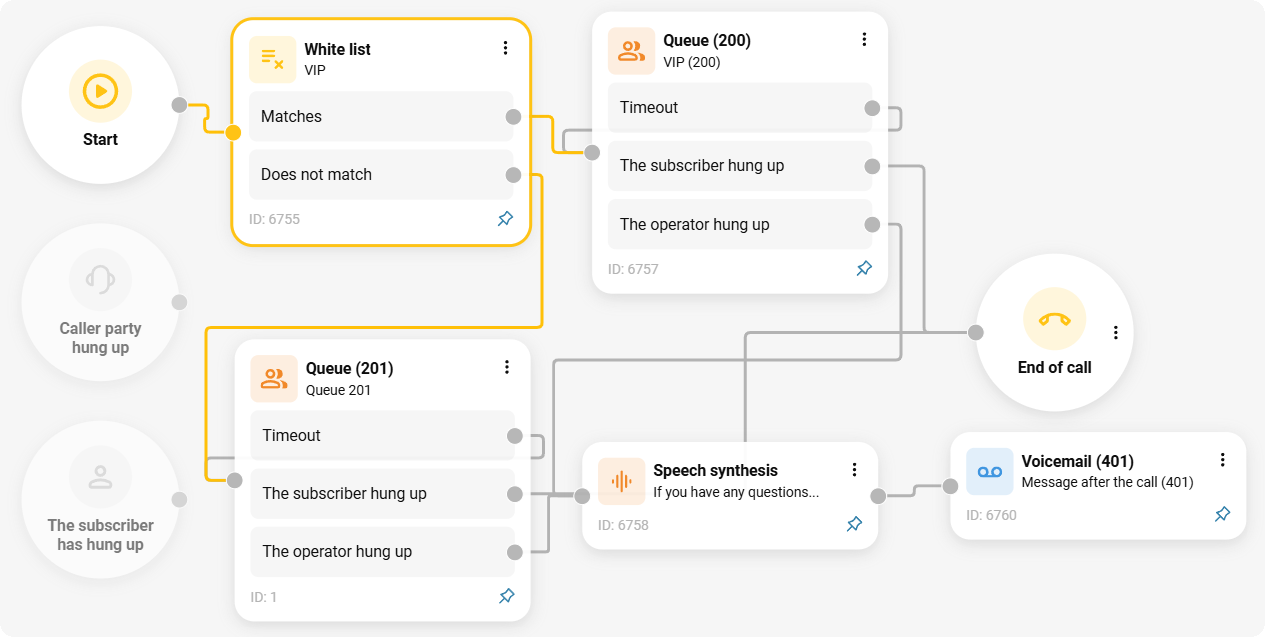
Route calls from important customers to the on-duty manager.
See also:
Was this article helpful?
That’s Great!
Thank you for your feedback
Sorry! We couldn't be helpful
Thank you for your feedback
Feedback sent
We appreciate your effort and will try to fix the article