⚠️Warning! Before enabling the 'Prompter' function, subscribers need to connect the service. See more details at 'How to activate 'Call Monitoring (Prompt)'. |
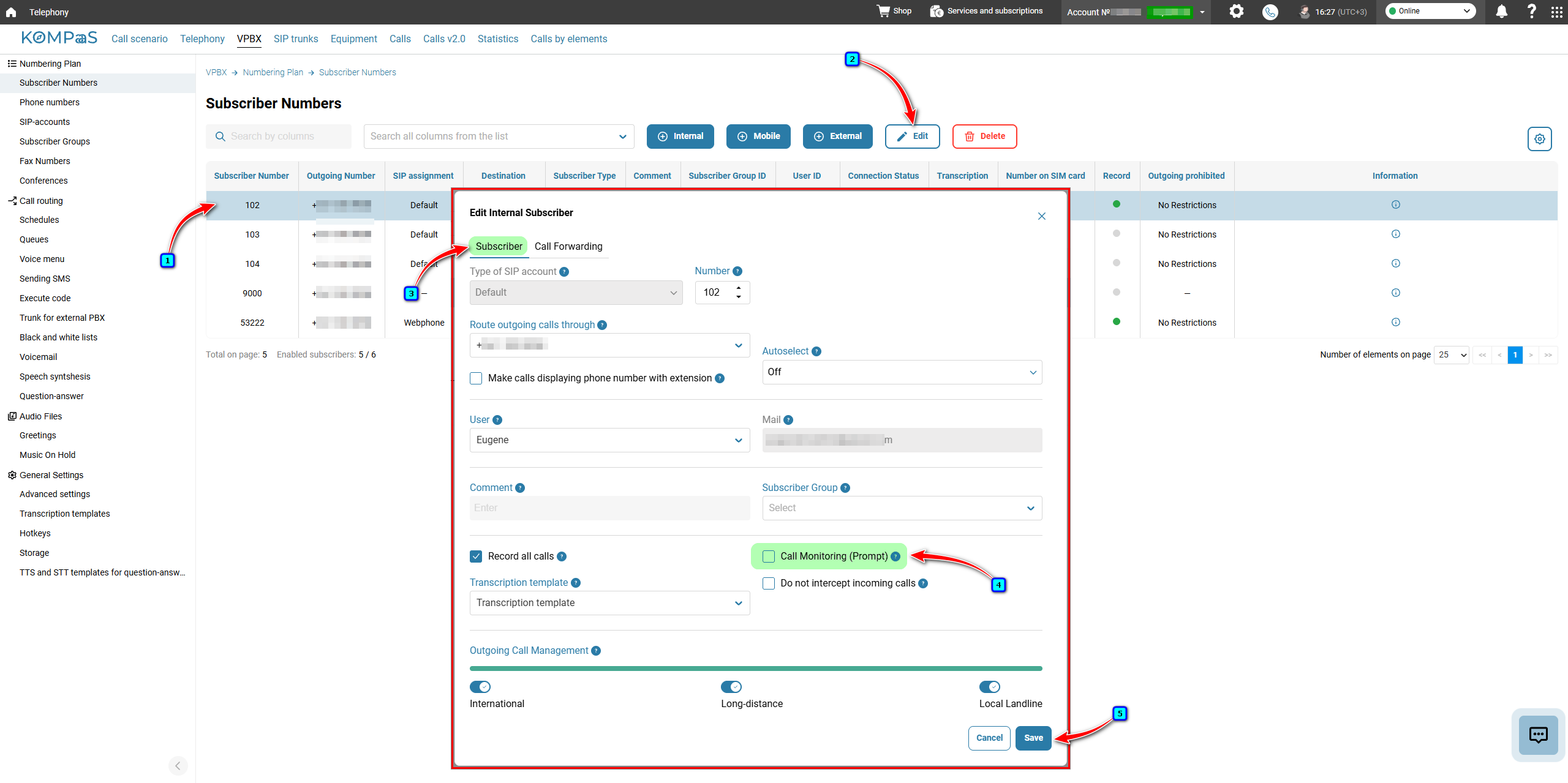
Go to 'Telephony' → 'VPBX' → 'Numbering Plan' in the left-hand menu → 'Subscriber Numbers'.
Select a subscriber and click 'Edit'.
In the 'Edit Internal Subscriber' modal window, go to the 'Subscriber' tab and select the 'Call Monitoring (Prompt)' checkbox.
To listen to a call, dial 078 followed by the subscriber's number.
To listen to a call with an announcement to the agent, dial 079 followed by the subscriber's number.
Click 'Save'.
See also:
Was this article helpful?
That’s Great!
Thank you for your feedback
Sorry! We couldn't be helpful
Thank you for your feedback
Feedback sent
We appreciate your effort and will try to fix the article