✅ Note: This instruction was created using a Xiaomi device with Android 14. |
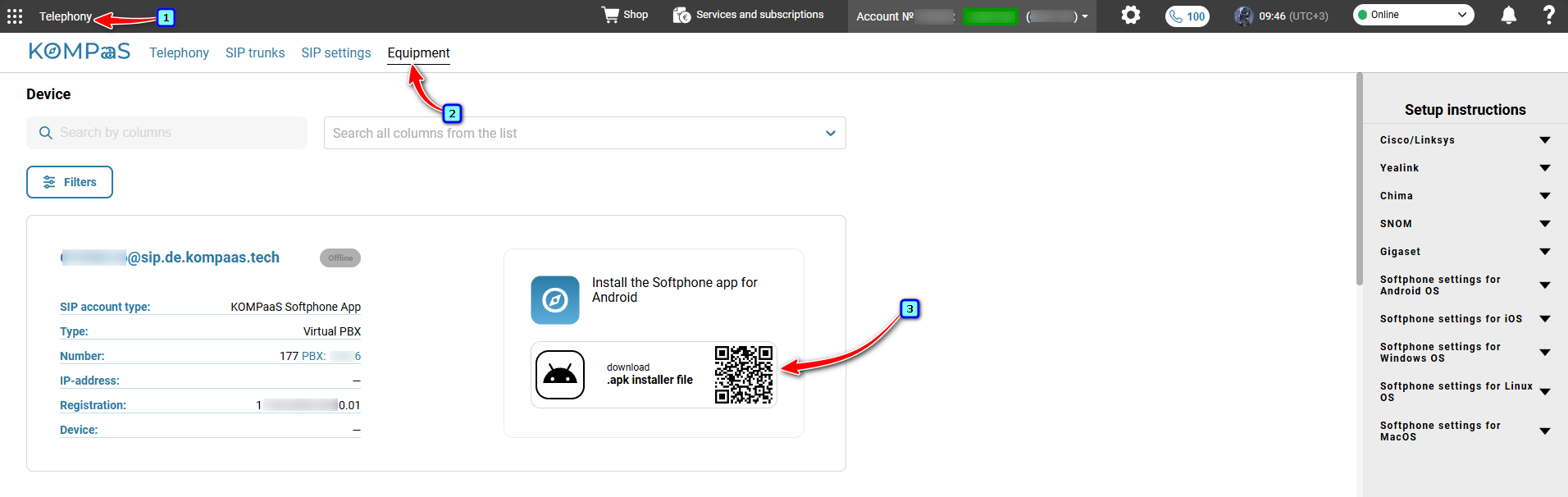
Download and install the softphone on your smartphone from the 'Telephony' section → 'Equipment' tab. Or use the direct link.
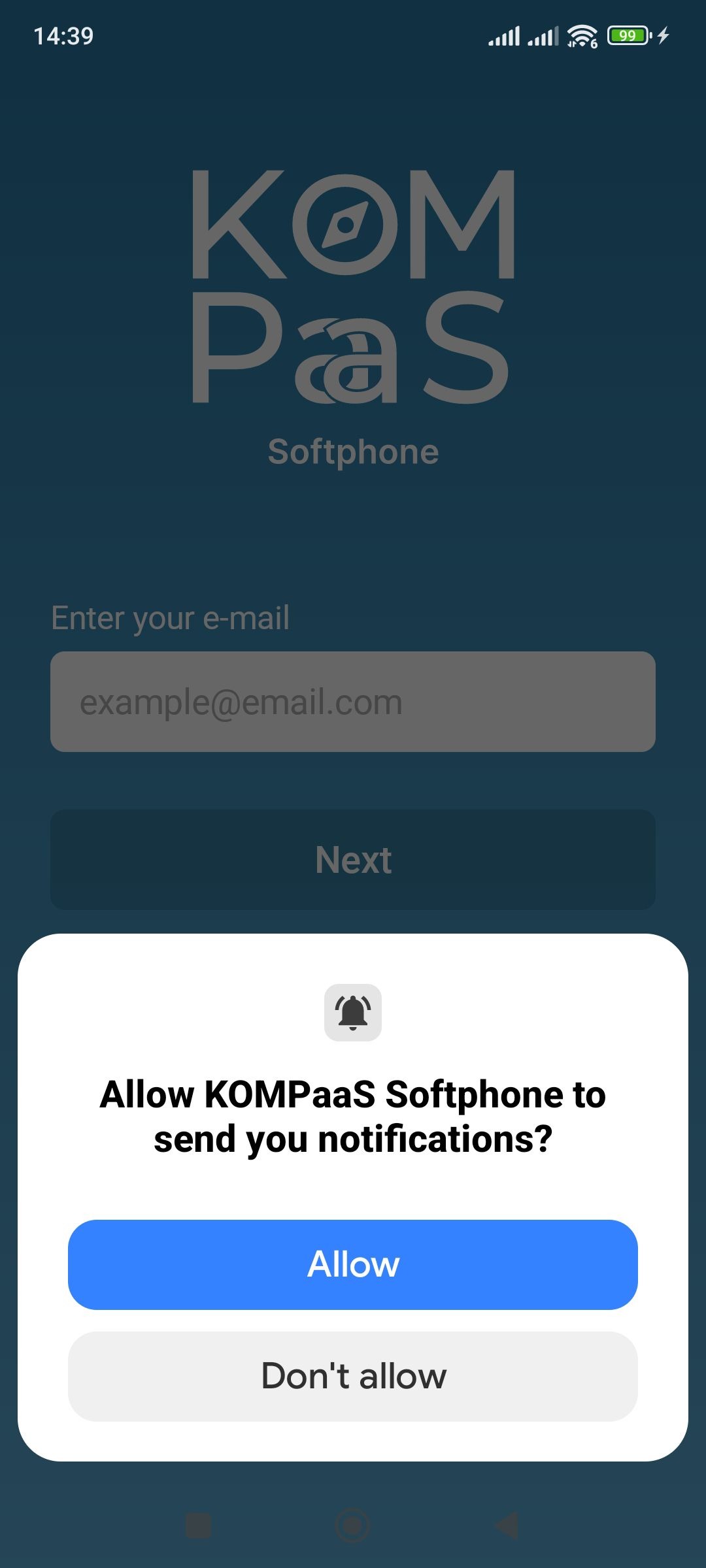
Grant permission to send notifications in order to receive Push and other notifications for the application to function in the background.
Please log in.

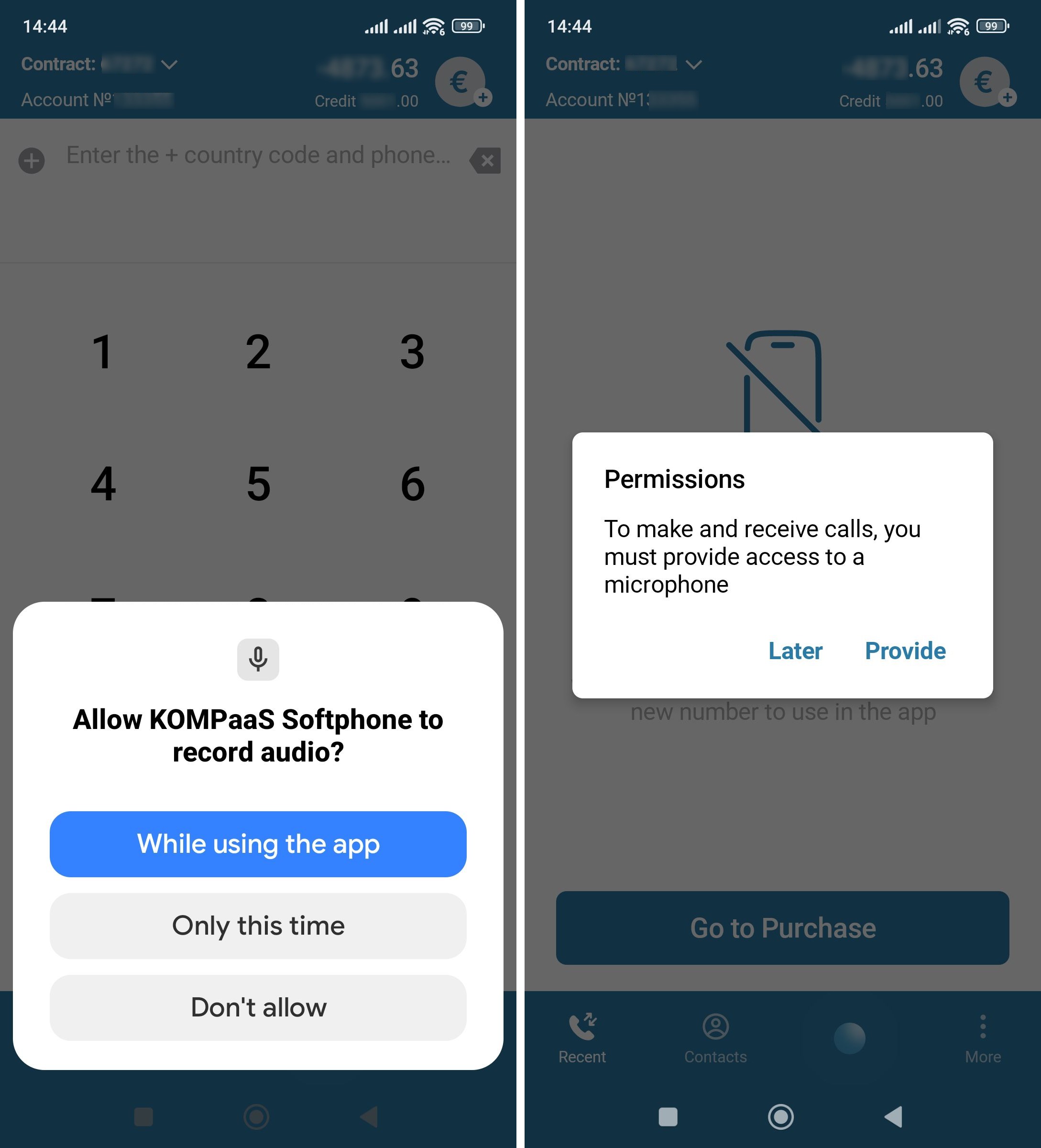
Grant permissions to the microphone and for audio recording. This is a standard permission for working with the microphone in third-party SIP applications that use their own call handling.
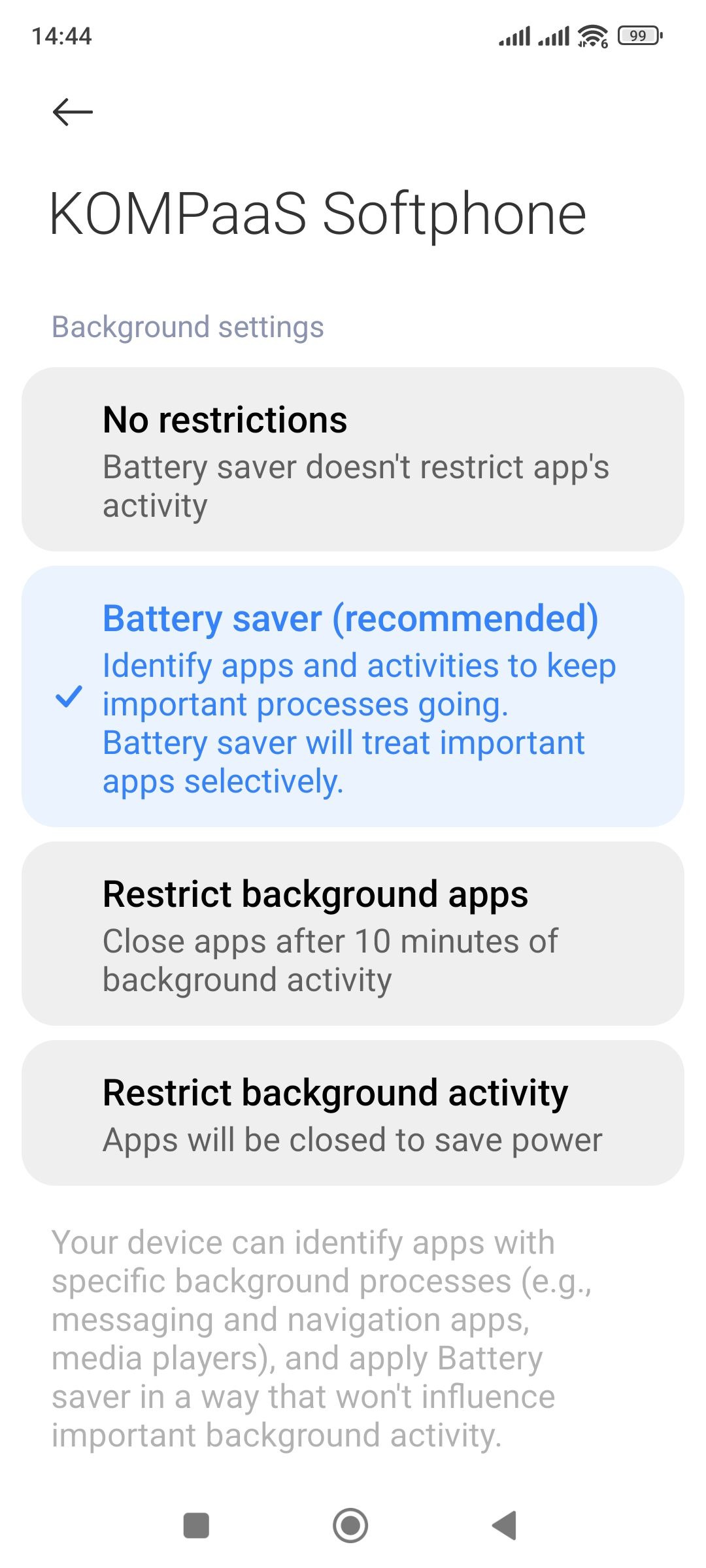
Background activity control — select "No restrictions" to prevent the application from going into "sleep" mode, which would lead to missed calls or disconnection from the SIP server.
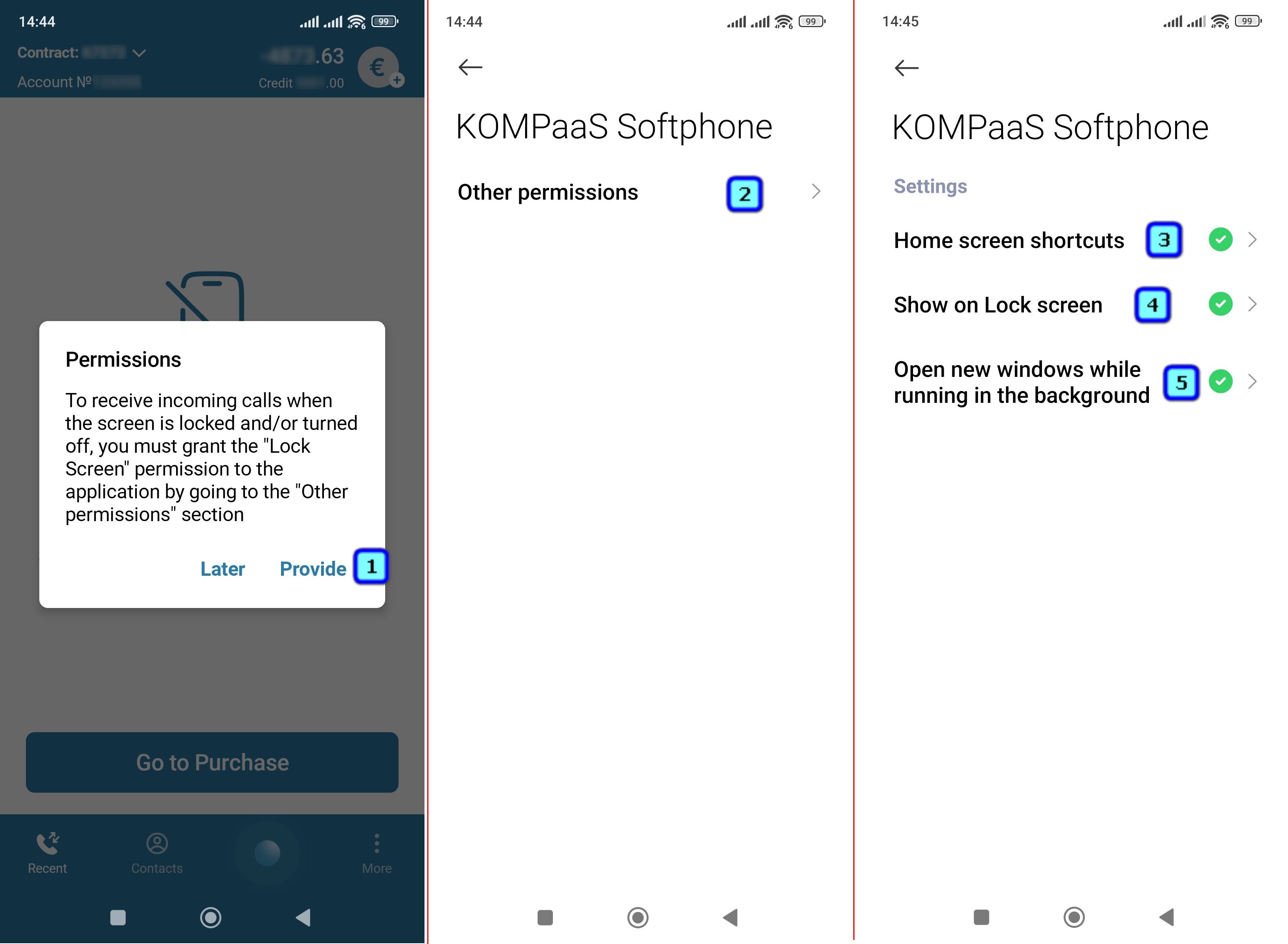
Allow the application to be a pop-up window. This is necessary for receiving incoming calls if you are using the built-in call handling instead of the system's. The built-in call handling is recommended for most phone models.
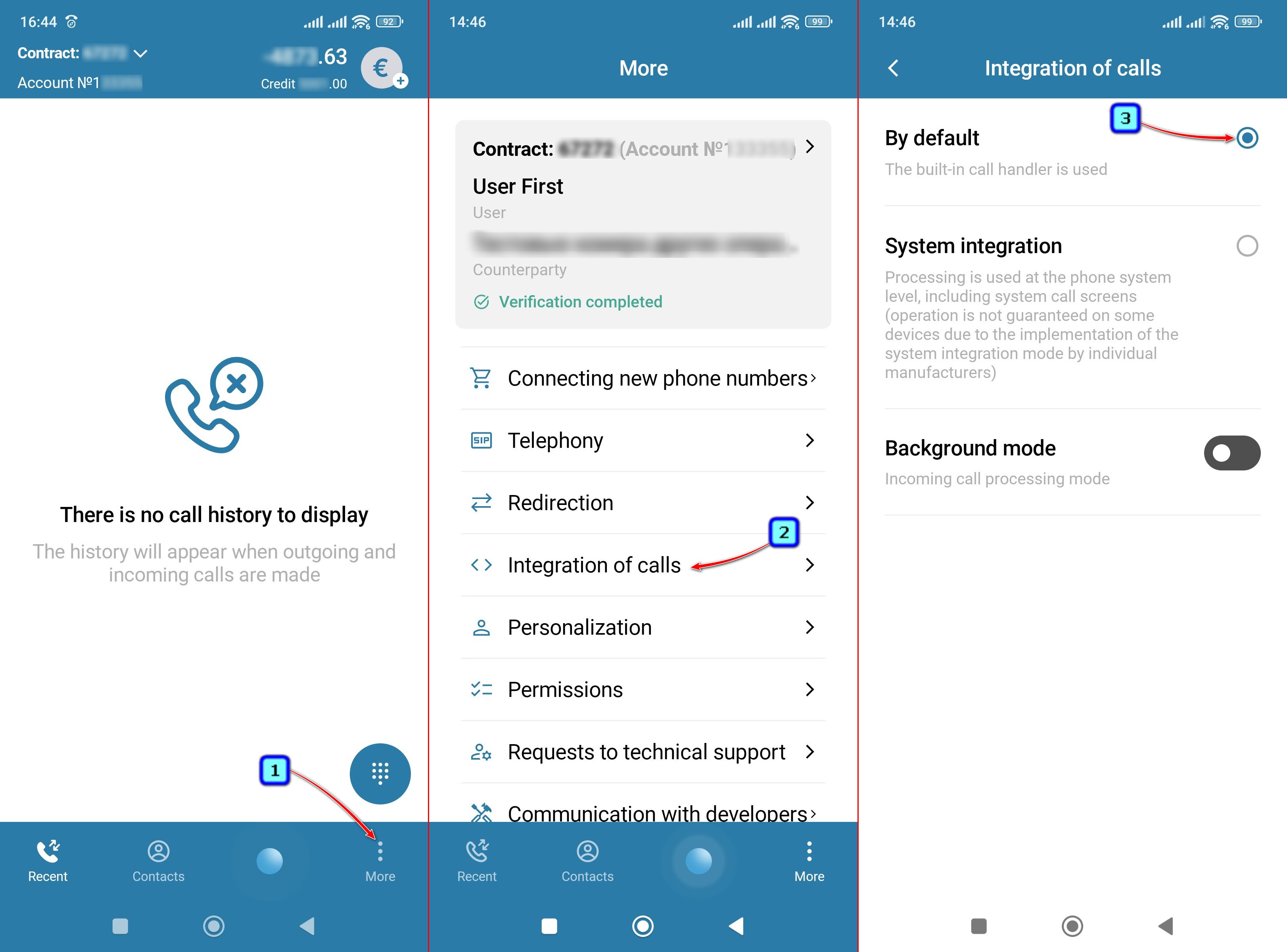
Make sure that the 'Integration of calls' setting is set to 'By default'.
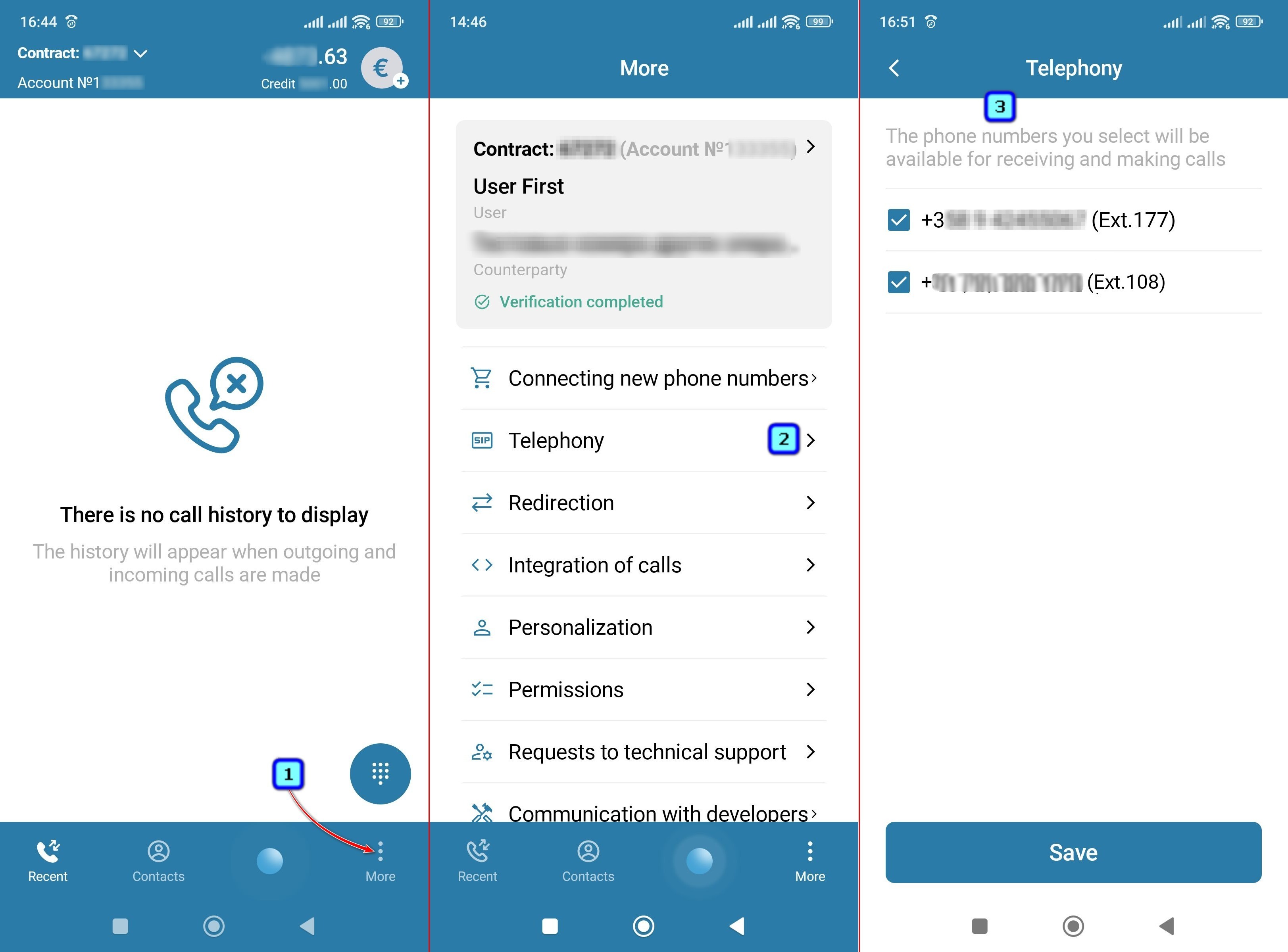
If you have more than one phone number, you can select the numbers you want to use in the application by checking the boxes in the "Telephony" section.
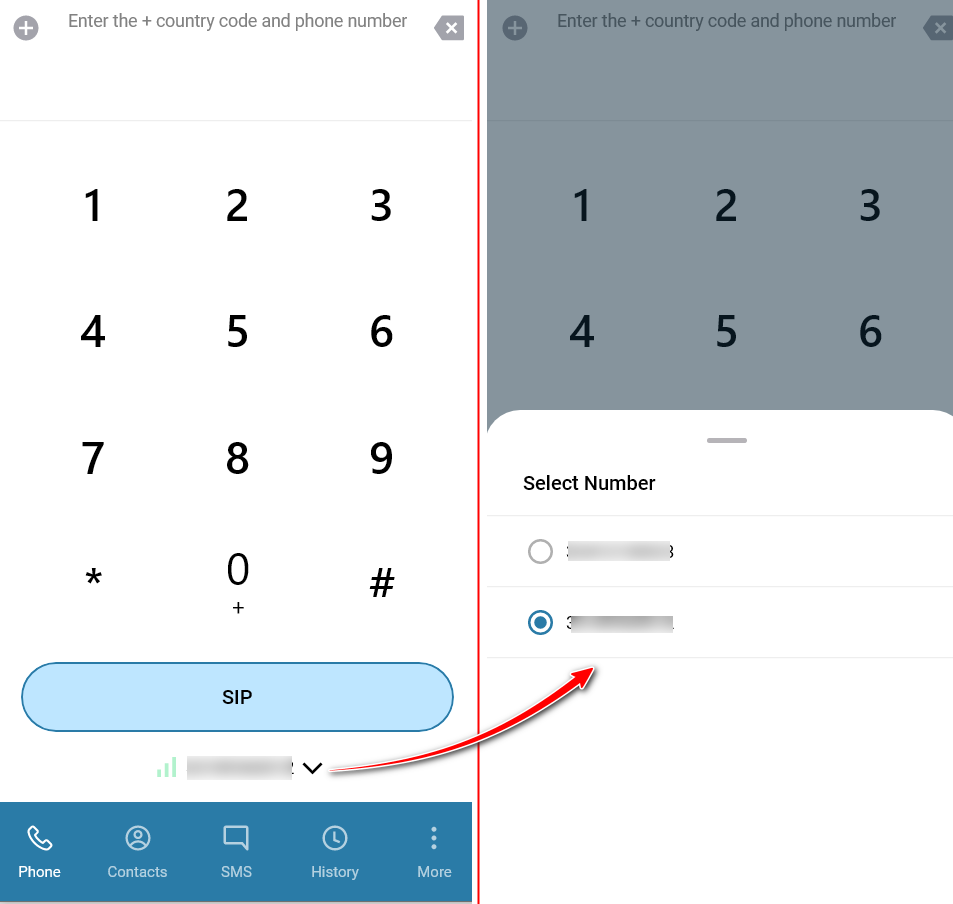
For outgoing calls select a number on the dialer screen.
✅Note:
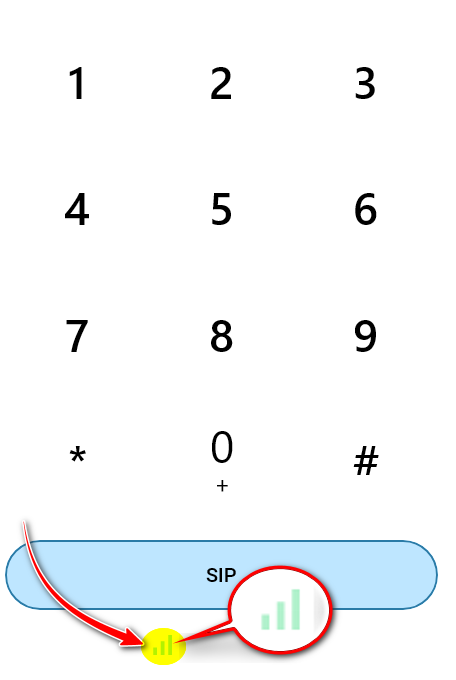
The signal quality icon should be green! Red (no connection to the server) - check your SIP settings and internet connection.
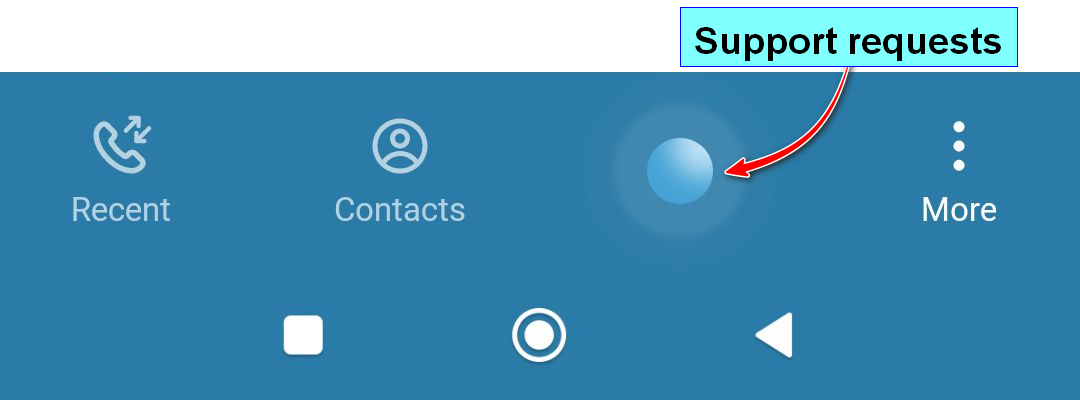
- The flashing button is for accessing technical support.
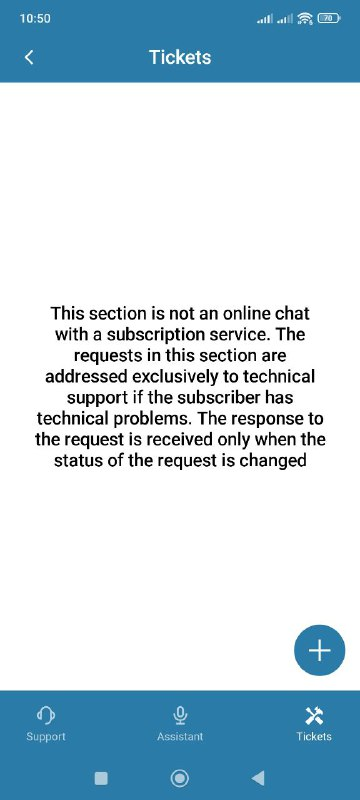
- In this section you can create and view requests.
Also see:
Was this article helpful?
That’s Great!
Thank you for your feedback
Sorry! We couldn't be helpful
Thank you for your feedback
Feedback sent
We appreciate your effort and will try to fix the article