⚠️Attention! You can check the availability of the service in your region via email or by phone number on the website. |
Internal — an element for selecting an internal subscriber (company employee with a short internal number) and the number of seconds after which the call will go to the next element, so that if one employee does not answer, the client's call will proceed further along the route.
To add an element to the call scenario:
In the 'Telephony' → tab 'Call scenario' → click on the 'Internal' element icon in the side pull-out menu on the right.
Select the employee's internal phone number to which the call will be directed.
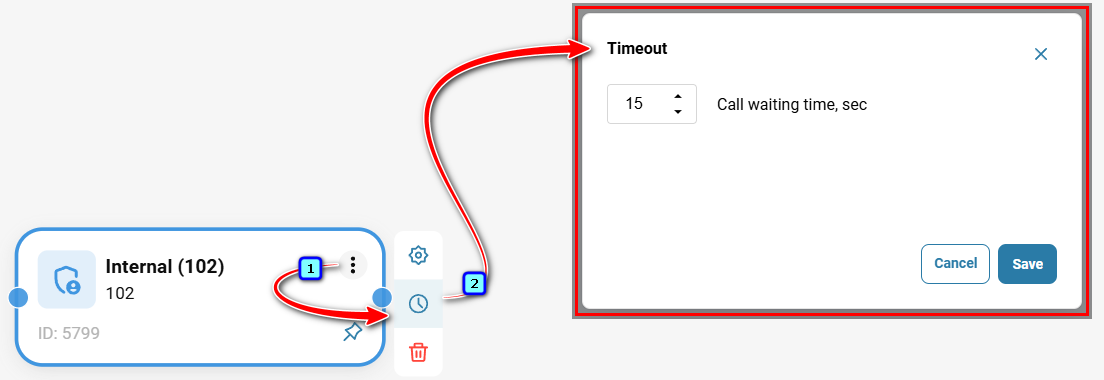
In case the manager doesn't answer the call, check the 'Call waiting time, sec' box and select the number of seconds after which the call will be automatically redirected to the next route stage. If unchecked, the 'Internal' element will be the endpoint of the route.
Then click the 'Add Item' button.
Connect the 'Internal' element with arrows to other elements on the diagram to determine the element's place in the scenario and set the routing direction.
Click 'Save' in the top right corner of the form.
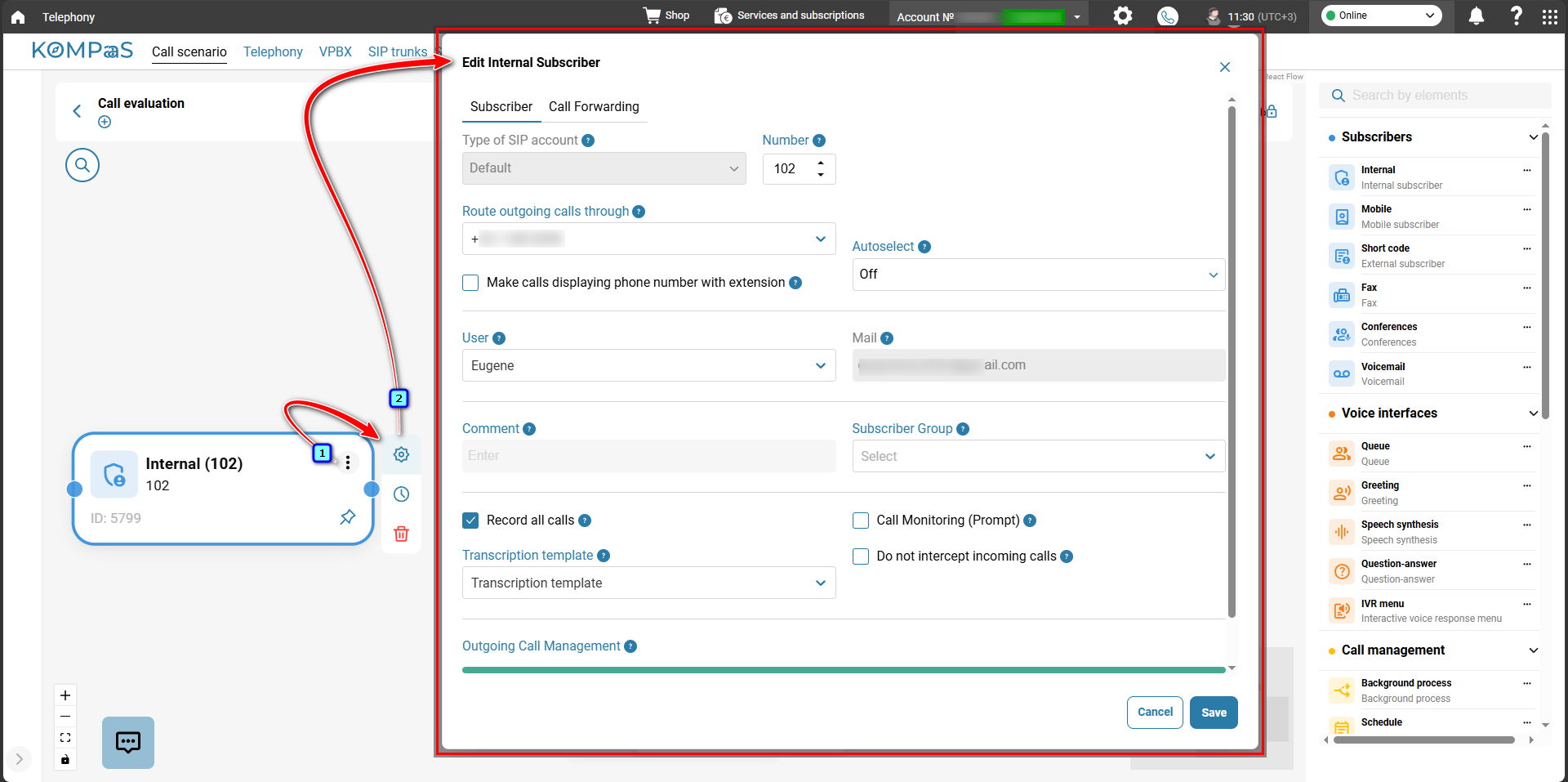
To edit the element, click the pencil-shaped button.To edit an element, click on the gear-shaped button.
The 'Edit scenarios item' modal window will open.
For more details, see 'How to set up Subscriber's extension numbers'.
Also see:
Was this article helpful?
That’s Great!
Thank you for your feedback
Sorry! We couldn't be helpful
Thank you for your feedback
Feedback sent
We appreciate your effort and will try to fix the article