The 'Fax' element is designed to automatically receive faxes that can be sent to the company's phone number. When a fax is received, the virtual PBX can save it electronically and send a notification about the received fax to the specified email addresses or phone numbers.
To add the element to a call scenario:
In the 'Telephony' → section, 'Call scenario' tab → on the right, in the sidebar, click the 'Fax' element icon.

In the 'Fax creation' modal window, select a fax.
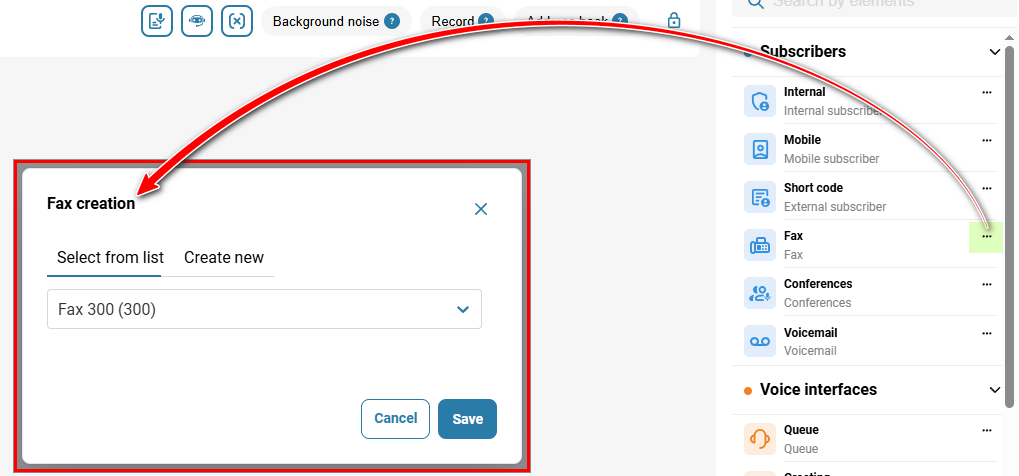
Click the 'Save' button.
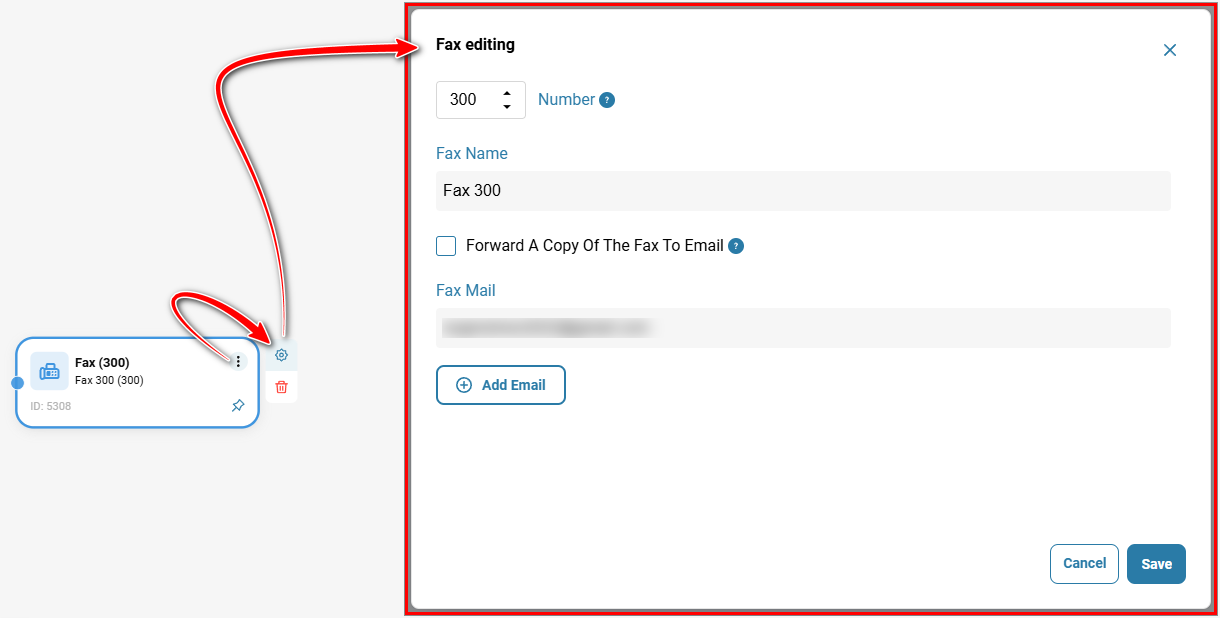
To edit the element, click the gear icon.
The screenshot shows an example of a call scenario where, when the '2' key is pressed in the voice menu, it is possible to send a fax.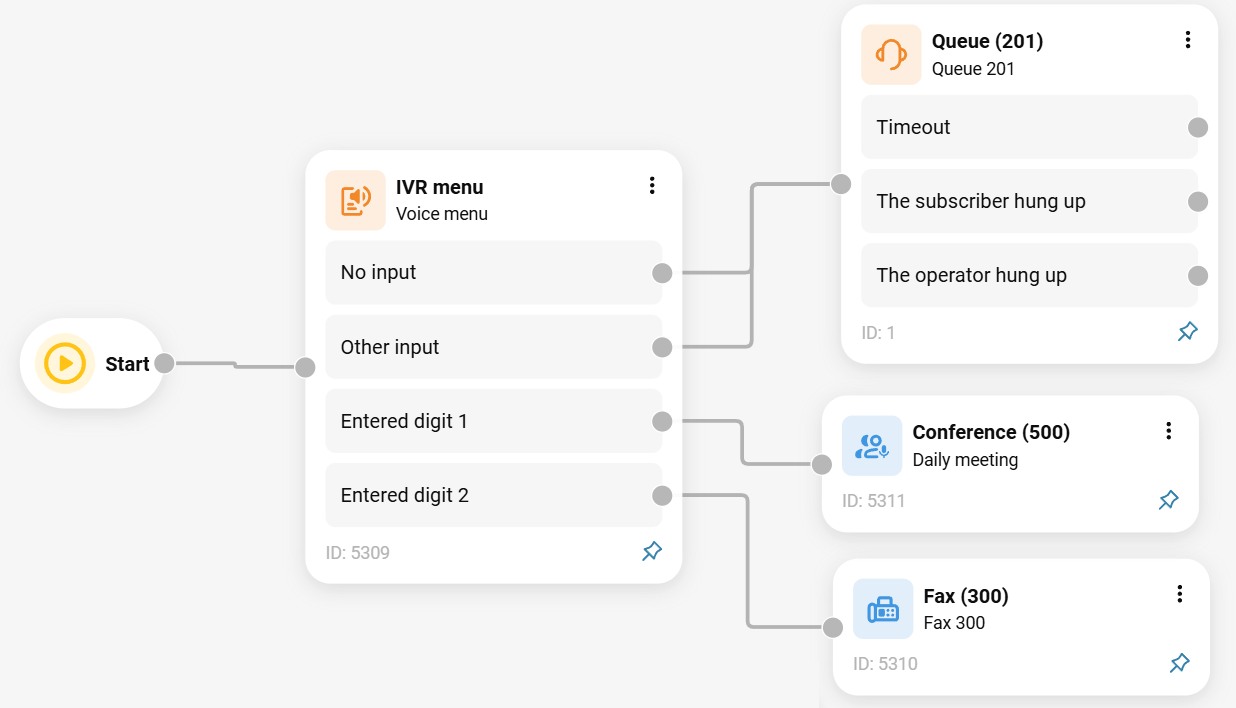
Also see:
Faxes
Call Scenario Elements
Was this article helpful?
That’s Great!
Thank you for your feedback
Sorry! We couldn't be helpful
Thank you for your feedback
Feedback sent
We appreciate your effort and will try to fix the article