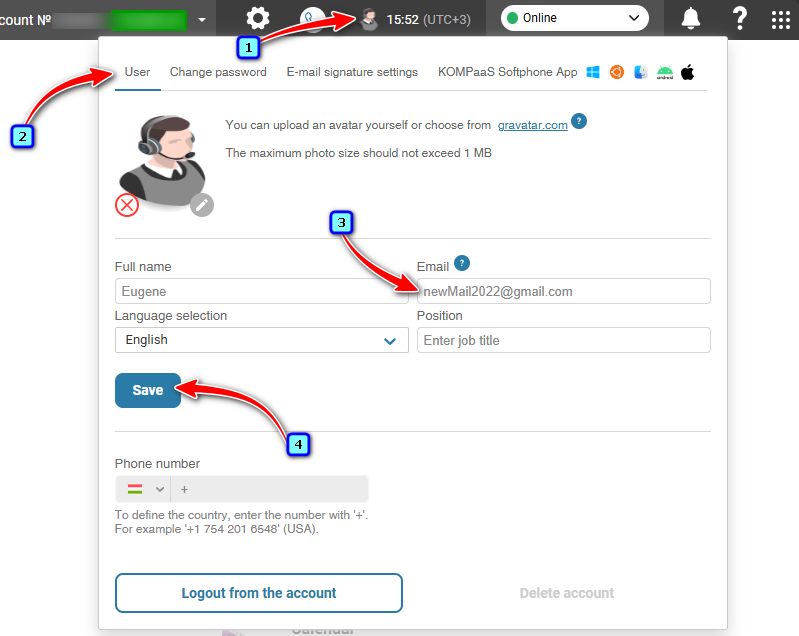
To change your email address, click the profile icon in the top navigation bar.
On the 'User' tab, enter your new email address in the 'Email' field and click 'Save'.
Wait for the window to refresh automatically (approximately 5–7 seconds).
Check your current email inbox. You will receive an email containing a link to verify your new email address.
Click the link.
Your email address has been successfully changed.
Was this article helpful?
That’s Great!
Thank you for your feedback
Sorry! We couldn't be helpful
Thank you for your feedback
Feedback sent
We appreciate your effort and will try to fix the article