To retrieve the password for a SIP account:
Go to 'Telephony' → 'Telephony' tab → 'SIP settings' in the left-hand menu.
Select the checkbox next to the required SIP account and click 'Send settings'.
In the modal window that opens, click 'Send settings'.
⚠️Attention! The SIP account password can be managed only when two-factor authentication is enabled and the user has the Owner or Administrator role. 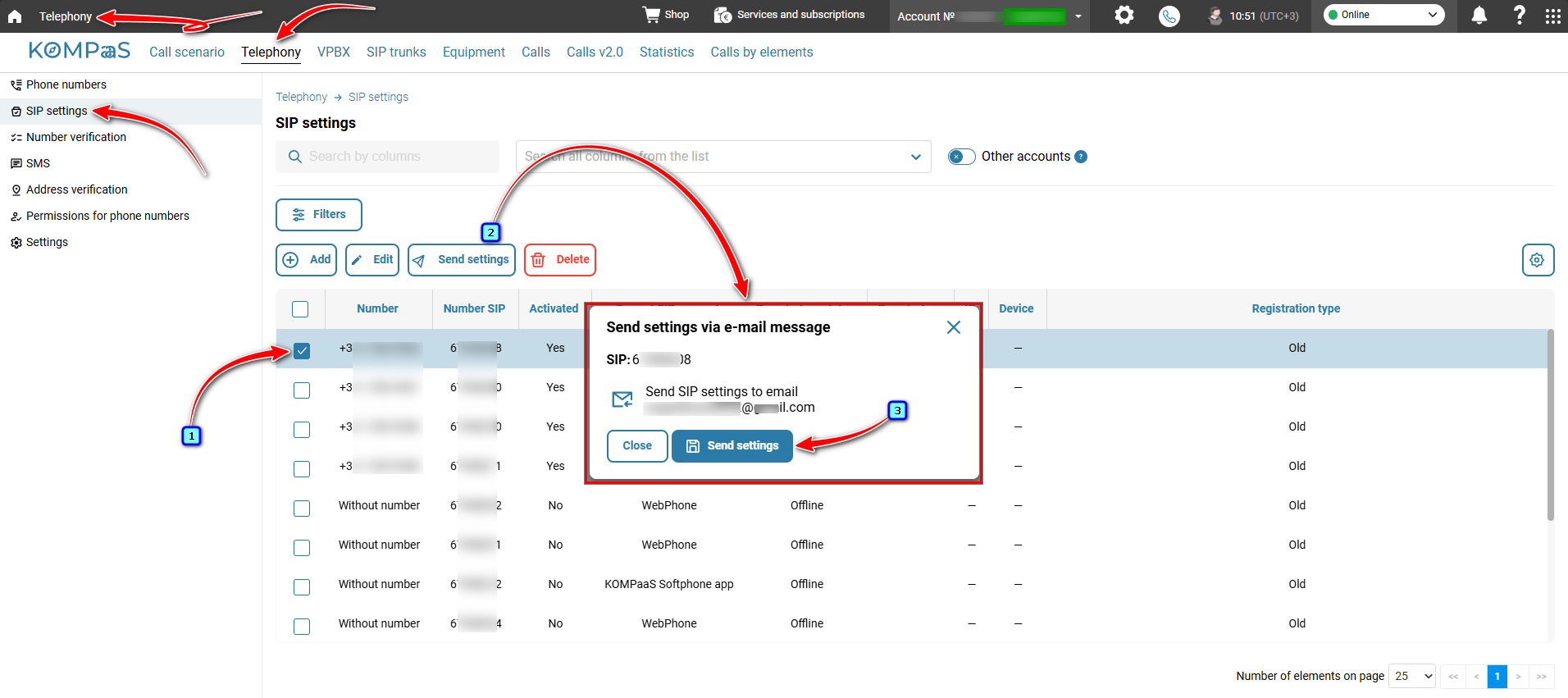
Check your email.
Also see:
Was this article helpful?
That’s Great!
Thank you for your feedback
Sorry! We couldn't be helpful
Thank you for your feedback
Feedback sent
We appreciate your effort and will try to fix the article