Signing keys are used to protect events and verify the authenticity of webhooks.
They allow you to verify that the received webhook was actually sent by the system.
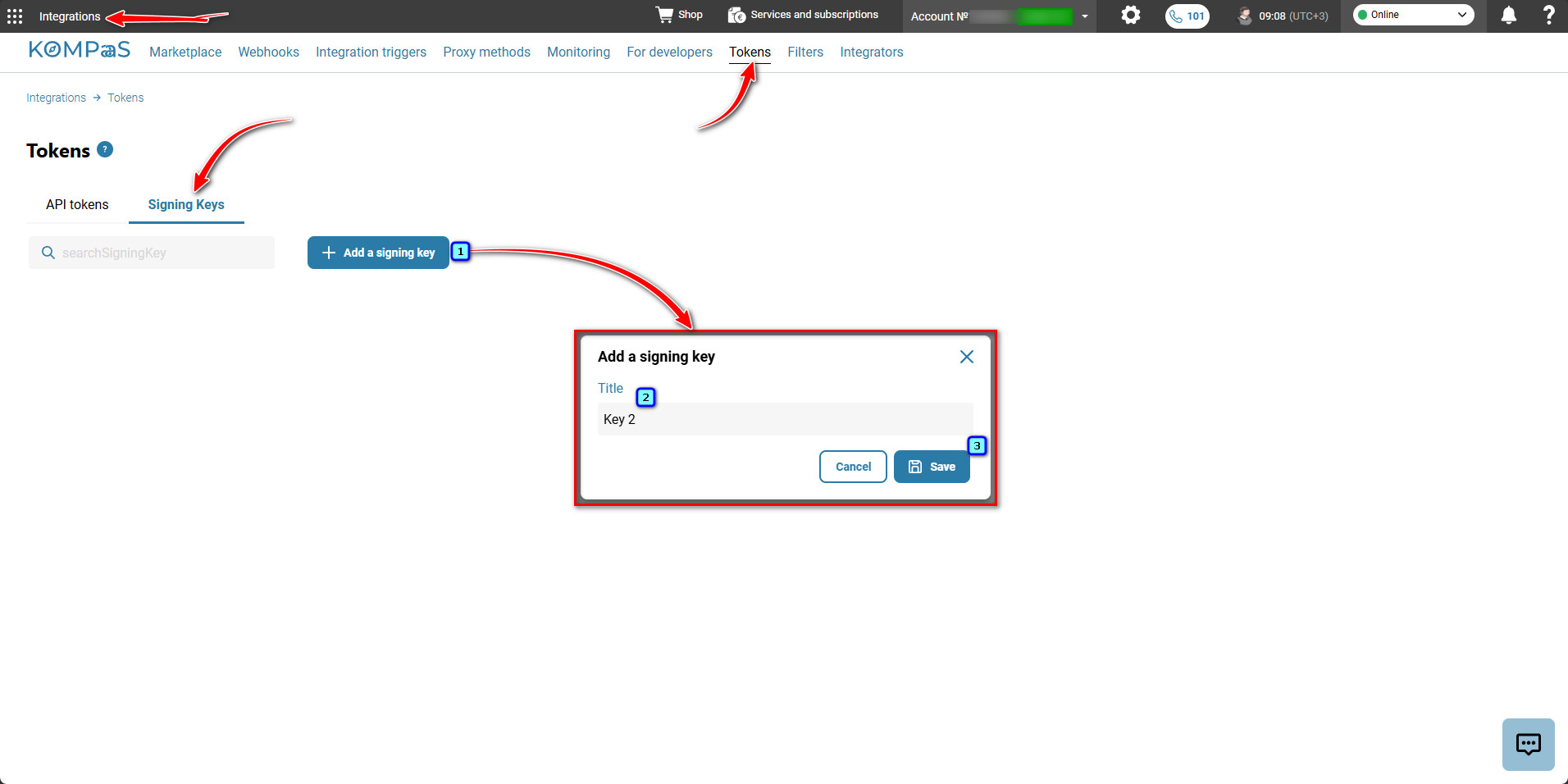
Go to 'Integrations' → 'Tokens' tab → 'Signing Keys'.
Click 'Add a signing key'.
Enter the key name and click 'Save'.
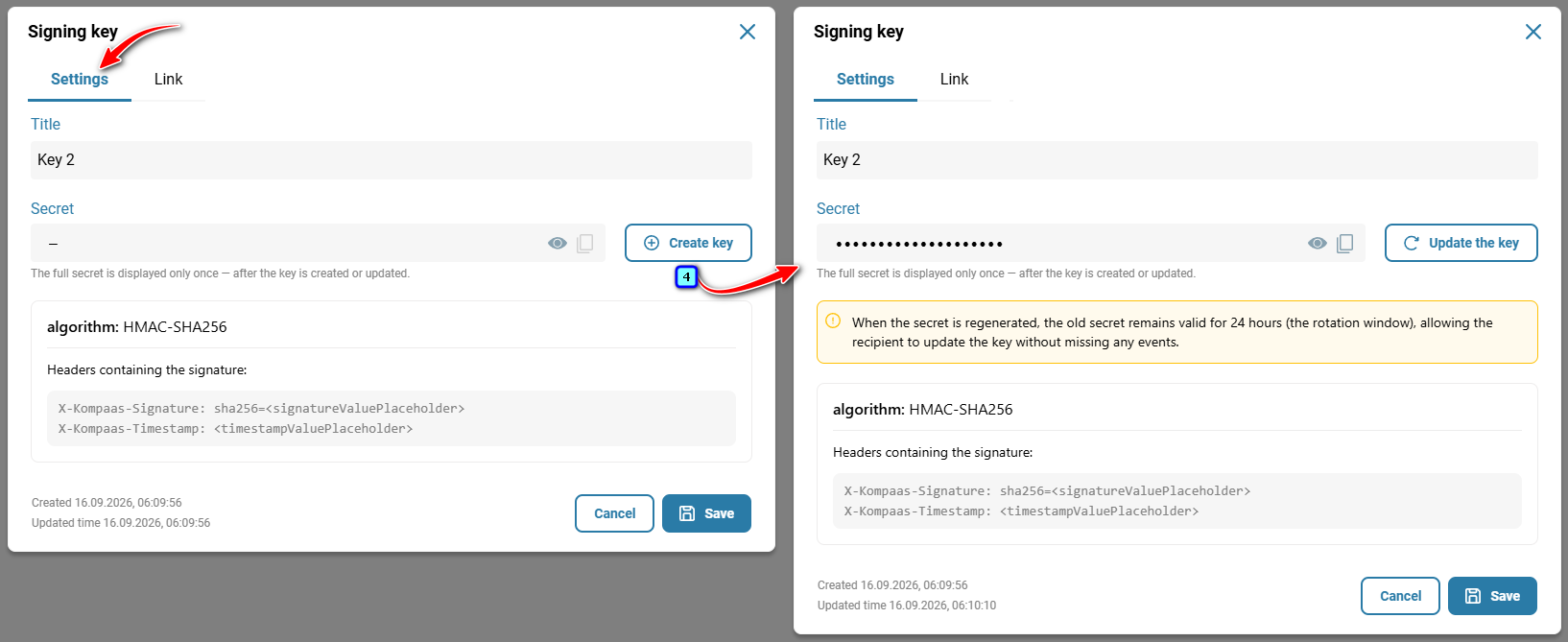
In the 'Signing key' modal window that opens, go to the 'Settings' tab and click 'Create key'.
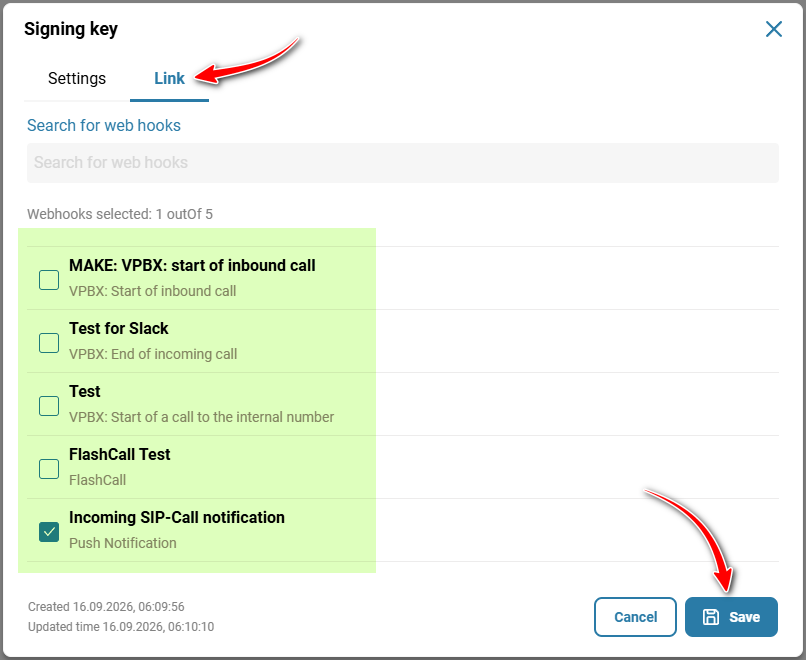
On the 'Link' tab, select the required webhooks by checking the corresponding boxes.
Click 'Save'.
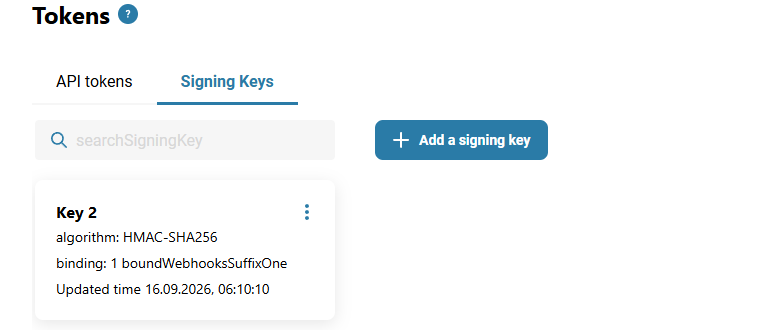
The key has been created.
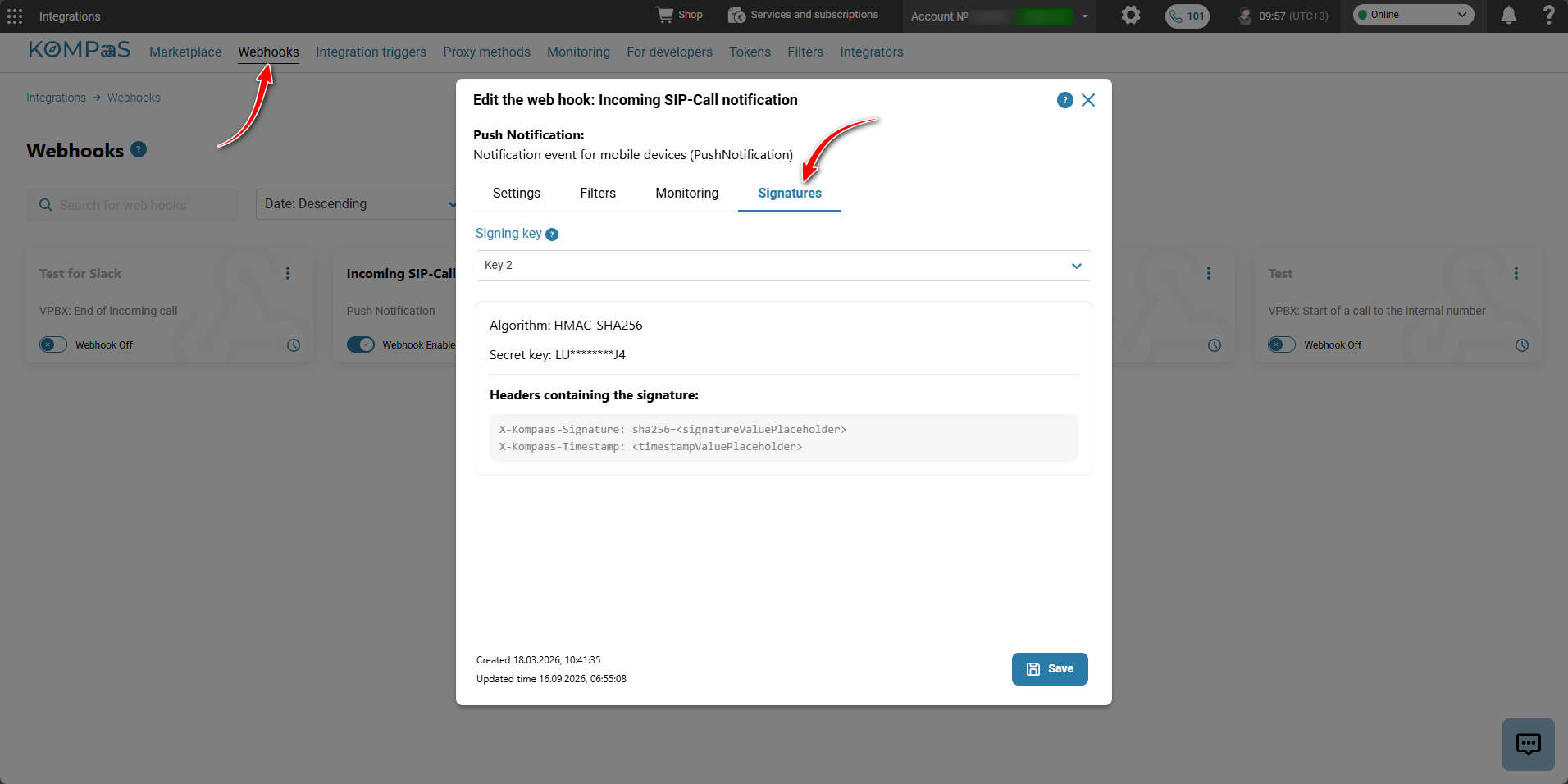
A separate tab will appear in the webhook card/section.
Was this article helpful?
That’s Great!
Thank you for your feedback
Sorry! We couldn't be helpful
Thank you for your feedback
Feedback sent
We appreciate your effort and will try to fix the article